WooCommerce is the largest e-commerce platform by store count, with roughly 4.5 million live stores. It is also the least uniform: open-source, self-hosted inside WordPress, with custom checkouts, third-party shipping and subscription plugins. That variety changes the decisive question for AI support: does the tool act through the WooCommerce REST API, or only read from it?
In this list, we break down the top 8 AI agents and support chatbots for WooCommerce so you can pick the best AI customer support tool for WooCommerce. It is the WooCommerce drill-down of our wider guide to best AI chatbots: platform-agnostic tools live there; the WooCommerce-specific picture lives here. On Shopify instead? Read the Shopify edition.
One of the eight (Engaige) is ours, so we show our working: the methodology below applies to us too. For the platform-agnostic shortlist across every helpdesk, see our guide to the best AI agents.
How is this list created?
This list is generated based on the WooCommerce integration each tool provides. The inclusion rule: a tool must publish a genuine WooCommerce integration, as a WordPress plugin or a documented API connection. A tool that does not publish its WooCommerce integration is left out.
Integration depth, how far that integration lets the AI act (from reading order data, to processing refunds and cancellations, to editing subscriptions), then carries the joint-heaviest weight in the six-criterion matrix that orders this list.
The rule excludes some famous names, by their own documentation. Intercom states Shopify is “the only supported ecommerce provider” for Fin’s e-commerce actions, per its documentation, and the old Intercom extension on woocommerce.com is retired. Siena’s integrations page lists Shopify and Fulfil as its commerce integrations. Zendesk publishes no first-party WooCommerce app (only third-party connectors). And eDesk’s WooCommerce page brings order data into tickets but publishes no WooCommerce order actions.
One test for every number you’ll see, ours included: which named customer produced it, over what period, and what does the vendor count as “resolved”? A rate with none of those attached is a marketing figure, not a benchmark. Resolution figures below are vendor-stated unless noted, and how well a vendor substantiates its own claims counts toward its transparency score.
To those three questions, add a fourth, buyer’s test: ask every vendor, us included, to execute a refund or cancellation in a sandbox on your own store before you sign.
What should you look for in a WooCommerce AI agent or support chatbot?
Look for four things: a deep WooCommerce and helpdesk integration, an AI that acts through the REST API instead of only suggesting replies, handling for WooCommerce Subscriptions and your plugin stack, and training on your own policies with proven ROI. Then weigh depth over breadth: how far the AI acts matters more than how many logos a vendor lists.
Deep WooCommerce & helpdesk integrations
A great AI agent connects directly to your WooCommerce store and helpdesk so it can pull order details automatically and update tickets in real time. For example, when a customer asks “Where’s my order?”, the agent can instantly check WooCommerce for tracking info and share it, no manual lookup required.
On WooCommerce this is harder than it sounds, because no two stores expose the same data. Your tracking might live in a shipping plugin, your order statuses might be customised, and your checkout might be heavily modified. A serious integration works through the WooCommerce REST API and tolerates that variety, rather than assuming a standard store.
Breadth of integrations vs depth of actions
A long integrations list is countable, which makes it easy to market. eDesk states it natively connects with 300+ channels across marketplaces, web stores and social, and Yuma lists 60+ integrations (both vendor-stated). Breadth answers a real question: can we start, today, with the stack we have?
Depth answers the harder question: will the hard tickets, refunds, subscription changes, still get resolved in month six? That is knowable only from what each vendor publishes per integration. So weigh how far the AI acts on yours, not how many logos a vendor shows.
On our side, the count is never the blocker: if a connection you need is not there yet, we build it on demand and you are live in about a week.
Ability to take actions through the REST API (not just suggest replies)
Unlike simple chatbots that only suggest text, the best AI agents can actually take actions in your WooCommerce store, like processing refunds, cancelling orders, or updating customer details, through the WooCommerce REST API. This matters because customers asking about their order often don’t just want information, they want a problem resolved.
One caveat on every rate below, ours included: a resolution rate only means something by ticket complexity. The easy bulk (order status, returns, address changes) is table stakes that any modern AI clears; the hard middle (partial refunds, complex returns, judgement calls) is the real test. We set out how to read a resolution rate in our e-commerce guide.
Imagine a customer who wants to cancel an order they just placed: the AI can handle the cancellation immediately, before it ships. Or if the shipment is stuck or lost, the agent can process a refund without your team stepping in. The dividing line on this page is exactly this: tools that act through the API, and tools that only read from it.
Handles WooCommerce Subscriptions and your plugin stack
Many WooCommerce stores run recurring revenue through WooCommerce Subscriptions, and subscription tickets (pause, skip, change address, cancel) are among the most repetitive in the queue. An AI agent that can edit subscriptions, not just describe how to, removes a whole category of tickets. Ask every vendor which subscription actions it executes on WooCommerce specifically, because Shopify-side answers do not transfer.
Trained on your business policies
Your AI agent should understand your unique return windows, shipping rules, and discount policies so it always gives accurate, on-brand responses. For example, if you have a 30-day return policy on shoes but final sale on accessories, the AI will know not to promise a refund where it isn’t allowed. By being trained on your policies, it helps avoid misunderstandings, reduces escalations, and keeps answers consistent.
Proven ROI through reasoning, ticket deflection & resolution
One of the biggest benefits of a strong AI agent is its ability to deflect and resolve the repetitive tickets that take up most of your team’s time, like “Where’s my order?” or “How do I return this?”. But ROI isn’t just about automation, it’s about reasoning: understanding what your customer is really asking, applying your policies and context, and choosing the right next step automatically.
Operators describe the same requirement in their own words. A WooCommerce store owner building an AI-first support setup asked r/woocommerce in June 2026:
June 2026 Reddit I want to be able to jump in mid-conversation without the customer having to repeat everything or start a new chat. Does this actually exist in a WordPress plugin or is this only an enterprise Intercom kind of thing? · r/woocommerce View on RedditWhat’s the difference between a chatbot and an AI agent for a WooCommerce store?
People use “chatbot” and “AI agent” interchangeably across AI customer support, but for a busy WooCommerce store the difference decides how many tickets actually disappear. And on WooCommerce there is a third category to watch for, which this page treats as the fault line: agent-side action buttons that are not AI actions at all.
A basic chatbot is usually rule-based or keyword-triggered
It follows simple scripts to answer FAQs like “What are your opening hours?” or “Do you ship internationally?”. These bots are limited because they can’t understand customer context or take meaningful action in your WooCommerce store. If a customer asks to cancel an order or check delivery status, the chatbot typically says: “Please wait for an agent” or links to your help page.
Pros and cons:
- Cheap and easy to set up, often as a free WordPress plugin
- Good for very simple FAQs
- Can’t access WooCommerce data or perform actions
- Often frustrate customers with dead ends (“Please email us”)
An AI agent is designed to automate support tasks, not just answer questions
It connects directly to your WooCommerce store and helpdesk, so it can check real-time order data, process refunds, cancel orders, or update subscriptions through the REST API. For example, if a customer messages: “Can I cancel order #1234?”, the AI agent can check whether it has shipped and cancel it immediately, updating the customer without any human intervention.
Pros and cons:
- Can handle real support tasks end-to-end
- Personalised responses with real order data
- Reduces workload for your team by solving issues automatically
- Slightly more complex to implement (needs API access and training)
Agent-side action buttons are a third thing, and vendors blur it
Several helpdesks publish genuine WooCommerce actions, but for your human agents: a refund button, an order-status dropdown, an address field inside the ticket view. That is real workflow value, and Re:amaze and Richpanel both offer it on WooCommerce. It is not AI automation: a person still reads the ticket, decides, and clicks. When a vendor says it “handles refunds on WooCommerce”, always ask: the AI, or the agent?
How deep does each tool act inside WooCommerce?
Before the list, here is the qualifying axis in one picture, with two theses behind it. First: vendor resolution rates do not transfer across platforms. A rate earned on Shopify says little about WooCommerce, and integration depth here determines what is achievable on your store. Gorgias’s 60% (vendor-stated) is the proof: that figure belongs to Shopify, while on WooCommerce its own docs rule out actions entirely.
Second: depth is not the number of integrations a vendor lists; it is how far the AI can act per integration, from reading order data (shallow) to autonomously processing refunds, cancellations and subscription changes (deep). Engaige leads this list overall, and ties with Minimal on this one axis: we take every action a ticket needs, Minimal documents the longest granular list.
The score matrix later in this article formalises this ordering: depth carries joint-heaviest weight, alongside resolution, pricing and transparency, and Engaige tops the weighted total.
Depth measures how far the AI can act per the vendor’s own documentation, not the number of integrations. A tool is credited for depth only on what it documents or claims; where action capability is not documented it is noted “action docs not published” rather than scored on faith, which applies to Tidio here. Agent-side action buttons (Re:amaze, Richpanel) score as assist, not as AI actions. Source: public documentation + our own analysis, June 2026.
The list: top 8 AI agents and support chatbots for WooCommerce (2026)
The eight entries below run from Engaige, Yuma and Minimal at the top to Gorgias at the bottom, ordered by the weighted score matrix further down. For each tool we cover what it does inside WooCommerce, its published numbers, the catch a vendor page won’t volunteer, and who it suits best.
1. Engaige
letsengaige.com (that’s us!)
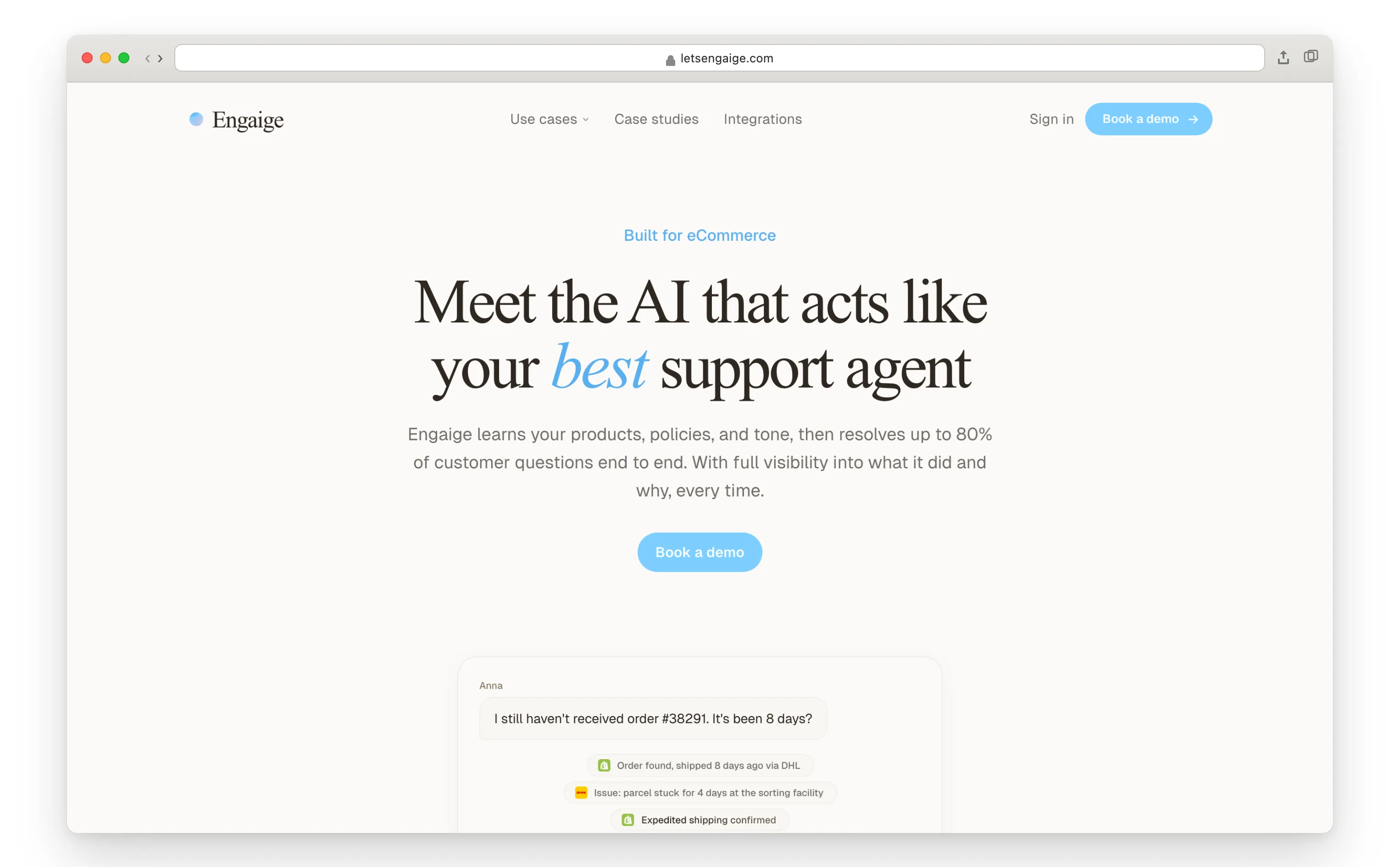
Engaige is a continuously improving AI agent for customer service, built for e-commerce support teams in fashion, beauty, and electronics. It resolves tickets end-to-end by understanding your products, policies, and workflows, configured in plain language through Engaige AI, which is configuration and learning, not a setup wizard.
Its differentiator is the combination: you go live in Agent Assist in hours, and from day one it learns from your team’s normal work. What your team sends compared with what the agent suggested is one of its training signals, and Engaige AI proposes changes to policies and behaviour with its reasoning, which you approve. We found no competitor that publicly describes learning from that everyday gap with changes a human approves.
Once a ticket type has learned enough, often within about a week, you switch it to autonomous, where it keeps learning from live outcomes and the cases it hands back to a human. On WooCommerce it acts through the documented REST API: refunds, cancellations and subscription changes, executed by the AI.
The integration is listed on our integrations page; that is our claim, so apply the same scepticism to it as to every other vendor’s here.
If a connection you need is not there yet, we build it on demand and you are live in about a week.
The verified outcomes, with the case studies open for inspection: Otrium resolves 60% of 120,000 annual tickets autonomously, and HelloPrint automated 80% of support, cut first-response time by 90%, and shrank its team from 100 to 28. The “up to 90%” we state is our ceiling at the deepest integrations, the same kind of vendor-stated ceiling you should challenge every supplier on.
One more honest beat, and it is about the ceiling rather than the launch: you are live in Agent Assist within hours, not months. You configure every policy in plain language through Engaige AI and test it in the Playground, for example by pasting in a past ticket, and from there the self-improvement loop does the climbing.
Coverage compounds as the agent learns: most brands are autonomous in about a week, climbing toward up to 90% of supported tickets, our ceiling at the deepest integrations.
Inside WooCommerce it can: read orders, products and customer history in real time; process refunds and cancellations per your policy; manage subscription changes; answer order, shipping and returns questions instantly.
Key features:
- AI agent trained on your company’s policies, in plain language (no prompt engineers)
- Continuously improving: learns from your team’s replies in Agent Assist, then from live outcomes and hand-offs once autonomous
- Acts in WooCommerce via documented API: refunds, cancellations, subscription changes
- AI agent integrated with your product catalogue
- Automates conversations via email, chat and social
- You can test and preview your AI agent outputs before they go live
Pros
- Resolves the repetitive middle end to end: named outcomes of 60% (Otrium) and 80% (HelloPrint), with up to 90% as our stated ceiling
- Full control and transparency: the full reasoning for every answer and action in the dashboard, a reasoning summary note at every hand-over, and policies with thresholds you test in the Playground
- A flat monthly fee tied to your ticket volume, predictable as you scale
Cons
- Reaches its highest resolution ceiling over a few weeks of policy training, not on day one, though you are live in Agent Assist within hours
The catch: our named outcomes (Otrium, HelloPrint) are e-commerce deployments, not WooCommerce-specific case studies, so hold us to the same pilot-on-your-own-tickets standard as everyone else here.
Best for: WooCommerce stores in fashion, beauty and consumer electronics looking to scale customer service with deep automation.
Engaige offered control, flexibility, and the ability to really incorporate AI in a more human way.

Engaige proved to be invaluable. Their hands-on support during the implementation phase resulted in significant improvements to our automated resolution rate and CSAT.

2. Yuma

Yuma describes itself as purpose-built for Shopify, but it is one of the few from that roster that genuinely flips into this list: it publishes a WooCommerce integration, labelled beta, that “allows Yuma to perform autonomous actions” across inventory, product information, customer information, orders and subscriptions (vendor-stated). On the same page it states “up to 60% for top customers” on WooCommerce (vendor-stated).
That Woo-specific number is worth pausing on: most vendors quote one global headline, and Yuma instead tells you its best WooCommerce customers sit lower than its best Shopify ones. That kind of per-platform honesty earns transparency credit in our matrix.
Inside WooCommerce it can: perform autonomous actions on orders and subscriptions; read inventory, product and customer information; resolve tickets through your existing helpdesk.
Key features:
- Autonomous AI agent layered on your existing helpdesk
- Published WooCommerce integration with AI-executed actions (beta)
- Publishes per-customer and per-platform automation rates
- Wide e-commerce ecosystem beyond the store platform
Pros
- Keep your current helpdesk and upgrade only the AI on top
- AI-executed actions on WooCommerce, not just agent buttons
- Unusually transparent about real, platform-specific outcomes
Cons
- The WooCommerce integration carries a beta label
- Quote-based pricing, not public
The catch: the integration is beta, and Yuma’s headline numbers come from Shopify deployments; on WooCommerce its own stated best case is up to 60%.
Best for: WooCommerce brands happy with their helpdesk that want autonomous resolution layered on top, and accept beta-stage tooling.
3. Minimal
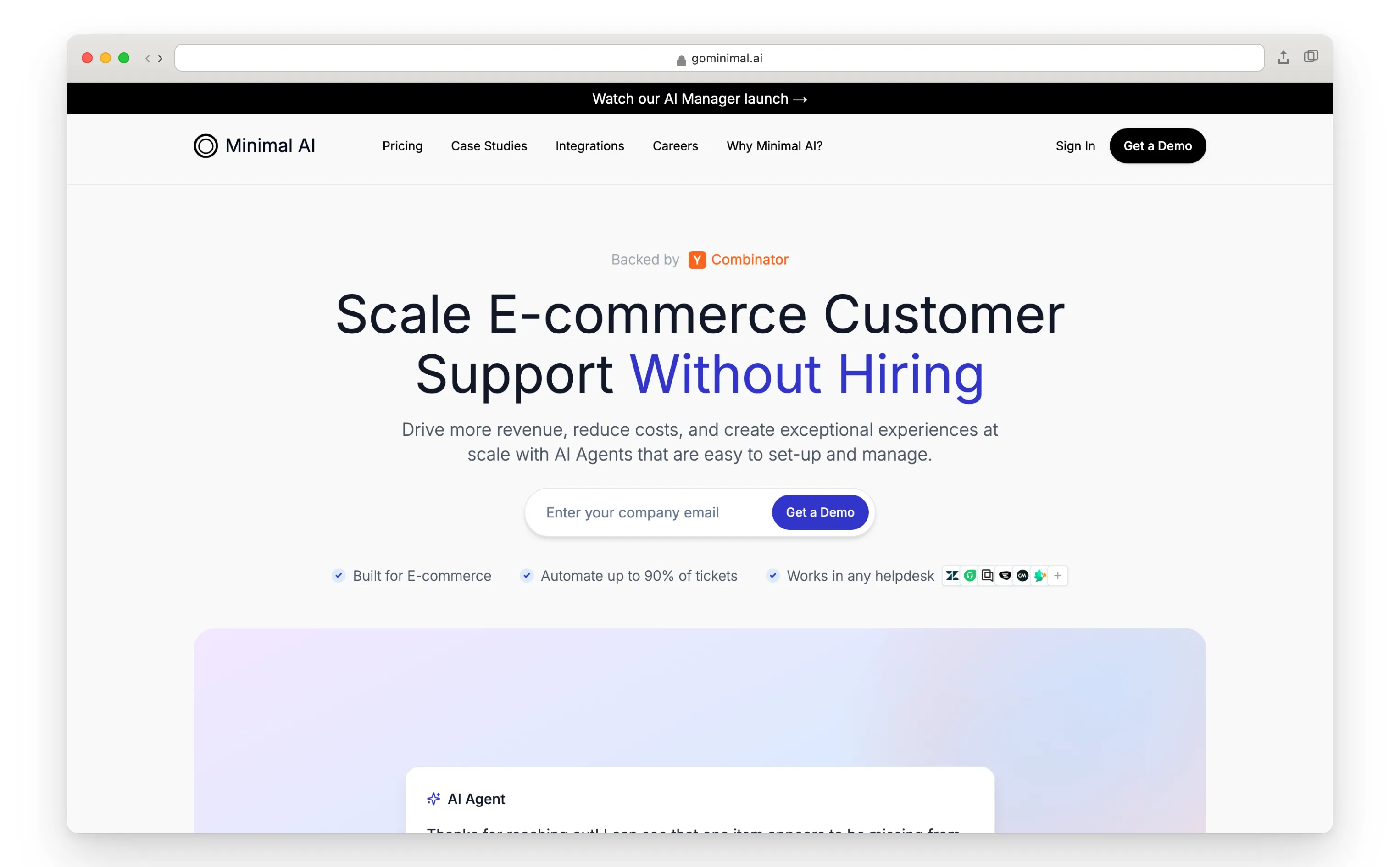
Minimal publishes the longest granular WooCommerce action list on this page: its integration page states the AI can process full and partial refunds, update order statuses, look up customer information, add order notes, manage coupons, check stock, and create orders (vendor-stated). On documentation alone, before any proof, that action list reaches the same depth band we document.
But a published list is not a resolved ticket: on proven resolution and the weighted total it trails Engaige, which leads this list overall. We claim the full needed-action set and hold it to the sandbox test.
What it does not publish is the substantiation around the claim: no public pricing and no named customer outcomes on WooCommerce. So apply the four tests from our methodology, the sandbox one especially, before you buy the depth story.
Inside WooCommerce it can: process refunds (full and partial); update order statuses; look up customer info; add order notes; manage coupons; check stock; create orders.
Key features:
- The longest granular published WooCommerce action list in this comparison
- AI-executed actions, not agent-side buttons
- Purpose-built for e-commerce support automation
Pros
- Published action depth that ties for the lead on this list’s qualifying axis
- Specific, checkable integration documentation
Cons
- No public pricing
- No named customer outcomes or resolution rate published
The catch: the action list is best-in-class, but with no named customer, no period and no stated definition of “resolved”, you are piloting on depth alone.
Best for: WooCommerce stores that want maximum published action depth and are willing to validate outcomes themselves in a pilot.
4. eesel
eesel is the per-session pricing contrast on this list: $0.40 per chat session with no platform fee, per its WooCommerce page (vendor-stated). Its WooCommerce integration handles returns and refunds “in Semi-auto and Autonomous modes”, and it connects with read-only API credentials by default, escalating to write access only when you choose (vendor-stated). It names customers including Oil Stores and Ecosa.
That read-only default is a sensible safety posture: you can pilot the AI on real data with zero risk of it touching an order, then grant action permissions deliberately.
Inside WooCommerce it can: read store data with read-only credentials by default; handle returns and refunds in semi-auto and autonomous modes once write access is granted.
Key features:
- Per-session pricing: $0.40 per chat session, no platform fee
- Read-only API credentials by default, write access opt-in
- Returns and refunds in semi-auto and autonomous modes
- Named customers including Oil Stores and Ecosa
Pros
- Public, simple pricing you can model on a napkin
- Safe default posture for a first AI pilot
- Genuine AI-executed actions available when enabled
Cons
- No published resolution rate to hold it to
- Default read-only setup means action depth is opt-in, not out of the box
The catch: the per-session price is attractive, but with no published resolution rate, you won’t know your cost per resolved ticket until you run it.
Best for: WooCommerce stores that want a low-commitment, transparently priced pilot with a safe read-only start.
5. Re:amaze
Re:amaze is a multichannel e-commerce helpdesk with a native WooCommerce integration that is genuinely deep, on the agent side: per its integration page, agents can process refunds, set order statuses, set payment statuses and add order notes from inside the helpdesk (vendor-stated). Its AI, however, is drafting assist: it pre-writes replies and summarises conversations rather than executing actions.
This is the fault line of this page in one product: real WooCommerce actions exist, but a human clicks every one of them.
Inside WooCommerce it can: let agents process refunds, set order and payment statuses and add order notes from the dashboard; draft replies with AI. Autonomous AI actions are not part of the offer.
Key features:
- Unified inbox across email, live chat, social and SMS
- Native WooCommerce integration with agent-side order actions
- AI drafting and conversation summaries
- Flat-tier pricing
Pros
- The richest published agent-side action set on WooCommerce in this list
- Multichannel inbox to handle every support channel in one place
- Predictable flat tiers
Cons
- AI is assistive, not action-based: most issues still need a human
- Automation rate is bounded by your team’s capacity, not the AI’s
The catch: “process refunds on WooCommerce” here means your agents can, not the AI; headcount savings stay limited.
Best for: Teams that want one inbox with real WooCommerce buttons for human agents, plus AI assist, not full automation.
6. Richpanel

Richpanel publishes a WooCommerce integration and a WordPress plugin: per its integration page, agents can “update discounts, addresses, and refunds. Create draft orders” from the helpdesk (vendor-stated). Its AI agent carries strong platform-wide resolution claims and a first-30-days resolution guarantee on its site (vendor-stated), but what the AI itself can execute on WooCommerce specifically is not stated on that page.
So treat Richpanel on WooCommerce the way this page treats Re:amaze: verified agent-side actions, with the AI-on-WooCommerce depth still to be proven in your own pilot.
Inside WooCommerce it can: let agents update discounts, addresses and refunds and create draft orders; centralise WooCommerce conversations in one inbox.
Key features:
- WooCommerce integration plus a WordPress plugin
- Agent-side order actions inside the helpdesk
- Autonomous AI agent with an approvals workflow (platform-wide)
- A guaranteed resolution floor (50% in 30 days), which is rare accountability
Pros
- Real agent-side WooCommerce actions, documented
- The guarantee puts skin in the game
- Helpdesk designed for e-commerce
Cons
- AI-executed action depth on WooCommerce is not published
- Deeper value requires adopting the full Richpanel platform
The catch: its headline resolution story comes from its wider platform; its WooCommerce page documents agent buttons, so make the AI prove its Woo depth before you count on it.
Best for: WooCommerce brands that want an e-commerce helpdesk with agent-side actions now and are willing to pilot the AI’s depth.
7. Tidio
Tidio is ideal for small WooCommerce stores that want a quick, lightweight start: it ships a WordPress plugin and a WooCommerce integration with product cards and catalogue sync, and Tidio states its customers average a 75% resolution rate with Lyro (vendor-stated, checked October 2026). Lyro runs as an add-on sold by conversation volume, per its pricing page, and Tidio’s free tier makes it a natural baseline.
The depth caveat: Lyro’s documented order-status action is Shopify-scoped. Tidio has not published equivalent action documentation for WooCommerce, so treat Lyro on Woo as FAQ and catalogue level until your pilot shows otherwise.
Inside WooCommerce it can: install via WordPress plugin; sync your catalogue and show product cards in chat; answer FAQ and product questions with Lyro. Documented order actions are Shopify-scoped.
Key features:
- WordPress plugin, quick installation, free tier available
- Customisable website chat widget to match branding
- Omnichannel inbox for chat, email and social
- Lyro AI for multilingual FAQ answering
Pros
- Easiest start on this list: plugin install, no developer
- Free tier doubles as a no-risk baseline
- Lyro’s add-on tiers are easy to model
Cons
- Published Lyro order actions cover Shopify, not WooCommerce
The catch: the 75% rate is platform-wide; on WooCommerce, Lyro’s published depth is catalogue and FAQ, not order actions.
Best for: Small WooCommerce stores that want a free or cheap conversational baseline before investing in real automation.
8. Gorgias

Gorgias is the most instructive entry on this list, because it shows how little of the Shopify story survives the platform change. On Shopify, its AI Agent takes real actions and Gorgias states “60% of inquiries resolved instantly” on its AI Agent page (vendor-stated). On WooCommerce, its WooCommerce docs state: “You can’t initiate any actions on WooCommerce orders (create, edit, cancel, refund)” and “Automate features can’t be used with the WooCommerce integration”.
Its AI Agent docs are equally direct: AI Agent “is not supported on stores that use BigCommerce, Magento or WooCommerce”. Credit where due: few vendors document their own limits this plainly, and that candour earns Gorgias transparency credit in our matrix even as its depth score sits at the bottom.
Inside WooCommerce it can: display WooCommerce order and customer data next to tickets, read-only. No order actions, no Automate, no AI Agent, per Gorgias’s own docs.
Key features:
- Polished multichannel e-commerce helpdesk
- WooCommerce order context inside tickets (read-only)
- Excellent, honest documentation of platform limits
Pros
- Strong helpdesk ecosystem if you also run Shopify stores
- Its docs tell you exactly what won’t work, before you buy
Cons
- Read-only on WooCommerce: no order actions of any kind
- AI Agent and Automate are not available on WooCommerce stores
- No WooCommerce case study published
The catch: everything that makes Gorgias famous on Shopify, by its own documentation, does not function on WooCommerce.
Best for: Teams running Shopify as their primary store who also need basic ticket context from a secondary WooCommerce store.
Comparison of the best AI agents and support chatbots for WooCommerce stores
Eight tools qualify, and the table below compares them on what each can do inside WooCommerce. Engaige, Yuma, Minimal and eesel let the AI execute actions through the REST API; Re:amaze and Richpanel give human agents action buttons; Tidio stays at FAQ and catalogue level; and Gorgias is read-only by its own documentation.
| Tool | Best for | Inside WooCommerce it can | Automation level | Key limitation |
|---|---|---|---|---|
| Engaige | Automating support at scale | Refunds, cancellations, subscription changes via documented API | End-to-end resolution (named 60-80%, up to 90% ceiling) | Initial policy-training phase |
| Yuma | AI on top of your helpdesk | Autonomous actions on orders and subscriptions (beta) | Autonomous (up to 60% on Woo, vendor-stated) | Beta-stage Woo integration |
| Minimal | Maximum published action depth | Refunds, order status, coupons, stock, create orders | AI-executed actions | Flat per-ticket pricing public, but no named WooCommerce outcomes |
| eesel | Low-commitment pilot | Returns/refunds in semi-auto and autonomous modes | Autonomous (opt-in write access) | No published resolution rate |
| Re:amaze | Agent-side actions + multichannel | Agent buttons: refunds, order status, payment status, notes | Assist (AI drafts only) | Humans click every action |
| Richpanel | E-commerce helpdesk + approvals | Agent-side discounts, addresses, refunds, draft orders | Assist on Woo; AI depth unpublished | AI-on-Woo actions not stated |
| Tidio | Free/cheap SMB baseline | WP plugin, catalogue sync, FAQ answers | FAQ-strongest (75% platform-wide, vendor-stated) | Order actions documented for Shopify only |
| Gorgias | Shopify-first teams with a side Woo store | Read-only order context in tickets | None on Woo (their docs) | No actions, no AI Agent on WooCommerce |
How do they score side by side?
The matrix below scores all eight tools 1-5 on six weighted criteria: WooCommerce-native action depth (25%), resolution (25%), pricing predictability (15%), transparency (15%), time-to-value (10%) and configurability (10%). A tool’s resolution ceiling is roughly its action depth times its integration breadth, with depth the heavier multiplier, which is why depth and resolution carry the joint-heaviest weight. Engaige leads at 4.85, with Minimal (3.7) and Yuma (3.6) completing the top three and Gorgias last at 2.0.
Scores are multiplied by weight and summed to a weighted score out of 5 (rounded to one decimal), sorted highest first. The criteria and weights match our e-commerce comparison, but every criterion is scored for a WooCommerce deployment specifically, pricing and configurability included, so a vendor’s scores can differ across our platform guides and totals are not 1:1 comparable.
Our claims, pricing and configurability are the same on every platform; time-to-value is scored per platform, so our row can shift by a cell between guides, and competitor rows move because theirs differ. Based on public information and our own research, June 2026.
We are Engaige, so hold our own row to the same test: the scores credit named outcomes you can open over homepage claims, and substantiation counts toward transparency.
| Tool | WooCommerce depth (25%) | Resolution (25%) | Pricing (15%) | Transparency (15%) | Time-to-value (10%) | Config (10%) | Weighted |
|---|---|---|---|---|---|---|---|
| Engaige | 5 | 5 | 5 | 4 | 5 | 5 | 4.85 |
| Minimal | 5 | 3 | 4 | 3 | 3 | 3 | 3.7 |
| Yuma | 4 | 4 | 2 | 4 | 3 | 4 | 3.6 |
| eesel | 3 | 3 | 4 | 4 | 3 | 3 | 3.3 |
| Re:amaze | 3 | 2 | 4 | 3 | 4 | 3 | 3.0 |
| Richpanel | 3 | 3 | 3 | 3 | 3 | 3 | 3.0 |
| Tidio | 2 | 2 | 3 | 3 | 5 | 5 | 2.9 |
| Gorgias | 1 | 1 | 2 | 4 | 3 | 3 | 2.0 |
A fair word on the top of the table. Engaige leads the weighted total (4.85) and tops the table. Engaige and Minimal tie only on the depth axis (5 each). We take all the actions a ticket needs: refunds including partial, cancellations, order edits and subscription changes. That is our claim, held to the sandbox test, so we sit level with Minimal on depth alone.
Minimal documents the longest granular list, coupon management and order creation included; we rest on full-capability plus the sandbox test. But Minimal trails on proven resolution and on the weighted total. Its flat, public per-ticket pricing scores well on predictability; what separates us is not depth or price but substantiation: named outcomes you can open, not a longer list.
Yuma matches our depth score and is the only vendor publishing a WooCommerce-specific rate, earning the same transparency score we hold ourselves to; Yuma’s WooCommerce-specific rate is a per-platform disclosure we cannot yet match. Engaige’s lead comes from named, verifiable outcomes, flat predictable pricing and plain-language configurability.
Hold our numbers to the same test as everyone else’s. Our named, verifiable outcomes are Otrium (60% of 120,000 annual tickets) and HelloPrint (80%), each a full case study you can open. The “up to 90%” on our homepage is our ceiling at the deepest integrations: the same kind of vendor-stated ceiling you should challenge every supplier on, us included.
Verdict per criterion
No tool wins on everything. Engaige and Minimal tie on WooCommerce action depth, Engaige takes resolution and pricing predictability, Engaige, Yuma and eesel share the transparency lead, Engaige and Tidio top time-to-value, and the plain-language tools (Engaige, Tidio) win configurability. Here is each criterion in detail.
- WooCommerce-native action depth. Engaige and Minimal tie here at the top: we take the full needed-action set held to the sandbox test, Minimal documents the longest granular list, from partial refunds to order creation. This is the one axis Minimal matches us on; on resolution and the weighted total Engaige leads. Yuma acts deeply via API just behind; Re:amaze and Richpanel act agent-side; Gorgias, by its own docs, does not act at all.
- Resolution level. Won by Engaige on named outcomes (60% and 80%, case studies open), with Yuma the strongest challenger and the only vendor stating a Woo-specific rate (up to 60% for top customers, vendor-stated).
- Pricing predictability. Shared by the flat, public models (Engaige, Minimal, Re:amaze’s tiers) and eesel’s public $0.40 per session; quote-based pricing (Yuma, Richpanel) needs a sales conversation to size. The figure that actually decides cost is per resolved ticket, not the sticker price: a ticket the AI fails to resolve is handled again by a human. That is where Engaige’s named 60-80% outcomes carry the criterion.
- Transparency and control. Engaige, Yuma and eesel lead: named customers, per-platform rates, or safe read-only defaults. Gorgias earns honest credit for documenting its own WooCommerce limits in plain words.
- Time-to-value. Led by Engaige and Tidio. Tidio is live in an afternoon on a free plugin; Engaige matches it through Engaige AI, you design your policy in plain language, test it in the Playground and go live in Agent Assist within hours, and unlike a plug-and-play start it keeps climbing to a higher ceiling, the ramp-up we explain in the e-commerce guide.
- Configurability. Won by the plain-language tools (Engaige, Tidio) a CX team can run without a developer; Woo’s plugin variety makes this worth testing in every pilot.
What does an AI agent for WooCommerce cost?
AI agents for WooCommerce cost one of four ways: free WordPress plugins with paid upgrades, per-usage pricing (per chat session or per conversation), a flat fee tied to a ticket volume that stays predictable as you grow, or quote-based enterprise pricing. The honest comparison across all four is total cost per resolved ticket, not the headline per-unit price.
| Tool | Pricing model | What’s published |
|---|---|---|
| Engaige | Flat monthly fee tied to your ticket volume | Flat model stated; predictable as volume grows |
| Yuma | Quote-based | Not public |
| Minimal | Flat per-ticket, public | Public tiered pricing from €489/mo (general, not WooCommerce-specific) |
| eesel | Per usage | $0.40 per chat session, no platform fee, per its WooCommerce page (vendor-stated) |
| Re:amaze | Flat helpdesk tiers | Plan tiers per seat |
| Richpanel | Quote-based / not public | Platform plans; Woo-specific AI pricing not stated |
| Tidio | Freemium + Lyro add-on | Free tier; Lyro sold in conversation-volume tiers |
| Gorgias | Ticket-volume helpdesk plan | Per-AI-resolution fee (~$0.90-1.00) applies on Shopify; AI Agent is not available on Woo |
The WordPress ecosystem adds a baseline tier no other platform has: free chatbot plugins installed straight from wordpress.org. WoowBot is free at its core, with a Pro version adding LLM-powered answers and order tracking, and MxChat is a free core with paid add-ons.
Like Tidio’s free tier, these answer questions; they do not act on orders. They are worth an afternoon as your baseline: any paid agent on this list has to beat them by enough to justify its bill.
The two-layer anatomy to watch: if the tool is also your helpdesk, you pay per agent seat before any AI, and AI fees come on top. And on WooCommerce specifically, check what the AI fee actually buys: a per-conversation fee for FAQ answers is a different product from a flat fee covering executed refunds and subscription changes.
FAQs about AI agents and support chatbots for WooCommerce
These answers summarise the guide above for quick reference.
What is the difference between a chatbot and an AI agent for a WooCommerce store?
A chatbot answers questions, usually from scripts or FAQs, and hands anything real to your team. An AI agent connects to your WooCommerce store through the REST API and acts: it reads the order, applies your policy, and processes the refund, cancellation or subscription change itself. Watch for the third category: agent-side buttons that a human still clicks.
Does Gorgias’s AI Agent work on WooCommerce?
No, per Gorgias’s own documentation. Its docs state that AI Agent “is not supported on stores that use BigCommerce, Magento or WooCommerce” and that on WooCommerce “you can’t initiate any actions on WooCommerce orders (create, edit, cancel, refund)”. The integration is read-only order context inside tickets.
How many tickets can an AI agent resolve for a WooCommerce store?
Vendor-stated rates on this list run from FAQ-level deflection to 75% platform-wide (Tidio) and up to 60% for Yuma’s top WooCommerce customers. Engaige’s named outcomes are 60% (Otrium) and 80% (HelloPrint), with up to 90% as our stated ceiling. All are ceilings, not guarantees: pilot on your own ticket mix.
Is there a free AI chatbot for WooCommerce?
Yes, and it is a real advantage of the WordPress ecosystem. WoowBot and MxChat offer free plugin cores (with paid upgrades), and Tidio has a free tier. All three answer questions rather than acting on orders, so treat them as your baseline: a paid AI agent has to beat free by enough to justify its bill.
What does an AI agent for WooCommerce cost?
Four models: free WordPress plugins (answers only), per-usage pricing ($0.40 per chat session at eesel, conversation-volume tiers for Tidio’s Lyro), flat monthly to a ticket volume (Engaige), or quote-based (Yuma, Richpanel). Compare tools on total cost per resolved ticket, and check whether the fee buys answers or executed actions.
Can an AI agent process refunds in WooCommerce?
Yes, if it integrates with write access to the WooCommerce REST API. Engaige, Minimal and eesel publish AI-executed refund handling, and Yuma publishes autonomous order and subscription actions (beta). Re:amaze and Richpanel offer refund buttons for human agents instead, and Gorgias’s docs state its integration cannot initiate any order actions.