Customer service ROI is what your support function returns against what it costs. For an online store, the quickest return to check is handling cost avoided on repeatable tickets such as order status and returns. This guide gives the formula, the three money lines, what an AI agent returns, when it breaks even and one number for each of four roles.
What is customer service ROI?
Customer service ROI is the net return of your support function divided by what it costs: gains from support minus support cost, divided by support cost, times 100. The gains come from three lines: handling cost you avoid, revenue from conversations that start in support, and customers you keep. State the period every time.
Customer service ROI (often searched as roi customer service) borrows its logic from the general measure: Wikipedia defines return on investment as “the ratio between net income or profit to investment”. Applied to support, the net income is what support saves or earns, and the investment is your people, your tools and the AI layer.
Gains have three parts, and the first is the easiest to measure.
| Kind of gain | What it is | How it shows up |
|---|---|---|
| Avoided handling cost | Tickets resolved without a person | Fewer hours, or the same team on harder tickets |
| Revenue from support | Orders that start in a support conversation | Sales after a product or order question |
| Customers kept | Repeat purchases from people who were helped well | Retention, which is slower and harder to attribute |
One caveat from the same Wikipedia entry: “ROI is not time-adjusted”. Compare like with like, a month against a month or a year against a year, so a payback that takes a year does not look the same as one that takes a month.
How do you calculate customer service ROI?
Pick a period, add up the gains, subtract the cost of support and divide the result by that cost. Multiply by 100 for a percentage. Measure a baseline before you change anything, so that you compare an AI agent with your own numbers and not with someone else’s.
| Input | How to get it | Example |
|---|---|---|
| Tickets resolved by the agent | Count from your help desk, per month, split by type | Order-status and returns tickets first |
| Cost per human ticket | Support cost divided by tickets handled | €4 (our illustration) |
| AI cost | Your invoice for the AI layer | A flat monthly fee tied to a ticket volume |
| Revenue from support | Orders after a support conversation, only if you can attribute them | Pre-purchase product questions, optional |
| Retention value | Repeat orders from customers you helped | Optional, hardest to prove |
The €4 per ticket and the €40,000 support salary used below are our illustrative assumptions. Swap in your own numbers.
Start from your own ticket mix. In an online store, order-status tickets (“where is my order”) and returns tickets are repeatable, so they are the first place avoided handling cost shows up. Pre-purchase product questions are where revenue from support can start. Counting only avoided handling cost understates the return, so read it next to CSAT and the retention line.
How do you measure customer service in money?
You measure customer service in money with three lines: cost per ticket, revenue from support and retention. Cost per ticket is the one you can compute today. The other two need a rule you set in advance and stick to, or the number will move every time someone asks.
Cost per ticket. Divide total support cost (salaries including social charges, plus tools) by the tickets handled in the same period. If your help desk tracks time, you can compute it from hours instead: Zendesk’s Explore recipe for cost of service multiplies total time spent, in seconds, divided by 3,600, by your hourly rate (this needs the Time Tracking app).
In our illustration, a support salary of €40,000 is about €48,000 with social charges, or about €4,000 a month. That figure and the €4 per ticket are one assumption seen two ways, not independent proof.
Revenue from support. Count orders that follow a support conversation within an attribution window you choose and write down, for example a few days. We give the method and no percentage, because the right window depends on your products.
Retention. HBR, citing Bain’s Fred Reichheld, reports that “increasing customer retention rates by 5% increases profits by 25% to 95%”, and that acquiring a new customer is “five to 25 times more expensive than retaining an existing one”. Treat it as older research (HBR, 2014). Bain’s original example comes from financial services, so it shows the direction and not your margin.
How the work shifts between people and an AI agent is covered in AI agents, and the automation guide shows which ticket types to start with.
Which support metrics move cost and revenue?
Only a few operational metrics show up in money: resolution rate, resolution time and CSAT. Tie each one to cost per ticket or revenue, and measure it against your own baseline before you change anything, including the targets in your ticket SLA. The full metric set, with the formulas, is in our guide to service metrics.
- Resolution rate. Every ticket resolved without a person is handling cost avoided at your cost per ticket.
- Resolution time. Slow resolution creates follow-up contacts, such as the second and third “where is my order” message, which raises ticket volume and so cost.
- CSAT. The guard that your savings did not come at the customer’s expense, and the link back to the retention line above. It only counts customers who answer the survey.
Deflection is not resolution. A ticket counted as automated that the customer then reopens is cost, not saving.
What does an AI agent return per metric?
On our own data, aggregated and anonymised across several customers, the return on investment of AI in customer service shows up first as speed. The agent replies in seconds instead of hours and resolves in minutes instead of days. It also resolves more tickets on the first pass, and CSAT stays equal or higher.
Engaige's AI agent versus human
Engaige's AI agent against the team average of employees, per metric.
- First response time lower is better ≈ 180× faster
- Resolution time lower is better ≈ 150× faster
- Resolved first time higher is better 3.5× more often
- CSAT (1 to 5) higher is better Equal or better
Faster is only a win if it is not worse, and the CSAT row is the check that speed did not cost satisfaction. Read the chart as a direction, not as your result. A team average includes harder tickets than an agent usually takes, so measure a baseline per ticket type before launch and compare the same ticket types, period and way of counting after.
Answer quality also depends on the knowledge behind the agent, and a generic chatbot prompt is the do-it-yourself version of the same job, as AI prompts shows.
What is the break-even point of an AI agent?
An AI agent breaks even when the handling cost it avoids equals its monthly fee. Divide that fee by your cost per human ticket and you get the number of resolved tickets a month at which the two are equal. Above it, every resolved ticket is margin. Below it, you are proving the model.
As a yardstick, at our illustrative €4 per human ticket, one full-time agent handles about 1,000 tickets a month, which is €4,000 of handling cost. An agent that resolves that many tickets absorbs roughly one full-time employee’s workload. Your own break-even depends on your fee and your cost per ticket, so fill the formula with your numbers.
On pricing, Engaige charges a flat monthly fee tied to a ticket volume. That is roughly €0.40 to €0.50 per ticket at entry, dropping toward €0.30 at higher volume, set against our illustrative €4 per human ticket. So most of the avoided €4 stays as margin. For the cost of the human alternative, see the BPO comparison.
Which numbers convince finance, the founder, the CX lead and operations?
Each of the four roles steers on a different slice of the return, and the real ROI is the sum of the slices. Put the number a person already cares about in front of them first. The table gives one line per role.
| To convince | Their goal | Metrics they weigh | Show this |
|---|---|---|---|
| Founder | Support that pays for itself | Cost saving, avoided handling cost | Avoided handling cost over a stated period, set against the AI fee |
| Finance | Predictable cost and clear payback | Our €4 example times volume, payback | A flat monthly fee (Engaige: roughly €0.40 to €0.50 per ticket) and a break-even point worked out from it |
| CX lead | Happy customers, helped quickly | First response, resolution time, CSAT | CSAT held or higher while response and resolution times fall, against your baseline |
| Operations | Capacity that scales without hires | Resolution rate, stability under volume | Share resolved without a person, and volume growing without extra hires |
The €4 figure on this page is our illustration. Your own baseline is the only proof that counts for you.
Where does Engaige fit?
Engaige (that’s us) isn’t a calculator or a reporting tool: it’s the e-commerce-native AI support agent whose return this page measures, working inside the helpdesk you already run. Engaige AI learns from your conversations and inputs, configures your support agent and shows which policies it used. At Otrium, 60% of 120,000 annual tickets are resolved end to end.
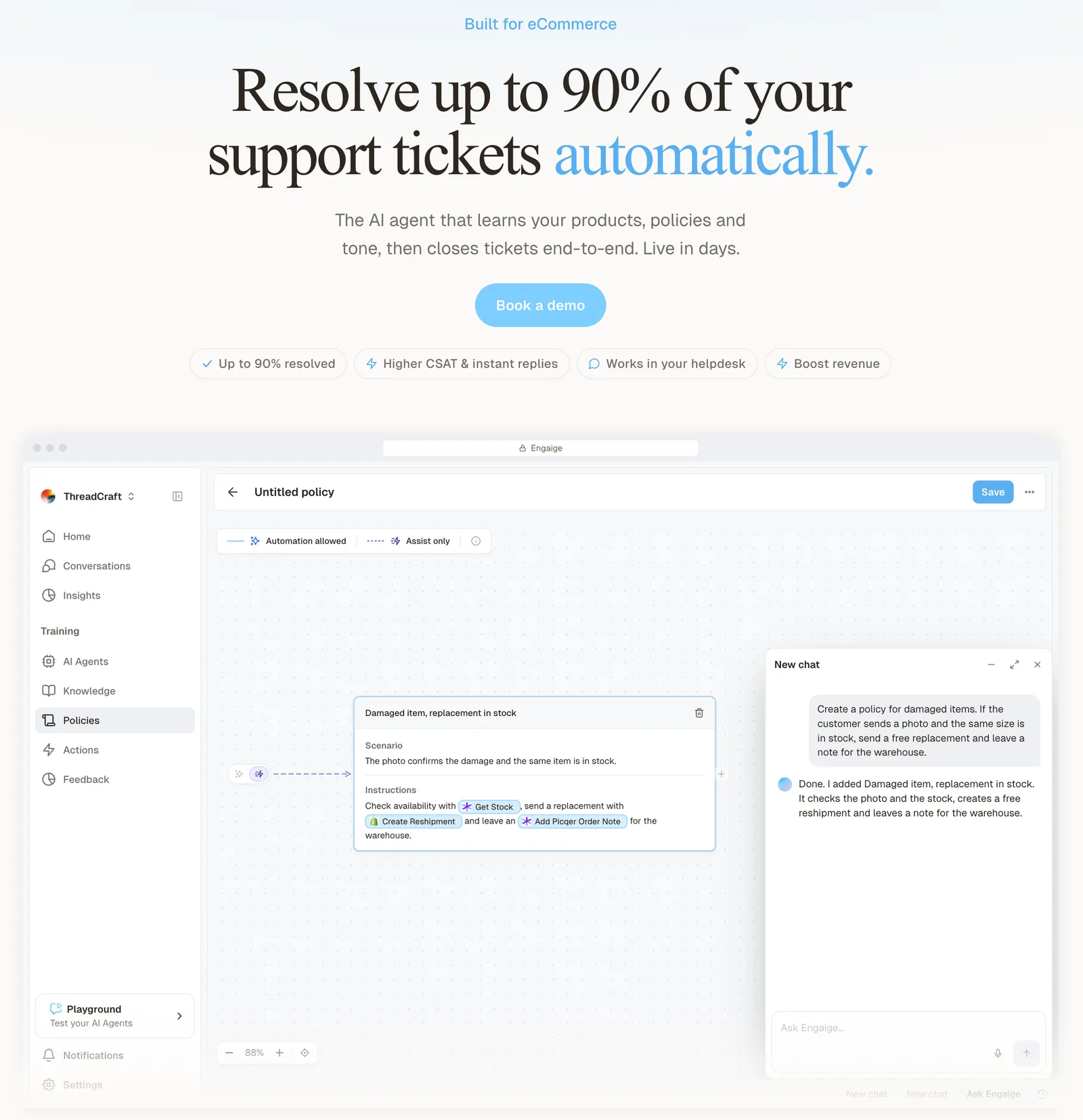
The angle here is numbers you can check. The flat monthly fee tied to a ticket volume makes your cost per ticket known in advance, and every answer and action shows why, with the source.
You go live in Agent Assist in hours, and every reply your team sends becomes training data that Engaige AI learns from, with you approving each change.
Then you flip ticket types to autonomous one at a time. Brands that move quickly reach autonomy in about a week, and Engaige automates up to 90% of supported tickets. Autonomous from day one is also supported, and it keeps learning once autonomous, from emerging trends and the tickets it hands back to your team.
HelloPrint’s results came after go-live: 80% of tickets automated, a 90% faster first response and a team that went from 100 to 28 agents.
Engaige proved to be invaluable. Their hands-on support during the implementation phase resulted in significant improvements to our automated resolution rate and CSAT.

The HelloPrint story shows those numbers in practice. The loop, both launch paths and the Shopify depth are covered in the guide to running an e-commerce support team. For a store-side starting point, read the e-commerce helpdesk guide, and to check the numbers against your own tickets, book a demo.
Frequently asked questions
What is customer service ROI?
It is gains from support minus support cost, divided by support cost, times 100, over a stated period. The gains are avoided handling cost, revenue that starts in support conversations and the value of customers you keep.
How do you measure customer service in money?
With three lines: cost per ticket, revenue from support within an attribution window you set, and retention. Start with cost per ticket, because you can compute it today from your own cost and ticket count.
Which support metrics affect ROI?
Resolution rate, resolution time and CSAT, each tied to cost per ticket or revenue. CSAT is the guard that savings did not cost you customers. The full metric set and its formulas sit in the metrics guide.
What is the break-even point of an AI agent?
The number of resolved tickets a month at which the handling cost the agent avoids equals its monthly fee: divide the fee by your cost per human ticket. As a yardstick, at our illustrative €4 a ticket, one full-time agent handles about 1,000 tickets a month.
How much can you save by automating customer support with AI?
Each ticket the AI resolves avoids your cost per ticket, minus the AI’s share of the fee. Multiply the tickets it resolves in a month by your cost per human ticket, subtract the fee and state the period.
Does speed come at the cost of customer satisfaction?
Not in our aggregated data, where CSAT stays equal or higher while replies come in seconds. Still measure first response time, resolution time and CSAT on your own baseline before launch, and compare the same ticket types after.
How does Engaige price, and why does that matter for ROI?
Engaige charges a flat monthly fee tied to a ticket volume. That is roughly €0.40 to €0.50 per ticket at entry, dropping toward €0.30 at higher volume, set against our illustrative €4 per human ticket, so most of the avoided €4 stays as margin. Your cost per ticket is known in advance, which is the denominator of every ROI calculation on this page.
Can I check what an AI agent did?
Yes. In Engaige, every answer and action shows why it happened, with the source, and Engaige AI shows which policies it used. Pair that with your own baseline from before launch, which is the only proof that counts for you.