Gorgias AI Agent is the AI built into Gorgias, the e-commerce help desk. It answers shoppers on email, chat, SMS and social, works as a support agent after purchase and a shopping assistant before it, and takes Shopify actions such as cancelling unfulfilled orders. It is billed per automated interaction, $0.90 on annual plans, as of October 2026.
This guide explains what Gorgias AI does, how it decides what to say, how it learns, what it costs, which results Gorgias publishes, how to set it up and where a store may need more.
What is Gorgias AI Agent?
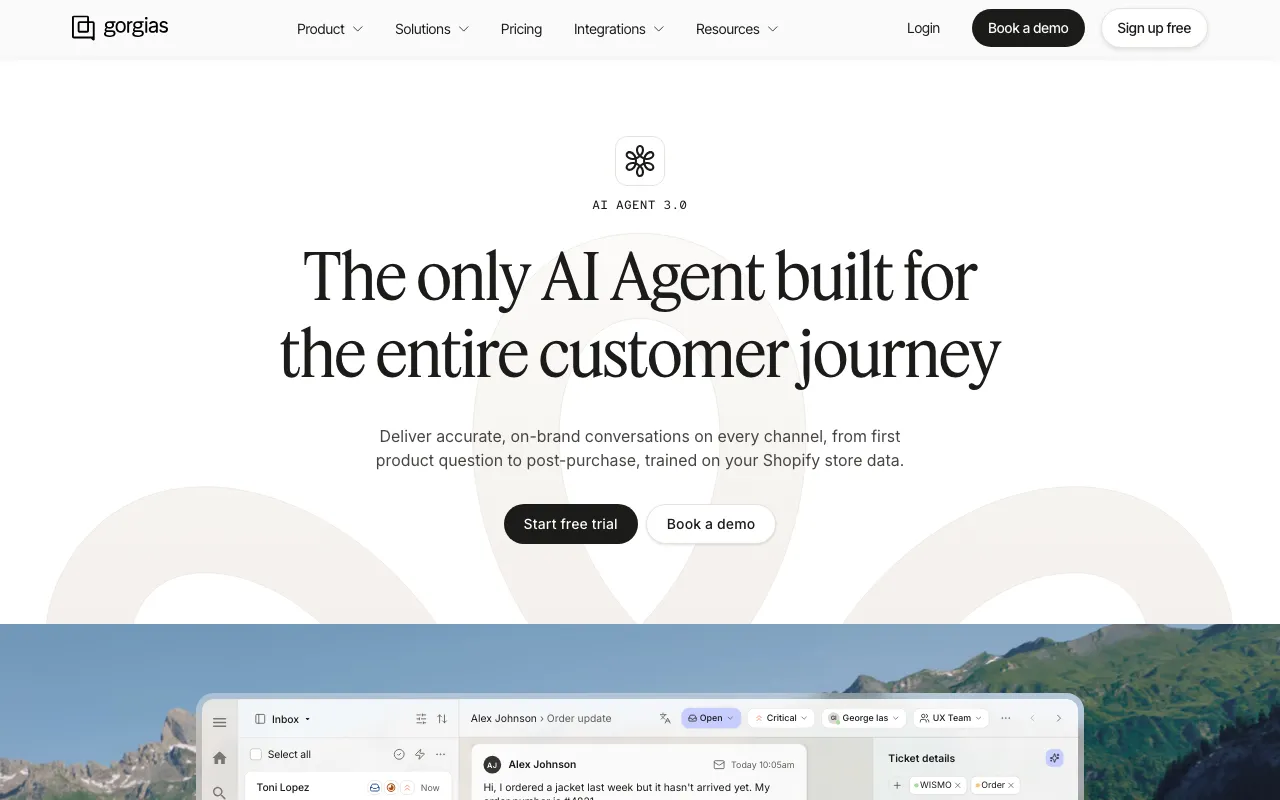
Gorgias AI Agent is the customer-facing AI of the Gorgias help desk. Gorgias describes it as helping shoppers “browse, buy, and get support automatically” (Gorgias docs, updated September 2026). Each connected Shopify store gets its own AI Agent, which answers from your knowledge and hands over to your team when it is unsure.
It is not the only AI in Gorgias. Gaia is a separate assistant for your team that helps manage the help desk, and Flows are rule-based paths you build yourself. When people search “Gorgias AI”, they usually mean the AI Agent, so that is the focus here. For the help desk itself, our hub guide compares Gorgias with Zendesk.
Can Gorgias AI Agent sell as well as support?
Yes. Gorgias splits the AI Agent into two jobs. The support agent “resolves post-purchase conversations like returns, order tracking, cancellations, and missing items”. The shopping assistant engages shoppers before they buy, answers questions about sizing, availability and compatibility, and recommends products from browsing, cart contents and what the shopper says.
The Shopping Assistant is included with the AI Agent on Shopify stores, though Gorgias notes some accounts may need to upgrade their AI Agent to get it. A selling style setting (Educational, Moderate or Promotional) controls how early it recommends products and discounts. It can generate unique discount codes or surface active automatic discounts from your Shopify store.
How does it decide what to answer?
It reads your knowledge, picks the skills and actions that fit, drafts a reply and checks it before sending. Gorgias’s explainer says the reply “is only sent if it passes a second AI model’s confidence threshold”. If it finds no answer in your verified content, it does not respond and hands over instead.
The building blocks, as of October 2026:
| Building block | What it is | Where it comes from |
|---|---|---|
| Knowledge | Help Center articles, website and catalogue, documents, URLs and Shopify data | You connect or upload it |
| Guidance | Reference knowledge in your own words, retrieved by relevance; up to 100 per store, 30,000 characters each | You write it, or start from a template |
| Skills | Instructions for one type of request, triggered by the intents you link to it | You build them, from a template or from scratch |
| Actions | Tasks in Shopify and connected apps, run only inside a skill or guidance | Pre-built, from an app, or built with HTTP requests |
| Handover | Topics to exclude, low confidence, sensitive topics or a frustrated shopper | Your settings |
Gorgias draws the line between the two text blocks clearly: a guidance “isn’t triggered by a detected intent; it’s retrieved by relevance” (Gorgias docs, updated July 2026). Step-by-step procedures belong in skills. Every published change to a guidance is saved, so you can roll back.
Where does the Gorgias AI chat answer shoppers?
The AI Agent works on email, chat, SMS and social, including Instagram DMs, Facebook Messenger and WhatsApp, with shorter replies on chat, SMS and social. It speaks more than 80 languages. You switch each channel on under AI Agent > Deploy. Widget details, install methods and the chat-only features are in our guide to Gorgias Chat.
Which Shopify actions can it take?
It can cancel unfulfilled orders with a full refund and restock, edit shipping addresses, remove or replace an item, reship lost or damaged orders and add order notes. You set conditions per action, and the shopper confirms irreversible actions before they run. App actions reach subscriptions, returns and 3PLs, and anything else is built with HTTP requests.
Gorgias’s actions doc, updated 31 July 2026, sets out how the guard rails work:
| Control | How it works in Gorgias |
|---|---|
| Conditions | Run an action when no, all or any conditions are met, on customer data, order data or inputs from the conversation |
| Order checks | For example “Fulfillment status (Order) Is not Fulfilled”, so an edit never runs on a shipped order, or a discount only above an order total |
| Shopper confirmation | On automatically for irreversible outcomes, such as cancelling an order or skipping a subscription; turning it off needs an extra confirmation |
| Advanced actions | HTTP requests to any third-party API, which needs familiarity with HTTP |
The cancel order action checks that the order is unfulfilled, cancels and restocks it, refunds the full amount paid and emails a confirmation. Our Gorgias Shopify guide covers every Shopify action, the order data in the ticket and where each action stops.
How does Gorgias AI learn and improve?
Gorgias AI improves from what you write and review. You add or edit Guidance, rate the knowledge sources the AI used on reviewed tickets, and act on Opportunities that flag topics it keeps handing over. Gaia, Gorgias’s assistant for your team, drafts setup changes and by default waits for your approval; with Auto-run on, it makes them without checking in.
Each route works a little differently, per Gorgias’s help centre as of October 2026:
- Feedback on tickets: under AI Feedback, a Lead or Admin rates each source the AI used, adds a missing one or edits it. Source ratings teach it which knowledge to prefer for similar tickets (Gorgias). Conversation ratings and comments go to Gorgias and do not immediately change how the AI answers.
- Opportunities (public beta): suggestions based on conversations the AI could not fully resolve, such as a topic it “has repeatedly handed over to your team”, or conflicting knowledge. You review, edit and approve each one (Opportunities).
- Gaia (open beta): “Gaia reads the relevant data, drafts the changes, and waits for your approval before making any updates on your behalf.” The same Gaia article adds that with Auto-run on, it “completes changes without checking in first”.
You can also read why it answered. “With each message that AI Agent sends, you can review a summary of its reasoning”, and any role from Basic up can read it. That makes the review loop above practical: you see which knowledge it used before you rate it.
How much does Gorgias AI Agent cost?
Gorgias prices two layers: a helpdesk plan by monthly ticket volume, and the AI Agent per automated interaction, $0.90 on annual plans or $1.00 on monthly plans. An automated interaction is “a customer request that’s fully resolved without a human agent”. Conversations the AI hands over are not charged as automated interactions, as of October 2026.
The helpdesk plans run from $10 a month for 50 tickets (Starter) to $900 a month for 5,000 tickets (Advanced) on monthly billing, and each plan includes an allotment of automated interactions when AI Agent is added, with $1.50 per interaction above it.
If a person replies within 72 hours of an AI resolution, that conversation is billed as a helpdesk ticket rather than an automated interaction. Every plan, how the two meters interact and worked examples at 1,000, 5,000 and 10,000 tickets a month are in our Gorgias pricing guide.
What results does Gorgias report?
Gorgias’s homepage headlines “Automate 60% of support”. Its named customer pages report 56% automation at Orthofeet in under two months and 26% of tickets resolved at Psycho Bunny, which trialled an alpha version in 2024. The spread shows why the result on your own ticket mix matters more than the headline.
| Source | Figure | Context |
|---|---|---|
| gorgias.com | ”Automate 60% of support” | Homepage headline, as of October 2026 |
| Orthofeet | 56% automation rate in under two months | Order tracking and return requests through a “50 in 50” programme; email first response from 24 hours to 35 seconds |
| Psycho Bunny | 26% of tickets resolved | Order status, returns, exchanges and shipping, on the alpha version; case study published May 2024 |
All three are Gorgias’s own figures. Orthofeet started from a target of 30% in 30 days and passed 50%; Psycho Bunny describes an early version before external actions such as starting returns were available. Ask for a reference with a ticket mix like yours.
How do you set up Gorgias AI Agent?
You need an AI Agent subscription, a Shopify store connected to Gorgias and Lead, Admin or Account Owner rights. Then add knowledge, create skills for your highest-volume requests, add actions if you want them, set tone and handover, test in the Playground and switch on channels under Deploy. Gorgias then asks you to review ten handled tickets.
The steps from Gorgias’s go-live guide, updated September 2026:
- Connect: an active AI Agent subscription and a connected Shopify store. If Shopify was connected before you subscribed, update its app permissions.
- Add knowledge: store information, products, policies, Help Center articles, documents, URLs and guidance. The AI needs at least one source before you can enable it.
- Create skills: start with returns, order status and cancellations, from a template or from scratch.
- Add actions (optional): put each action inside a skill or guidance so it can run.
- Configure: tone of voice and handover instructions; Gorgias advises keeping handover rules minimal at first.
- Test and go live: run test conversations in the Playground, then enable email, chat, SMS, Messenger, Instagram or WhatsApp.
- Review the first week: check at least ten tickets and leave feedback where it fell short.
What does Gorgias do well with its AI?
It sits inside a strong e-commerce help desk built for Shopify, so the AI, the team and the order data share one ticket. Its Shopify actions are real, with order checks and shopper confirmation built in. It shows a summary of its reasoning under every AI message, and Gaia drafts improvements you approve.
The setup is also self-serve. Templates for guidance, skills and actions, a Playground that does not bill, and a defined first-week review give a team a clear path from subscription to live. For a store that already runs Gorgias on Shopify, there is no new inbox to learn.
Where does a store need more than the built-in AI?
Look at three things before you plan around it: how many live systems one answer has to read, what the AI learns from, and how your ticket mix compares with the headline. If one answer has to draw on several systems at once, test those paths first.
Systems beyond the pre-built actions. Pre-built and app actions cover Shopify, subscriptions, returns and 3PLs. Anything else is an advanced action built with HTTP requests. Check the seams too: a Shopify cancellation by the AI “does not get passed along to other 3rd-party logistics (3PL) or order fulfillment apps”, per the cancel order doc, which suggests an order-date condition as a workaround.
What it learns from. Its learning routes run through hand-overs, unresolved conversations and the feedback you leave on reviewed tickets. We found no Gorgias page describing a comparison between an AI draft and the reply your team actually sent, as of October 2026. If you want the agent to learn from your team’s everyday work, ask how that would happen.
Your mix against the headline. The gap between 60% on the homepage and 26% to 56% on named customer pages is normal for any vendor figure. Run your own top ten ticket types through the Playground, and if the shortlist widens, our guide to Gorgias alternatives covers the field.
Where does Engaige fit?
Keep your helpdesk. Replace the AI. Engaige is the AI support agent that plugs into Gorgias through our Gorgias integration and takes over from the built-in AI, with no migration: your tickets, macros and history stay where they are. Engaige AI, the AI you brief in plain language, configures the agent and keeps improving it with your approval.

Engaige (that’s us) is built AI-first, where Gorgias added its AI onto ticketing. It can start on a few ticket types next to Gorgias AI, so you compare both on your own tickets before switching over. At MR MARVIS, a Shopify Plus menswear brand, it handles over 120,000 questions a year and resolves over 60% of the conversations it is involved in (MR MARVIS). At Otrium, 60% of 120,000 annual tickets are resolved end to end (Otrium).
Depth across the stack is where the two get closest, so the difference is breadth. Engaige reads several live systems in one answer, such as Shopify, the returns platform, the subscription app and the carrier, and takes the action: refund, cancellation, address change or discount. It has 50+ native integrations with vetted actions and connects to any system you run.
On Shopify, Engaige combines live Admin API data (pricing across markets and SKUs, inventory, orders and customers) with the marketing content on your storefront, so it has the exact commerce facts and your brand’s voice. Once a ticket type is autonomous, it takes the action, replies and closes the ticket.
Within the AI we can see the reasoning, and how it comes to a response. That shows us where information is missing or unclear, and helps us improve our workflow.

Open any conversation in Engaige and you see the full reasoning behind every answer and action. When the agent hands a ticket to your team in Gorgias, it leaves a summary of that reasoning as an internal note. Policies set thresholds, such as sending refunds above an amount you choose to a person first, and each step runs Automated or in Agent Assist.
Hi, where is my order? It's been eight days and the tracking hasn't moved.

Shopify
Order 48219 · fulfilled

Picqer
Still processing Contradicts Shopify

DHL
Returned to depot · 3 delivery attempts
Settles it: the parcel is not with the customer
Reasoning…
Not deliverable. Reship to a confirmed address, booked in Picqer.
Suggested reply
Your parcel went back to the depot after three delivery attempts, so it will not arrive. I have booked a reshipment to the address you confirmed, arriving Thursday.
You go live in Agent Assist in hours. Every reply your team sends is compared with what the agent suggested; that is one of the signals Engaige AI learns from, next to the conversations, your inputs, hand-offs and emerging trends. Engaige AI proposes each change with its reasoning, and you approve what goes live. Most brands reach autonomy in about a week, with up to 90% of supported tickets automated. Our comparison page sets the two side by side.
Frequently asked questions
Is Gorgias AI Agent included in every Gorgias plan?
The AI Agent is available on every plan and billed per automated interaction: $0.90 on annual plans or $1.00 on monthly plans, as of October 2026. Helpdesk plans run from $10 to $900 a month billed monthly.
Is Gorgias AI Agent a chatbot?
Not in the rule-based sense. Flows are the rule-based paths; the AI Agent reads your knowledge, picks skills and actions, and checks each reply against a second model’s confidence threshold before sending. It works on chat, email, SMS and social.
Does Gorgias AI Agent work without Shopify?
Gorgias’s setup guide requires a Shopify store connected to Gorgias, and each connected store gets its own AI Agent. The Gorgias help desk itself also runs on other platforms.
Can Gorgias AI cancel and refund an order?
Yes. It cancels unfulfilled orders, restocks the items and refunds the full amount paid, after the shopper confirms (on by default for irreversible actions). The cancellation does not reach a 3PL or fulfilment app, so Gorgias suggests an order-date condition.
Does Gorgias AI learn on its own?
It learns from the feedback you leave on reviewed tickets and from Opportunities you approve. Gaia drafts setup changes and waits for your approval, unless you turn on Auto-run.
How much of my support will Gorgias AI automate?
Gorgias headlines 60%. Its customer pages show 56% at Orthofeet in under two months and 26% at Psycho Bunny on an alpha version in 2024. Test your own top ticket types in the Playground.
Can you keep Gorgias and use a different AI agent?
Yes. Engaige plugs into Gorgias with no migration and replaces only the built-in AI. It can start on a few ticket types next to Gorgias AI, learns from every reply your team sends in Agent Assist, and shows the full reasoning behind every answer and action.