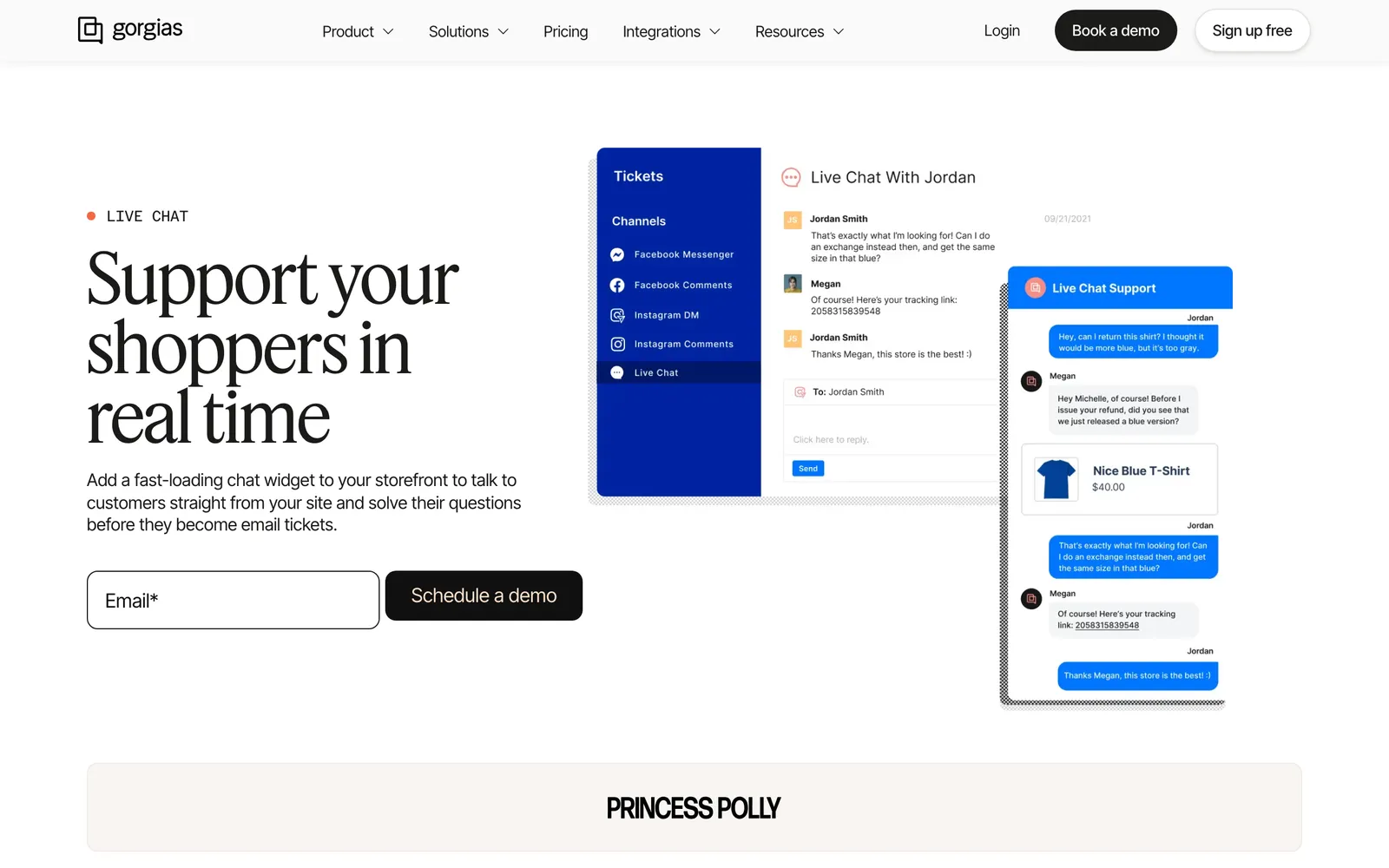
Gorgias Chat is the live chat widget of Gorgias, the e-commerce help desk. You install it on your store, with Quick install on Shopify, and every chat becomes a ticket in the same inbox as email and social. With an AI Agent subscription, the widget adds order tracking, Flows and an AI Agent that answers shoppers.
This guide explains what the widget includes, how to add it to a Shopify theme, how its AI shows up in chat and where that AI reaches its limits.
What is Gorgias Chat?
Gorgias Chat is the chat channel of the Gorgias help desk. Shoppers reach a support agent or the AI Agent from your store’s website, and each conversation creates a ticket in your help desk (Gorgias, 2026). Chat is on every plan; the automation features need an AI Agent subscription.
The Shopify listing for Gorgias runs email, live chat, social, SMS and voice in one inbox and was rated 4.3 from 706 reviews as of October 2026. How the Gorgias help desk compares with Zendesk is covered in our guide versus Zendesk.
What is gorgias.chat?
gorgias.chat is the domain the chat widget loads from, not a separate product. Gorgias’s allowlist article names config.gorgias.chat and assets.gorgias.chat, plus a Shopify-checkout subdomain, as addresses a store with a strict content security policy may need to allow.
The practical takeaway: if you see gorgias.chat in your browser’s network tab, or in a content security policy error, that is the chat widget loading or being blocked. Only the account owner and admins can set chat up.
What does the Gorgias Chat widget include?
Live chat and offline capture come with every plan. Self-service order tracking, Flows and the AI Agent on chat are part of the AI Agent subscription, and Flows also run on BigCommerce and Magento 2 (Gorgias docs). Campaigns depend on whether a Shopify store is connected. The table below pulls six Gorgias docs into one view of the parts, as of October 2026.
| Part | What the shopper gets | What it needs | Platforms |
|---|---|---|---|
| Live chat | A real-time conversation that becomes a ticket | Any plan | Any site |
| Offline capture | A “reply by email” message and a button menu (Track Order, Report Issue, Cancel Order, Product Question, Other) | Any Helpdesk plan; replaced by the AI Agent out of hours when it is on | Any site |
| Languages | The widget in the shopper’s browser language, if you configured it | Languages set in chat settings | Any site |
| Order Management | Track, return, cancel, report an issue; sign-in by one-time code | AI Agent subscription | Shopify only |
| Flows | Guided paths in the widget, up to six on chat | AI Agent subscription | Shopify, BigCommerce, Magento 2 |
| Campaigns | A proactive message targeted by page, time on page or cart | Convert subscription if a Shopify store is connected; light campaigns otherwise | Any site, cart targeting on Shopify |
| AI Agent on chat | AI answers in the widget | AI Agent subscription, Shopify store connected | Shopify only |
| Shopping Assistant, AI FAQs | Pre-sale advice and product-page questions that open a chat | AI Agent with Shopping Assistant | Shopify only |
The Contact Form is a separate Gorgias channel, not part of the widget (Gorgias docs); Order Management sign-in also works there.
Why do stores use Gorgias Chat in 2026?
Stores use it for one queue across chat, email and social, the Shopify order next to the conversation, and self-service for order questions before they become tickets. Gorgias’s live chat says agents see stock, share product links, update or cancel orders from the help desk.
The widget itself loads after everything else on the page, according to Gorgias’s chat FAQ. For the free built-in option, see Shopify Inbox.
How do you add Gorgias Chat to your store?
Create the chat under Settings > Channels > Chat, connect your store, brand it, then pick Quick install for Shopify or a manual install. Only the account owner and admins can do this. The five steps are basics, brand look, order management, install and, optionally, deploying the AI Agent.
The step-by-step Shopify walkthrough lives in our Shopify chat guide, so here are the install methods side by side, per Gorgias’s set-up doc.
| Method | Where it works | Survives a theme change? | Checkout and thank-you pages |
|---|---|---|---|
| Quick install for Shopify | Every page; hide it on chosen pages afterwards | Yes | Yes, with the Gorgias Checkout Chat app block in Shopify’s checkout editor |
| Manual, Shopify theme | Specific pages; code goes in theme.liquid near the closing body tag | No, a theme change can overwrite it | No |
| Manual, other sites | Shopify Headless, BigCommerce, Magento 2, any website | Depends on your stack | Not applicable |
| Google Tag Manager | Page-level triggers | Independent of the theme | Not applicable |
To put the AI Agent on chat, go to AI Agent > Deploy > Chat, enable it and set your handover preferences; that needs a connected Shopify store. The FAQ below covers a disappearing widget and checkout pages.
What can Gorgias Chat actually do?
Shoppers get live answers, out-of-hours capture, self-service order tracking and campaign messages. With the AI Agent on Shopify, the widget also answers and advises automatically. How it behaves matters more than the feature list, so here is the AI side in detail, as of October 2026.
How does the AI Agent answer in the widget?
Gorgias’s chat set-up replies from your Help Center, website and Guidance, in a more conversational version of your tone of voice. It asks shoppers to sign in by email or SMS before sharing personal order details, and it can continue after a Flow. It hands over when it lacks confidence, hits a listed handover topic, finds no knowledge, is asked for a human or detects anger.
Gorgias also sells pre-sale help. Its Shopping Assistant answers product questions and recommends products. It can offer discounts: each code is single use and valid for three days, at a fixed percentage you set.
What are the benefits of Gorgias Chat?
The benefits are one history per shopper, store context for whoever answers, and fewer “where is my order” tickets through self-service. Gorgias is a strong e-commerce help desk built for Shopify, and its AI Agent takes Shopify actions and shows a summary of its reasoning under every AI message (help centre, updated October 2026).
From the shopper’s side, the order sits next to the conversation: whoever answers sees the Shopify order in the same ticket rather than in another tab. For self-service, Gorgias claims Order Management can automate up to 30% of your live chat ticket volume as of October 2026, a vendor figure, not ours.
What are the limits of AI in Gorgias Chat?
The AI Agent on chat and Order Management are Shopify-only. Returns and cancellations through Order Management are requests an agent still approves and processes. And resolution in practice can sit well below the headline, so compare the headline with a named case before you plan around it.
Gorgias’s AI Agent page headlines “60% tickets auto-resolved”. Its own Psycho Bunny reports the AI Agent resolving 26% of tickets: simple FAQs, order status, returns, exchanges and shipping. Read both fairly: the case describes the team trialling an alpha version of the AI Agent. The lesson is to ask for figures on a ticket mix like yours.
Platform limits matter too. The AI Agent on chat is not supported on BigCommerce, Magento or WooCommerce, and Order Management is not available on BigCommerce or Magento 2. Out of hours, with the AI Agent on, chats go to it rather than to offline capture, so check your handover message for when nobody is online.
How do you evaluate Gorgias Chat for your store?
Run your own top chat questions through a test, check what the AI does with order, product and policy questions, read the reasoning behind each answer, and confirm your platform supports the features you need. Gorgias offers test conversations that show reasoning, which makes this practical before go-live.
- Platform: Shopify, or BigCommerce and Magento 2, where the AI and Order Management are unavailable.
- Install: Quick install against a theme you change often, and whether you need checkout pages.
- Handover: the rules, and the out-of-hours path.
- Discounts: the guardrails on what the Shopping Assistant may offer.
- Evidence: the vendor headline set against a named case with a ticket mix like yours.
If a chat-first evaluation leads to wider questions, our guide to Gorgias alternatives covers the field, Freshdesk alternatives the other help desk route, and Ada Forethought two AI-first vendors side by side.
Does Gorgias Chat replace your support team?
No. It routes chats into your team’s queue, and the AI Agent answers what it can and hands the rest to people. Psycho Bunny used the AI Agent for simple, repetitive questions to free its agents for complex conversations.
Where does Engaige fit?
Keep your helpdesk. Replace the AI. Engaige is the AI support agent that works inside the help desk your conversations land in: it plugs into Gorgias through the Gorgias integration, replaces only the built-in AI layer and covers live chat inside your help desk, along with every other text channel, with no migration. Gorgias stays your help desk.
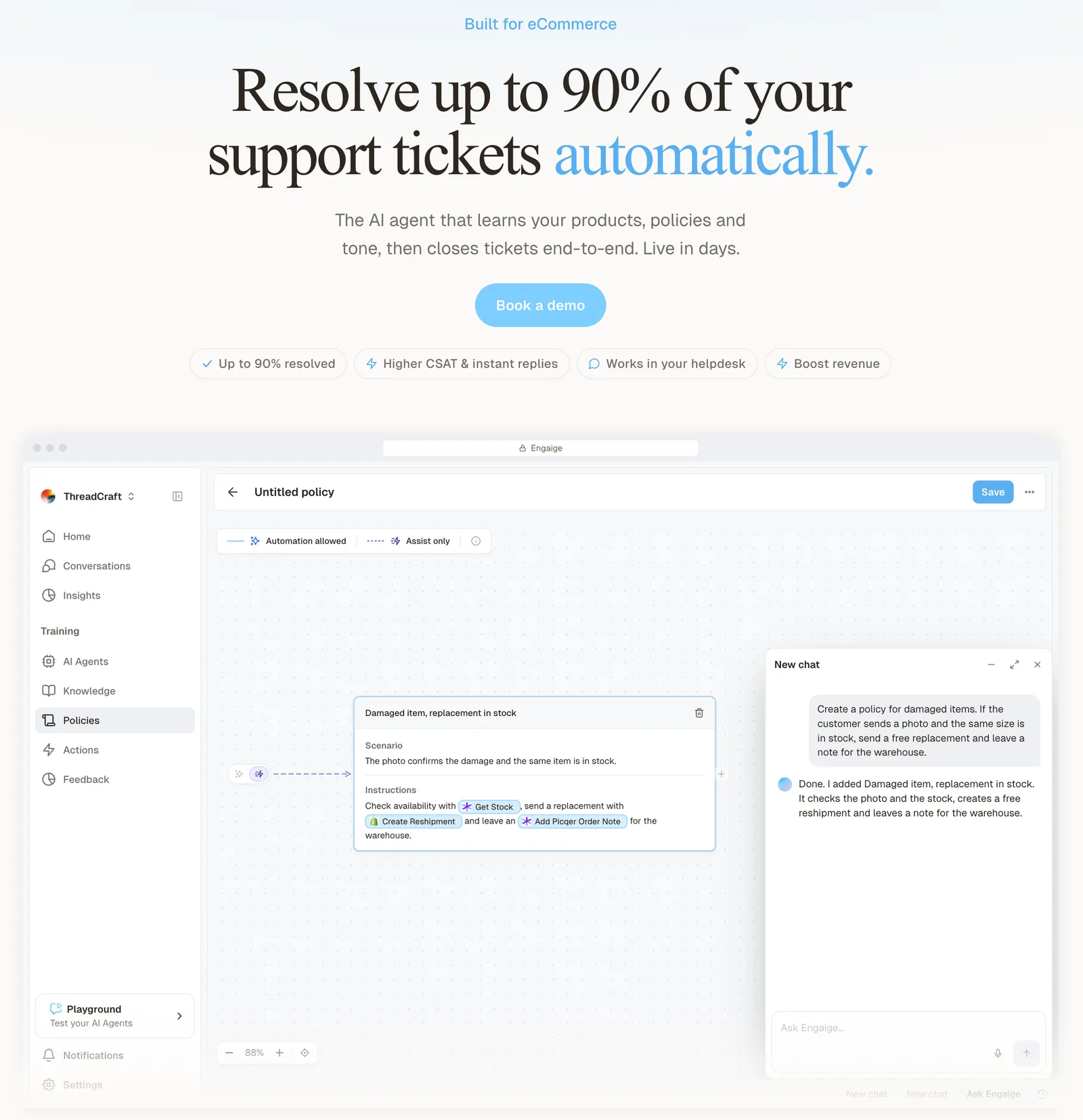
Engaige is text-first by design: email, chat, WhatsApp, SMS and social DMs, no voice AI.
Engaige (that’s us) improves through Engaige AI, which learns from the conversations, your inputs, hand-offs and emerging trends. At MR MARVIS, a Shopify Plus menswear brand, the agent handles over 120,000 questions a year and resolves over 60% of the conversations it is involved in, as the MR MARVIS case shows. At Otrium, 60% of 120,000 annual tickets are resolved end to end (Otrium).
Engaige reads the live order, catalogue and carrier data, takes the action (refund, cancellation, address change, replacement) and replies to the shopper. It reads several live systems in one answer, with 50+ native integrations and a connection to any system. On Shopify, it combines live Admin API data, pricing across markets and SKUs, inventory, orders and customers, with the marketing content from your storefront.
Open any conversation in Engaige and you see the full reasoning behind every answer and action in the dashboard. When the agent hands a ticket to your team, it leaves a summary of its reasoning as an internal note in the ticket.
Hi, where is my order? It's been eight days and the tracking hasn't moved.

Shopify
Order 48219 · fulfilled

Picqer
Still processing Contradicts Shopify

DHL
Returned to depot · 3 delivery attempts
Settles it: the parcel is not with the customer
Reasoning…
Not deliverable. Reship to a confirmed address, booked in Picqer.
Suggested reply
Your parcel went back to the depot after three delivery attempts, so it will not arrive. I have booked a reshipment to the address you confirmed, arriving Thursday.
Before purchase, the same agent works as an AI shopping assistant: it advises shoppers through a chat widget in the storefront, usually the help centre widget, answering from your live catalogue data and the marketing content on your storefront. Our product advice page shows how that works.
One thing that impresses me every day is the quality of the product recommendations.

You go live in Agent Assist in hours. In Agent Assist, every reply your team sends is compared with what the agent suggested; that is one of the signals Engaige AI learns from, next to the conversations, your inputs, hand-offs and emerging trends. Engaige AI proposes improvements with its reasoning, and you approve what goes live.

Hello Potential New Client
What would you like to get done today?
Could you analyse this week's conversations and show me some automation opportunities?
Ask Engaige…
Searched and found 4 contact reasons · 2.4s
Your agent resolved 426 of 512 conversations. 86 were handed over, and one contact reason accounts for most of them.
Searched and found 1 policy · 1.6s
Delivery status hands over whenever tracking is older than 24 hours, which is 40 of those 46.
Editing Delivery status · 1.9s
Done. It now handles stale tracking itself. Those 40 a week stay with your agent.
What were the reasons for handover, and how can we improve?
Fix it.
Reply…
Most brands reach autonomy in about a week, with up to 90% of supported tickets automated, and Engaige AI keeps learning from live outcomes and hand-offs once autonomous. Our Gorgias Shopify guide has the full picture, and our comparison page shows the two side by side.
Frequently asked questions
Is Gorgias Chat included in every Gorgias plan?
Yes, chat is on all plans. Order Management, Flows and the AI Agent on chat are part of the AI Agent subscription.
Does Gorgias Chat work without Shopify?
Yes. It installs on BigCommerce, Magento 2 and any website. The AI Agent and Order Management are Shopify only.
What happens when someone uses Gorgias Chat outside business hours?
Offline capture collects the message and you reply by email. With the AI Agent on chat, it handles those chats instead.
Why did Gorgias Chat disappear from my Shopify store?
A theme change overwrote the manually installed code. Gorgias’s fix is Quick installation, which survives theme changes.
Can you show Gorgias Chat on Shopify checkout?
Yes, with Quick installation and the Gorgias Checkout Chat app block in Shopify’s checkout editor. Manual embed code does not support checkout pages.
Can the Gorgias AI give shoppers discount codes?
Yes. The Shopping Assistant creates single-use codes valid for three days at a percentage you set, following your discount strategy.
Can you see why the AI answered in Gorgias Chat?
Yes. Gorgias shows a summary of the AI Agent’s reasoning under every AI message. In Engaige, you see the full reasoning behind every answer and action in the dashboard, and a handed-over ticket carries a summary of that reasoning as an internal note.
Can you keep Gorgias Chat and use a different AI agent?
Yes. Engaige plugs into Gorgias, replaces only the built-in AI layer and covers live chat inside your help desk, along with every other text channel.