
Shopify Inbox is Shopify’s free chat app for stores on Basic and higher plans. It adds a chat widget to your online store, lets staff reply from desktop or mobile, and offers an opt-in AI Inbox agent that answers product and policy questions, recommends products, looks up orders and adds items to carts. Shopify documents no refund, cancellation or return actions for it.
What is Shopify Inbox?
Shopify Inbox is a free, first-party Shopify app for talking to visitors on your online store. Its App Store listing shows a launch date of 14 August 2019 and a free price. Inbox was previously called Ping and Shopify Chat. Staff reply, or the opt-in Inbox agent does.
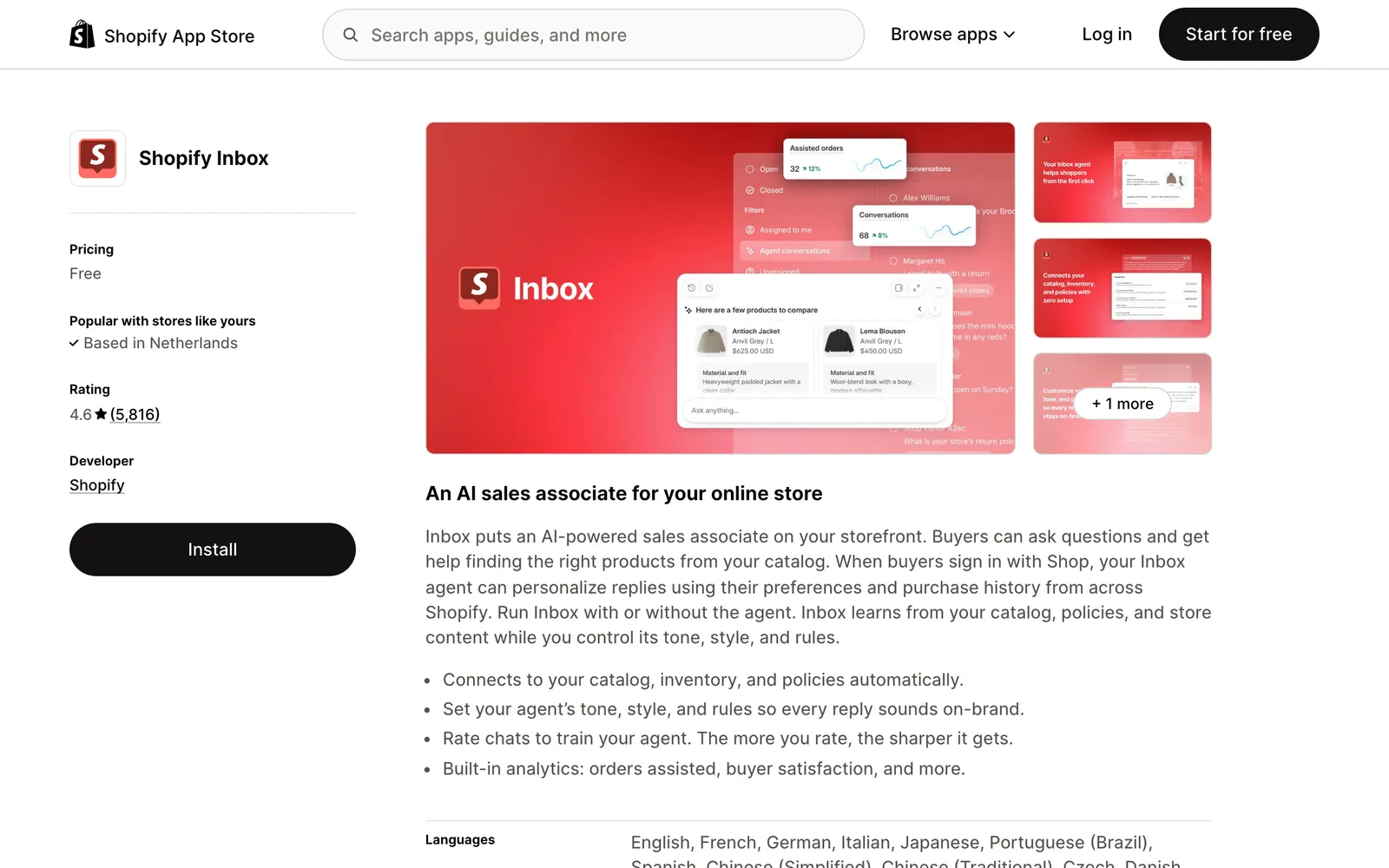
Per Shopify’s Inbox help, it is available only on the Basic, Grow, Advanced and Shopify Plus plans, and per setup Shopify documents that staff with POS-only access do not have Inbox access. Our view: it is the sensible first chat tool because it sits where you already work. It belongs to the wider job of Shopify support. For what Shopify’s own AI does in the admin, see Shopify Magic.
How do I log in to Shopify Inbox?
You open Shopify Inbox in three places: the desktop app at inbox.shopify.com, the Inbox apps for iOS and Android, or your Shopify admin under Sales channels > Inbox. Agent settings, persona and training live on the Inbox page in the admin, per Shopify’s Inbox help.
What happened to Shop inbox?
Shopify discontinued Inbox inside the Shop app on 19 February 2025, according to its changelog. Merchants lost the Shop chat option and kept access to the chats that start from their online store. “Shop inbox” is no longer a place customers can message you.
Some guides still list the Shop app, Messenger and Instagram as channels, including one from November 2025. Treat those as out of date, which matters if you planned around social messaging.
What can Shopify Inbox do for your team?
Inbox gives your team a storefront chat widget and a shared inbox. Staff see the customer’s cart subtotal and quantities, then reply with product links, discount codes that apply to the cart automatically, and images. The table lists each feature with the notes Shopify documents. For the other ways to add chat to a store, see our guide to Shopify live chat.
| Feature | What it does | Notes |
|---|---|---|
| Open and Closed statuses | Conversations are Open or Closed | Shopify documents no deletion of conversations |
| Automatic topic labels | Tags each chat by subject | English only, maximum two per conversation |
| Cart view and discount codes | Staff see cart subtotal and quantities; codes apply to the cart | - |
| Suggested replies | AI-drafted replies for staff | English only, on by default, terms of service and privacy policy not processed |
| Product sharing | Sends product links in chat | Up to three products at a time on mobile |
| Overview analytics | Assisted sessions, assisted orders, satisfaction rate, average response time | - |
The suggested replies come from Shopify Magic. Sources: Shopify’s help pages on conversations and suggested replies.
What is the Shopify Inbox agent?
The Shopify Inbox agent is Shopify’s opt-in AI “sales associate” for storefront chat. Per its help page, it answers product questions, makes personalised recommendations, helps with order lookups after the customer signs in, and adds products to the cart.
Knowledge sources. Per Shopify, it draws on your product catalogue, store policies, pages and Knowledge Base. Web search is a secondary source.
Assignment modes. Shopify offers all conversations, only when staff are unavailable, or never. “Never” is the default for stores that installed Inbox before the agent launched.
Requirements. The store must use new customer accounts. Shopify states the agent does not work with legacy customer accounts, so conversations stay with staff until you upgrade.
Hand-off. Per Shopify, when staff are available the chat passes to them with its context. When they are not, the agent shares the store’s sender email address. Shopify documents no email-sending action for the agent.
Disclosure. Customers see a notice that the chat is powered by Shopify and that they are talking to AI. Shopify documents the notice as not removable or customisable.
Message caps. Per the persona page, a conversation is capped at 100 messages for customers who are not signed in and 1,000 for signed-in customers.
Training versus knowledge. You rate responses or pick between practice answers, and Shopify proposes persona updates. Per Shopify, updates are never applied automatically, which is the same approve-before-apply principle we use. But training “doesn’t change what your Inbox agent knows about your store.” To fix a wrong fact, edit the product, the policy or a Knowledge Base FAQ.
Does Shopify Inbox have AI or a chatbot?
Yes, in two forms. The Inbox agent is the customer-facing AI, an opt-in assistant that works inside the storefront chat widget. Suggested replies are the staff-facing AI, drafts for your team. The agent is documented for product questions, recommendations, order lookups and add to cart. Suggested replies are drafts for staff, English only.
| Form | What it does | Named example | Limit |
|---|---|---|---|
| Customer-facing agent | Answers, recommends, looks up orders, adds to cart | Shopify Inbox agent | Storefront widget only; needs new customer accounts |
| Staff-facing drafts | Drafts replies for your team to send | Suggested replies | English only |
For where each sits in your wider setup, see our guide to Shopify support.
How much does Shopify Inbox cost?
Shopify Inbox is free. The App Store listing shows a free price and no extra fee is listed for the Inbox agent. You do need a Basic plan or higher.
Our view: the real cost of free chat is the tickets it hands back. That is team time, not vendor fees, and it is what to measure.
How do you set up Shopify Inbox?
Set-up has six steps. These are the Inbox-specific steps, per Shopify’s setup page.
- Install Shopify Inbox on a Basic, Grow, Advanced or Plus plan with an active online store.
- Give staff the required permissions: Products, Customers, Discounts, Draft orders, and Manage and install apps and channels.
- Have staff open Inbox on desktop at inbox.shopify.com or in the iOS and Android apps.
- Review the chat settings, including the greeting and sign-in requirement.
- Choose an agent assignment mode.
- Rate the agent’s responses to train its persona, and put store facts in your store content or a Knowledge Base FAQ.
Two settings catch people out. “Require sign-in to chat with staff” is on by default for stores with new customer accounts. And a customised greeting no longer auto-translates to the customer’s browser language, per Shopify’s settings page.
Why can’t I turn on the Shopify Inbox agent?
The usual cause is legacy customer accounts. The agent needs new customer accounts, an active online store, Inbox installed and a Basic, Grow, Advanced or Plus plan. If you installed Inbox before the agent launched, its assignment mode may also still be on “Never”, the default for those stores.
Check in this order: plan, customer account type, then assignment mode. Upgrade to new customer accounts and the agent can be assigned. Until then, conversations stay with your staff.
Where does Shopify Inbox fall short?
Inbox is built for pre-sale conversations in one widget, not for running a support queue. It answers, recommends and looks up orders. The work that fills a support inbox after purchase stays with your team. These are the limits Shopify documents, with our reading of each.
- It answers, it does not act. Shopify lists four agent capabilities: product questions, recommendations, order lookups and add to cart. Shopify documents no refund, cancellation, address change or return actions, so in practice those requests reach your team.
- One surface. Per Shopify, the agent “only operates within your online store’s chat widget.” Email, WhatsApp, social DMs and SMS sit with other tools.
- Accuracy is yours. Shopify’s caution reads: “You’re responsible for the accuracy of the information that the Inbox agent provides to your customers.” Training changes voice, not facts.
- English-only staff AI. Suggested replies and topic labels are English only, which matters if you sell in Dutch or German.
Here is one merchant’s experience, from the App Store reviews.
“This app has the potential to be a useful tool but as forewarned, it can make mistakes, and it does. I have had to disable it due to repeated mistakes that have negatively impacted my bottom line.”
Signastyle Home, United States, Shopify App Store review, 8 October 2026
It is one voice. On our 12 October 2026 capture the listing showed 4.6 from 5,810 reviews, with 4,642 of them five-star. We quote the review because it names the same risk Shopify’s own caution does: the answers are your responsibility.
Can the Shopify Inbox agent process refunds or cancellations?
Shopify documents no refund, cancellation, return or address change actions for the Inbox agent, so in practice those requests reach your staff. The limits list above and the job table below cover the detail.
Does Shopify Inbox work with Instagram, Messenger, WhatsApp or email?
Shopify documents the storefront widget as the only surface for the agent, and the Shop app chat ended on 19 February 2025. Shopify’s help pages we reviewed describe the widget and the sender email hand-off, and no Messenger, Instagram, WhatsApp or email channel for Inbox.
If your customers write by email, WhatsApp or social DMs, plan for another tool.
Is Shopify Inbox enough for your store?
Inbox is enough if most contacts are pre-sale questions in storefront chat and you have staff for the after-purchase work. It stops being enough once refunds, returns, cancellations, address changes and email make up the queue, or you sell in languages where the staff AI is English only. The table goes job by job.
| Ticket type | Shopify Inbox agent | Your staff in Inbox | Helpdesk plus Engaige (that’s us) |
|---|---|---|---|
| Product or sizing question | Answers from catalogue, policies and pages | Reply with product links | Answers from live catalogue and storefront content |
| Order status (WISMO) | Looks up the order after sign-in | See cart and order details in the chat | Reads the order and replies on every text channel (email, chat, WhatsApp, SMS, social DMs) |
| Delivery exception or late parcel | Order lookup only, no action documented | Handle manually | Reads the order, then acts under your policy |
| Return request | Draws on your policies, no return action documented | Handle manually | Checks the order against your return policy and issues the refund, under your policy |
| Refund | None documented | Handle in the admin | Issue refund, under your policy |
| Cancellation before fulfilment | None documented | Handle in the admin | Cancel order, under your policy |
| Delivery address change | None documented | Handle in the admin | Change delivery address, under your policy |
| Email or WhatsApp contact | Widget only | Outside Inbox | Same agent on every text channel |
| After-hours contact | Can run when staff are unavailable | Waits for the team | Answers 24/7 once that ticket type is autonomous |
Our decision rule: keep Inbox while chat volume is small and pre-sale. Once the after-purchase share grows, keep your helpdesk and add an AI agent that resolves rather than answers. Put chat on your helpdesk’s widget so chat and email share one queue and one set of policies, then let the agent read the order and act. That removes the hand-backs, which are where Inbox’s free price turns into team time. The WISMO and refunds guide job pages show what that looks like.
Where does Engaige fit?
Engaige (that’s us) isn’t a shared inbox for your team; it is the e-commerce-native AI support agent that works in the helpdesk you already run, where it resolves the refund, cancellation and address requests Inbox hands back. At MR MARVIS, Engaige handles over 120,000 questions a year. Keep your helpdesk. Replace the AI.

Shopify’s agent training tunes tone and, in Shopify’s words, does not change what the agent knows. Engaige AI compares what your team said with what the agent suggested, learns from the difference and improves itself, under your supervision: you approve the changes.
It updates policies and behaviour, not only tone, and keeps learning after you go autonomous. Both ask you to approve before anything changes; with Engaige, what you approve is a change to policies, proposed with its reasoning, across every text channel.
Within the AI we can see the reasoning, and how it comes to a response. That shows us where information is missing or unclear, and helps us improve our workflow.

On Shopify, Engaige combines live Admin API data, pricing across markets and SKUs, inventory, orders and customers, with the marketing content from your storefront. It takes policy-governed actions such as refunds, cancellations, address changes and discounts, as listed on our Shopify integration page. It is text-first by design: email, chat, WhatsApp, SMS and social DMs, no voice AI. You go live in Agent Assist in hours, and ticket types switch to autonomous one at a time.
Engaige is priced as a flat monthly fee tied to your ticket volume, predictable as you scale, so you can set its cost per ticket against the team time each handed-back ticket takes, a sum our ROI guide walks through.
One agent does two jobs. It works as an AI shopping assistant in the storefront, giving product advice, and as a support agent after purchase. MR MARVIS, a Shopify Plus brand, gives its shoppers personal product advice 24/7 on chat and email.
For the kinds of Shopify agent and how to choose one, see Shopify agents.
Frequently asked questions
Is Shopify Inbox free?
Yes. The app is free on the Shopify App Store, and no extra fee is listed for the Inbox agent. You need a Basic, Grow, Advanced or Plus plan. The cost to watch is your team’s time on the tickets Inbox hands back.
Does Shopify Inbox have AI or a chatbot?
Yes. The opt-in Inbox agent answers customers in the storefront widget, and suggested replies draft answers for staff. Shopify documents the agent for answers, recommendations, order lookups and add to cart.
Can the Shopify Inbox agent process refunds or cancellations?
Shopify documents no refund, cancellation, return or address change actions for the agent, so these reach your staff. Engaige takes policy-governed Shopify actions including refunds, cancellations, address changes and discounts, with every answer showing its reasoning and source.
Does Shopify Inbox work with Instagram, Messenger, WhatsApp or email?
Shopify documents the storefront widget only, and Shop app chat ended on 19 February 2025. Engaige works across email, chat, WhatsApp, SMS and social DMs, plugged into the helpdesk you already run.
Why can’t I turn on the Shopify Inbox agent?
Most often the store uses legacy customer accounts, which the agent does not work with. Also check your plan is Basic or higher and that the assignment mode is not still on “Never”, the default for older installs.
How do I log in to Shopify Inbox?
Open inbox.shopify.com, the iOS or Android app, or Sales channels > Inbox in your Shopify admin.
What should you use when you outgrow Shopify Inbox?
Keep your helpdesk and add an AI agent that resolves across channels. Engaige AI learns from the gap between what your team sent and what the agent suggested, and you approve each change.







