For a Shopify store, an AI shopping assistant answers what a shopper wants to know before buying, such as fit, availability, how two products compare or how returns work, by reading your live catalogue, stock, prices and policies. The strongest set-up is one agent for the whole journey: it advises before the sale, resolves orders after it, and passes conversations to your team when your rules say so.
Below: the questions it takes, the data it depends on, how it relates to Sidekick and to AI shopping agents, and six steps to put one in the chat your shoppers already use. For support on Shopify more broadly, start at our Shopify support hub.
What is an AI shopping assistant?
An AI shopping assistant is the part of your store’s chat that handles pre-purchase questions. The shopper types what they need in their own words. The assistant reads your Shopify data and replies with a product, a size, an availability answer or the relevant policy, instead of a page of search results.
Our view: on a Shopify store this is a job, not a separate product. The job is clearing the doubt between a shopper and the checkout, and it needs exactly the facts your support team already uses.
What does an AI shopping assistant do on a Shopify store?
On a Shopify store, an AI shopping assistant answers five kinds of pre-purchase question: which product suits a need, which size or variant to pick, whether it is available, how two products compare, and what delivery and returns look like. Each answer comes from a different part of your store’s data.
| Question type | What the shopper asks | What the assistant reads |
|---|---|---|
| Product advice | ”Will these trainers work for trail running?” | The full catalogue and product content |
| Size and fit | ”Which size fits if I’m usually a medium?” | Size guidance, fit notes and variants |
| Stock and availability | ”Is the blue one in stock in a 42?” | Inventory per variant |
| Comparison | ”What’s the difference between the silver and gold version?” | Product descriptions, materials, finishes |
| Delivery and returns before purchase | ”Can I send it back if it doesn’t fit?” | Shipping and return policies |
The last row is easy to file under support. It is not: a shopper asking about returns before checkout is still deciding, and a clear answer is part of the sale. More examples of these questions sit on our product advice page.
How is it different from search, filters and quiz apps?
Search, filters and quiz apps start from your product structure: the right keyword, the right category or the questions you wrote in advance. An AI shopping assistant starts from the shopper’s question, however it is phrased, and can take a follow-up. That makes it the tool for the shopper who is unsure.
- Search matches words. It cannot tell a shopper whether a fabric suits sensitive skin.
- Filters narrow a collection by tags you set. They do not explain why two results differ.
- Quiz apps walk a fixed path for one decision and stop at its end.
- An AI shopping assistant takes open questions and follow-ups, including the delivery question that comes after the product one.
Keep good search and clean filters for shoppers who know what they want. The assistant is for the ones who would otherwise email you or leave.
How is an AI shopping assistant different from Sidekick and AI shopping agents?
They serve different people. An AI shopping assistant talks to shoppers on your store. Shopify Sidekick works for you and your staff in the Shopify admin. An AI shopping agent works for the shopper inside an AI channel and can find, compare and sometimes buy your products there.
| AI shopping assistant | Shopify Sidekick | AI shopping agent | |
|---|---|---|---|
| Who talks to it | Shoppers on your store | You and your staff | Shoppers, inside an AI channel |
| Where it runs | Your storefront chat | Your Shopify admin | ChatGPT, Google AI Mode, Gemini, Microsoft Copilot and Meta |
| What it does | Advises and answers pre-purchase questions, hands off to your team | Guidance and tasks in your admin | Finds, compares and sometimes buys products for the shopper |
| Who sets the rules | You | You approve its changes | The AI channel runs the conversation; you choose the channels and supply the product data |
Shopify calls Sidekick “the Shopify AI-powered commerce assistant”, which “presents changes for your review before applying them” (Shopify Help Center, Sidekick, checked 9 November 2026). Agentic Storefronts “lets customers discover and purchase your products in AI channels” such as ChatGPT, Google AI Mode, Gemini, Microsoft Copilot and Meta, and is “active by default for eligible stores” (Shopify Help Center, Agentic Storefronts, checked 9 November 2026).
Our Shopify support hub sets Shopify’s own AI tools side by side, and our agentic commerce guide covers selling through AI channels.
What does an AI shopping assistant need to give good answers?
An AI shopping assistant needs four kinds of data: your catalogue with every variant, inventory and prices per market, product content that answers real questions, and your written policies. Gaps in any of them produce confident wrong answers, whichever AI sits on top, so check each before you switch an assistant on.
| Data | Where it lives on Shopify | What goes wrong without it |
|---|---|---|
| Catalogue with variants and SKUs | Your products in the Shopify admin | It suggests a colour or model you do not sell |
| Inventory | Inventory per variant and location | It recommends a size that has sold out |
| Prices per market | Your market and currency settings | It quotes the wrong price or currency |
| Product content | Descriptions, size guidance, materials and care pages | It answers vaguely or guesses at fit |
| Policies | Shipping, returns and exchange pages | It contradicts your returns page before the sale |
The most common gap is fit. Size advice often sits in a size-chart image or in your team’s heads, and many assistants cannot read either reliably. Write it out as text on the product page or a size guide.
Should one agent handle pre-sale questions and customer service?
Yes, for most Shopify brands. Before and after a sale, shoppers draw on the same catalogue and the same policies, and they ask in the same chat. Separate tools for selling and for support mean two sets of answers to keep aligned and two places where a shopper can get stuck.
Follow one order. Before buying, the shopper asks whether the shirt runs small and how returns work. A week later they ask where the parcel is, then whether they can swap it for a size up. If the swap answer contradicts what they were told before buying, the brand looks careless and the ticket gets harder.
One agent across both moments means the return window quoted in the product chat is the one applied to the exchange, and every hand-off lands in one helpdesk queue. Our Shopify agent guide covers what an AI agent does with the questions after the sale.
How do you add an AI shopping assistant to your Shopify store?
Add an AI shopping assistant in six steps: collect the pre-sale questions you already get, fix the data behind them, choose the chat it runs in, write the rules, route hand-offs to your helpdesk, then test before every shopper sees it. Most of the work is data and rules, not installation.
1. Collect the questions you already get
Export a month of chats and emails and tag the ones asked before a purchase. You will see which types repeat, such as fit, availability, comparisons or delivery dates, and where your team loses time.
2. Fix the data behind those questions
Turn size-chart images into text, name variants clearly and put materials and care on the product page. Check that your shipping and returns pages say what your team actually does.
3. Run it in the chat you already have
Shoppers should see one chat, not a sales bot next to a support widget. Shopify’s own option is the Inbox agent in Shopify Inbox. It can “Answer questions about product details, availability, and pricing” and “Add recommended products directly to the customer’s cart”, and Shopify notes that “It only operates within your online store’s chat widget” (Shopify Help Center, Inbox agent, checked 9 November 2026). It needs new customer accounts.
If your chat runs through your helpdesk instead, the assistant should work in that chat. Our live chat guide covers the set-up options on Shopify.
4. Write the rules
Decide what the assistant may recommend, when a related product is worth suggesting, and what it never does, such as promising a delivery date you cannot keep or inventing a discount. Write down when a person should take over, for example on a complaint or a bulk order.
5. Route hand-offs to your helpdesk
A hand-off should land in your team’s normal queue with the conversation so far, not in a separate inbox nobody watches. Whoever picks it up should never have to ask the shopper to start again.
6. Test with real questions, then go live
Run last month’s real questions through it before shoppers see it and read the answers as a sceptical customer would. Start with the question types it answers well and add the rest once its answers match what your team would send.
How do you measure an AI shopping assistant?
Measure an AI shopping assistant with pre-sale conversations, assisted orders and hand-offs, counted the same way every month. Conversations show demand, assisted orders show whether advice turns into purchases, and hand-off reasons show where your data or rules fall short. Vendor uplift figures are their claims; your own trend is the number to trust.
| Metric | How to count it | What it tells you |
|---|---|---|
| Pre-sale conversations | Conversations where the shopper had not yet ordered | How many shoppers want advice |
| Answered without hand-off | Pre-sale conversations closed without a person | How much advice it handles alone |
| Hand-off rate and reasons | Conversations passed to a person, grouped by reason | Gaps in data, rules or scope |
| Assisted orders | Orders placed within your chosen window after a conversation | Whether advice turns into purchases |
| Wrong answers | Errors found in a weekly sample you read by hand | Whether the data and rules hold up |
| Fit-related returns | Returns with “didn’t fit” or “wrong size” as the reason | Whether the size advice was right |
Assisted orders need care. Pick one attribution window, such as the same session or a set number of days, and keep it. A shopper who chatted and then bought may have bought anyway, so read the trend rather than claiming every assisted order as extra revenue.
What mistakes should you avoid?
Two mistakes undo most of the value: cross-selling in every answer and leaving no route to a person. The data problems are covered above; these two come from the rules you write, and both show up only once real shoppers start asking.
- Cross-selling in every answer. Suggesting a matching item when it helps is good service. Attaching one to every reply reads as a sales script and costs trust.
- No route to a person. A shopper with a complaint, a bulk order or an unusual request needs your team. If your rules do not send them there, they leave.
What should you ask before you choose one?
Ask how the assistant gets your data, where it runs and what happens at a hand-off. A trial with your own questions tells you more than a demo store or a headline conversion figure, because your catalogue and policies are what it has to get right.
| Criterion | What to ask the vendor | Why it matters |
|---|---|---|
| Live data | How are inventory and prices per market kept in sync? | Advice is only as good as the data behind it |
| Content it reads | Does it read product pages, size guidance and policies, or only product titles? | Fit and comparison answers depend on it |
| Where it runs | Does it work in my current chat or helpdesk widget? | One chat for the shopper, one queue for the team |
| Hand-off | What does my team see when it hands over? | Nobody should have to start again |
| Control and transparency | Can I set what it may recommend and see why it answered? | You stay in charge of what it says |
| Languages | Does it answer in the shopper’s language? | Matters as soon as you sell across borders |
Bring your hardest real questions to the trial: a fit question between two sizes and a return question that hits an exception in your policy.
Where does Engaige fit?
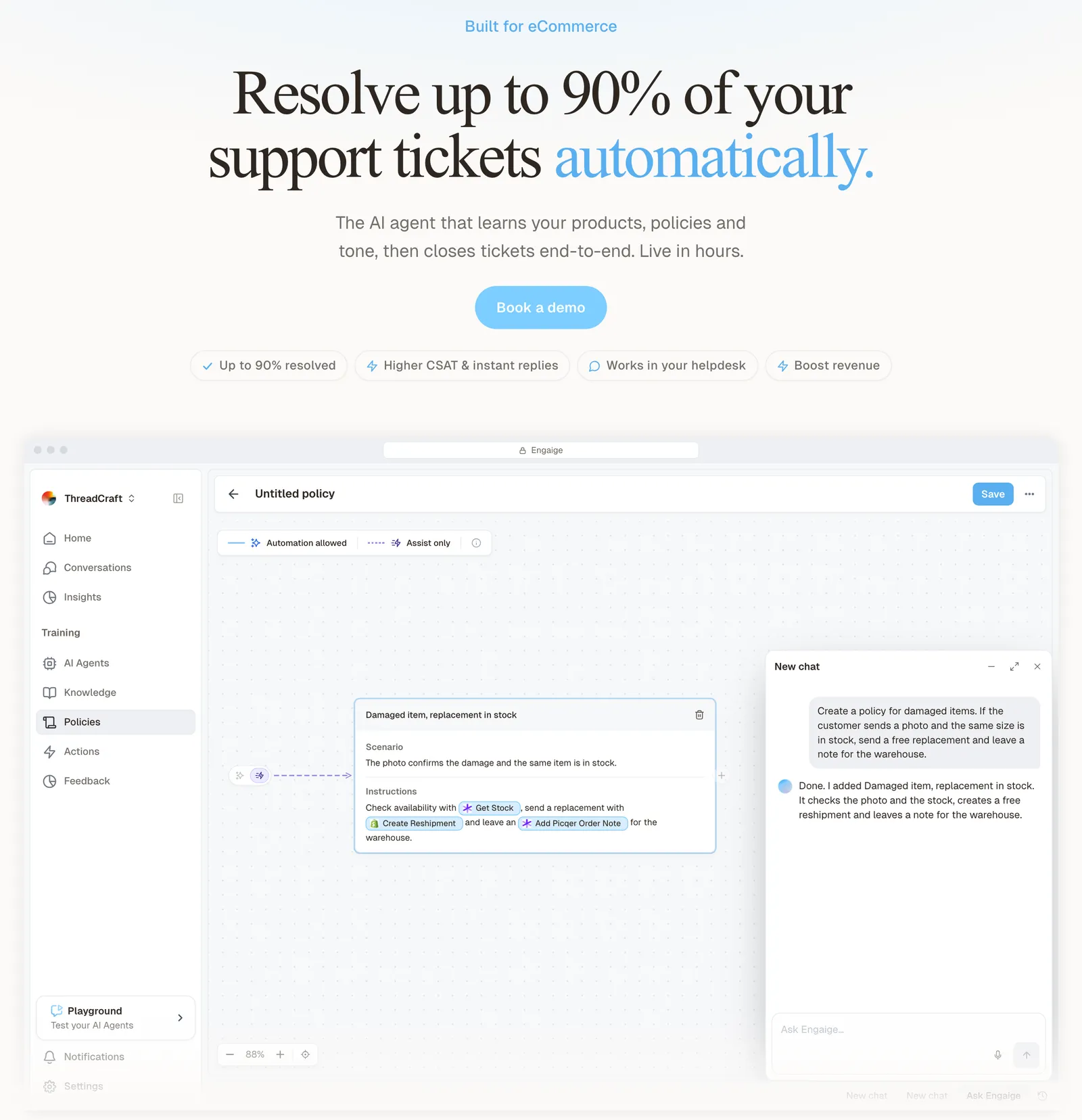
Engaige (that’s us) isn’t a search app, a quiz builder or Shopify Sidekick: it’s the e-commerce-native AI support agent that plugs into the helpdesk you already run, and in your storefront chat it also works as an AI shopping assistant. Keep your helpdesk. Replace the AI. Behind it is Engaige AI, which learns from your conversations and inputs, configures your support agent and shows which policies it used.
Engaige advises shoppers in a chat widget on your storefront, usually your helpdesk’s chat widget, or on its own. On Shopify it combines live Admin API data, the catalogue with variants and SKUs, pricing across markets and inventory, with the marketing content from your storefront. So it recommends products that are available in the shopper’s market, at the right price, in your brand’s tone, and you can see which data it checked and why it answered as it did.
Hi, where is my order? It's been eight days and the tracking hasn't moved.

Shopify
Order 48219 · fulfilled

Picqer
Still processing Contradicts Shopify

DHL
Returned to depot · 3 delivery attempts
Settles it: the parcel is not with the customer
Reasoning…
Not deliverable. Reship to a confirmed address, booked in Picqer.
Suggested reply
Your parcel went back to the depot after three delivery attempts, so it will not arrive. I have booked a reshipment to the address you confirmed, arriving Thursday.
It recommends across your whole collection, compares options, suggests an alternative when something does not fit and cross-sells a complementary item when it is relevant. At MR MARVIS, a Shopify Plus brand that handles over 120,000 questions a year with Engaige, customers get personal product advice 24/7, with comparisons between fits and fabric explanations in the brand’s tone.
One thing that impresses me every day is the quality of the product recommendations.

After the sale, the same agent resolves order status, return and exchange questions inside your helpdesk: on ticket types you have switched to autonomous, it takes the action, replies and closes the ticket. When your rules say a person should take over, it hands the ticket to your team with a summary of its reasoning as an internal note.
You go live in Agent Assist in hours, or autonomous from day one if you are ready. In Agent Assist, every reply your team sends is compared with what the agent suggested; that is one of the signals Engaige AI learns from, and you approve the changes it proposes. Ticket types then switch to autonomous one at a time, most brands in about a week.
You decide per step whether the agent acts on its own or drafts for your team, and you can set thresholds, such as sending refunds above a certain amount to a person first. Engaige is text-first by design: email, chat, WhatsApp, SMS and social DMs, no voice AI.
See the product advice use case for how Engaige handles each step of a pre-sale question, and the Shopify integration for what it reads from your store.
Frequently asked questions
What does an AI shopping assistant do?
It handles the questions shoppers ask before buying: which product suits them, which size to pick, whether it is in stock, how two items compare and how delivery and returns work. On Shopify it answers from your catalogue, inventory, prices and policies.
Is Shopify Sidekick an AI shopping assistant?
No. Sidekick is Shopify’s AI-powered commerce assistant for merchants. It works in your Shopify admin, helps you with tasks and presents changes for your review. It does not chat with shoppers on your store.
What is an AI shopping agent?
An AI shopping agent works for the shopper inside an AI channel such as ChatGPT, Google AI Mode or Gemini, and can find, compare and sometimes buy products for them. On Shopify, you manage which AI channels sell your products through Agentic Storefronts.
Does Shopify have its own AI shopping assistant?
Yes. The Inbox agent in Shopify Inbox answers questions about product details, availability and pricing and can add recommended products to the cart. It only works in your online store’s chat widget and needs new customer accounts.
Will an AI shopping assistant recommend products that are out of stock?
That depends on where its stock data comes from. On Shopify, Engaige reads inventory and prices per market from the Admin API, synced and kept live, so it recommends products that are available in the shopper’s market.
Can an AI shopping assistant also handle customer service?
Yes, and for most Shopify brands it should. Engaige is the AI support agent in your helpdesk that also advises shoppers in your storefront chat, so the advice before the sale and the resolution after it follow the same catalogue and policies.
What is the best AI shopping assistant for a Shopify store?
There is no single best one for every store. Shortlist those that read your live Shopify data, work in your existing chat and pass conversations to your helpdesk, then trial them on your own hardest questions.