WISMO, short for “where is my order?”, is the support label for questions about a paid order that hasn’t arrived, or hasn’t arrived as promised: late, lost, stuck on processing or marked delivered but missing. You cut it in two moves. Prevent what you can with tracking emails, a tracking page and early delay notices, then resolve the rest with an agent that reads the live order and carrier tracking and acts under your policy.
This guide is for an online store that runs a help desk such as Zendesk, Gorgias or Freshdesk. It sits in our guide to running an e-commerce support team.
What is WISMO?
WISMO is support shorthand for “where is my order?”. Salesforce defines it as inbound customer inquiries “about order status and delivery updates” (Salesforce, WISMO). In practice it is a family of questions, and it rarely arrives as the literal one. These are all WISMO:
- Late: “It was supposed to arrive yesterday.”
- Lost: “I think my package is lost.”
- Stuck: “My order still says processing.”
- Date-bound: “Is my gift going to be on time?”
- Tracking: “Can you check my tracking number?”
- Return shipment: “Has my return shipment been sent?”
Some teams also count the pre-purchase version (“when will it arrive if I order today?”) as WISMO. It comes from the same gap: the customer cannot see when the parcel will arrive. A WISMO call is the same question by phone; Salesforce counts WISMO inquiries “across all channels: calls, emails, chats” (Salesforce, WISMO), and your rates should too.
Our view: treat WISMO as a set of ticket types, not one. “Where is it?” for a parcel in transit takes a status lookup. “It’s a week late” takes a decision.
How do you calculate your WISMO rate?
There are two WISMO rates. The order-based rate divides the orders that led to at least one WISMO contact by the orders you shipped, and measures your delivery experience. The ticket-based rate divides WISMO tickets by all tickets, and measures your support workload.
Branvas defines the order-based version as “distinct orders with one or more delivery-WISMO inquiries divided by orders shipped” (Branvas, 2026). Salesforce’s worked example uses tickets instead: 300 WISMO tickets out of 1,000 total tickets is a 30% WISMO rate (Salesforce, WISMO).
The two WISMO rates side by side
| Measure | Formula | What it tells you | What moves it |
|---|---|---|---|
| Order-based WISMO rate | Orders with ≥1 WISMO contact ÷ orders shipped × 100 | How often a delivery leaves the customer unsure | Tracking emails, carrier performance, delivery promises |
| Ticket-based WISMO share | WISMO tickets ÷ all tickets × 100 | How much of your support work is WISMO | Everything above, plus how many other tickets you get |
Never compare one with the other. Ship24 puts it plainly: “A percentage of contacts is not a percentage of orders, yet both get quoted as ‘the WISMO number’” (Ship24, 2026). Count distinct orders for the first rate, so a customer who chases three times counts once.
What is a good WISMO rate?
There is no reliable public benchmark for the order-based WISMO rate, and the ticket-based figures come from vendors’ own customer data. The fair answer: a good WISMO rate is one that falls while your order volume holds, measured the same way every month, with peak tracked separately.
Branvas concludes that no credible public cross-merchant rate exists for orders with a WISMO inquiry, and that published figures are usually ticket shares (Branvas, 2026). Two vendors say where their figures come from, though neither publishes a sample size:
| Source | Figure | Where it comes from |
|---|---|---|
| Gorgias, 2023 | 18% of incoming requests on average | Gorgias data; sample not disclosed |
| DigitalGenius, 2023 | 21% of queries on average in March 2023 | DigitalGenius customers across seven verticals |
| DigitalGenius, 2023 | 36% on average at peak, December 2022 to January 2023 | Same cohort |
Be careful with the bigger numbers that circulate. For ranges such as 25 to 40% of inbound volume, Ship24 reports that “we could not locate a published underlying study with a sample, instrument and methodology” (Ship24, 2026).
Why do WISMO tickets happen?
WISMO tickets happen when the customer cannot see, or no longer believes, where the order is. The parcel is often fine; what is missing is information the customer trusts.
- Carrier delays. The parcel misses the promised date, and nobody tells the customer before they notice.
- No or poor tracking emails. The shipping email never arrives, lands in spam, or links to a carrier page in another language.
- Status stuck on processing. The order is paid but not yet fulfilled, so the customer sees no movement at all.
- Split shipments. Half the order arrives, and the customer asks where the rest is.
- Customs. A cross-border parcel waits for clearance or duties, and the tracking page says nothing useful.
Each cause needs a different fix. A status stuck on processing is a warehouse question; a parcel with no scan for a week is a carrier and policy question.
How do you prevent WISMO tickets?
You prevent WISMO tickets by telling the customer what they would otherwise ask: when it ships, where it is and when it arrives, including when that changes. Four measures do the work, and order-tracking software covers most of them.
- Tracking emails at every step. Confirmation, shipped with the tracking link, out for delivery, delivered. Send them from your own domain so they reach the inbox.
- A branded tracking page. Keep the customer on your store instead of a carrier portal. Shopify’s built-in order tracking pitches its status page with the line “Reduce support calls with a customizable status page” (Shopify order tracking).
- A delivery estimate on the product page. A date (“arrives Thursday”) instead of a range answers the pre-purchase question and sets the promise you will be measured against.
- Proactive delay notices. When a parcel stalls or misses its date, tell the customer first, with a new estimate and what happens next.
For the tools behind the first, second and fourth measure, see our comparison of order-tracking software. A tracking page is also self-service; our guide to self-serve support covers where that works and where it stops.
Prevention lowers the order-based WISMO rate. It does not empty the queue: the late, lost and disputed orders still arrive, and those are the tickets that take time.
How do you handle the WISMO tickets that still arrive?
Handle remaining WISMO tickets at the level that matches the question. A status question in transit needs a lookup and a reply; a late, lost or “delivered but not received” parcel needs a decision under your policy. A store can run several of these four levels side by side.
Four levels of WISMO handling
| Level | What it does | What it reads | Resolves a late or lost parcel? | Where it stops |
|---|---|---|---|---|
| Macros and templates | An agent applies a prewritten reply | Nothing; the agent looks up the order | Only through the agent | Every fact still comes from a person |
| Chatbot with a tracking link | Matches “where is my order” and sends the link | Order number, sometimes the tracking URL | No: it deflects | The customer who has already seen the link |
| AI agent on live data | Reads the order and carrier tracking, replies, reships or refunds under policy | Store platform plus carrier and tracking tools | Yes, within your policy | Cases outside policy or in dispute |
| Human agent | Decides the edge cases | Everything, plus judgement | Yes | Time and cost per ticket |
Macros make a person faster. Our guide to Zendesk macros shows a WISMO macro and the order lookup it leaves to the agent, and the reply templates post has WISMO replies to copy.
A tracking-link chatbot helps the customer who never opened the shipping email. It does nothing for the customer who has the link and can see the parcel has not moved for six days.
An AI agent on live data is the level that resolves. It opens the order in your store platform, pulls the carrier’s latest scan, and answers with the status and a date. When the parcel is late or lost, it applies your policy: wait, reship or refund. Automate those cases too, not only the in-transit questions: the late and lost parcels are where the handling time goes. Our explainer on the Shopify agent covers what such an agent does beyond WISMO.
A human agent keeps the cases that need judgement: a dispute, a high-value order, a customer on their third failed delivery.
How do you set up WISMO automation on your help desk?
Set up WISMO automation in four steps on the help desk you already run: connect the data, write the policy, define the hand-off, then choose how to go live. The agent works in the tickets your team already sees.
Connect the order and the parcel
The agent needs two sources. Your store platform gives the order, its fulfilment status and the tracking number. Your carriers or tracking tool give the live scan history and the delivery estimate.
Shopify builds a tracking link for the carriers on its supported list, but it only updates the shipment status automatically for a listed set of carriers, such as UPS, USPS, FedEx, DHL Express and Royal Mail (Shopify, Fulfillment resource). For every other carrier, and for the scan history and delivery estimate behind a “where is it?” answer, the agent needs data from the carrier or your tracking tool.
Write the late-parcel policy
Decide what happens in each delivery situation before you automate it. The table is our template, not a benchmark: fill in your own thresholds and amounts.
Our template: a WISMO policy an agent can follow
| Situation | What the agent does | Who acts |
|---|---|---|
| In transit, on time | Shares the latest scan and the expected delivery date | Agent |
| Paid, not yet shipped | Checks fulfilment status and gives the dispatch date | Agent; a person if the warehouse is behind |
| Past the promised date, still moving | Apologises, gives the new estimate, applies any goodwill gesture your policy allows | Agent |
| No scan for [your threshold] working days | Treats the parcel as lost and reships or refunds, per your policy | Agent below [your amount]; a person above it |
| Marked delivered, customer says not received | Checks the proof of delivery the carrier gives, then follows your policy | A person, or the agent within [your limit] |
| Held at customs | Explains the hold and any duties the customer has to pay | Agent |
| Return shipment | Confirms whether the return parcel has been scanned | Agent |
Without written rules for when to reship or refund, an agent can only say “we’re looking into it”, and every late parcel lands back with your team.
Define the hand-off
Decide which cases go to a person and what the person receives. A good hand-off carries the order, the tracking history, what the agent already told the customer and why it handed over, so nobody has to ask the customer again. A customer on their third message about a lost gift needs a person; without a visible route, they go to a chargeback or a review instead.
Choose how to go live
Start with the agent drafting for your team, or go autonomous from day one on the WISMO types you trust, such as in-transit status questions. Either way, add lost parcels and refunds once the agent’s answers match what your team would send.
How do you measure the results?
Measure WISMO automation with your WISMO rates, the share of WISMO tickets resolved end to end, and customer satisfaction on those tickets. Resolved end to end means the ticket closed with no human message or action; a ticket a person finished after an AI draft is assisted, not automated.
Track both WISMO rates (above), plus:
| Metric | How to count it | What it tells you |
|---|---|---|
| Resolved end to end | WISMO tickets closed with no human message or action ÷ WISMO tickets | What automation really takes off your team |
| Assisted | WISMO tickets where a person sent the final reply after a draft ÷ WISMO tickets | Work made faster, not removed |
| Recontact rate | WISMO tickets where the same customer asks again about the same order | Whether the first answer settled it |
| CSAT on WISMO tickets | Satisfaction score on WISMO tickets only | Whether the answers land, by ticket type |
Keep resolved and assisted apart in every report: adding them together flatters the number and hides the work that is left. Our guide to customer service metrics explains the difference between resolution and deflection.
Where does Engaige fit?
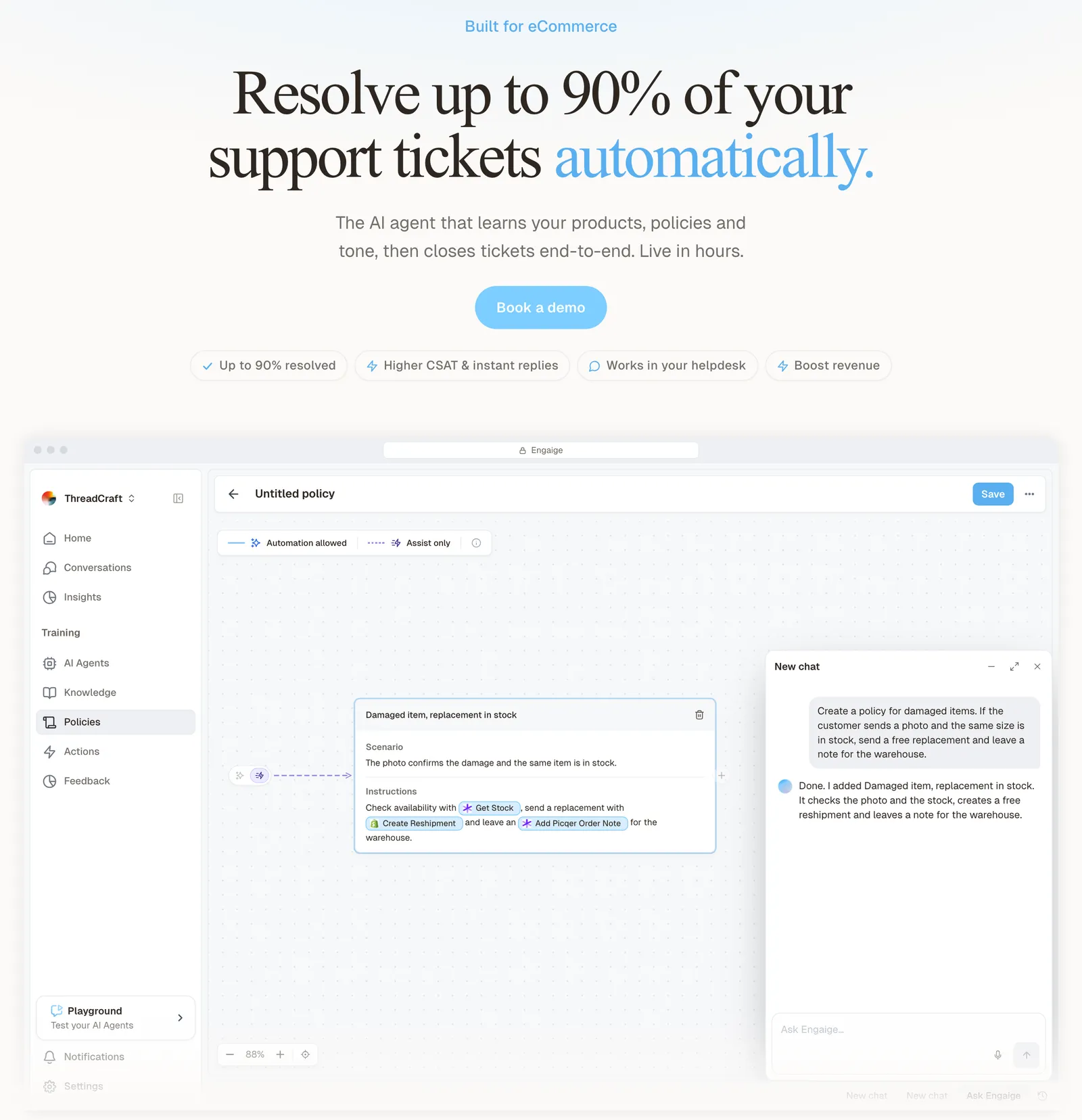
Engaige (that’s us) isn’t order-tracking software or a branded tracking page: it’s the e-commerce-native AI support agent that works inside the help desk you already run, and it resolves the WISMO tickets your tracking emails did not prevent. Keep your helpdesk. Replace the AI. Behind it is Engaige AI, which learns from your conversations and inputs, configures your support agent and shows which policies it used.
For a WISMO ticket, Engaige reads the live order and pulls carrier tracking before it answers. It reads order and fulfilment status from your store platform, deepest on Shopify through the Admin API, and live tracking from carriers and shipping tools such as PostNL, DHL, UPS, FedEx and Sendcloud. Then it tells the customer where the parcel is and when it will arrive, and you can open any conversation to see which systems it checked and why it replied as it did.
Hi, where is my order? It's been eight days and the tracking hasn't moved.

Shopify
Order 48219 · fulfilled

Picqer
Still processing Contradicts Shopify

DHL
Returned to depot · 3 delivery attempts
Settles it: the parcel is not with the customer
Reasoning…
Not deliverable. Reship to a confirmed address, booked in Picqer.
Suggested reply
Your parcel went back to the depot after three delivery attempts, so it will not arrive. I have booked a reshipment to the address you confirmed, arriving Thursday.
When a parcel is late or lost, Engaige applies your policy: it arranges a reship or issues a refund on eligible orders, in the same conversation. On ticket types you have switched to autonomous, it then replies and closes the ticket.
You decide per policy step whether it acts on its own or drafts for your team, and you can set thresholds, such as sending refunds above a certain amount to a person first. Disputed and high-value cases go to your team with a summary of the agent’s reasoning as an internal note in the ticket.
Scenario
The customer asks about a delivery address.
Instructions
Read the order with Get order , then take the branch that matches.
Scenario
The order has not been picked yet.
Instructions
Move it with Change picqer shipping address .
Scenario
The parcel has already left the warehouse.
Instructions
Say it cannot be redirected, then offer Process refund .
You go live in Agent Assist in hours, or autonomous from day one if you are ready. In Agent Assist, every reply your team sends is compared with what the agent suggested; that is one of the signals Engaige AI learns from, and you approve the changes it proposes.
Ticket types, WISMO among them, then switch to autonomous one at a time: most brands are autonomous in about a week, and Engaige automates up to 90% of supported tickets. Engaige is text-first by design: email, chat, WhatsApp, SMS and social DMs, no voice AI. If phone is a big share of your WISMO, a voice specialist is the honest answer.
Otrium has 60% of 120,000 annual tickets resolved end to end with Engaige.
With Engaige, we are able to automatically resolve 60% of the 120,000 support tickets that we receive annually.

See the WISMO use case for how Engaige handles each step of a “where is my order” ticket. It runs inside Zendesk, Gorgias and Freshdesk, on top of stores such as Shopify. If you are still choosing a help desk, our e-commerce helpdesk guide covers what a store needs from one.
Frequently asked questions
What does WISMO stand for?
WISMO stands for “where is my order?”. Support teams use it as a label for the whole family of delivery questions about a paid order: late, lost, stuck on processing, marked delivered but missing, or a return shipment.
What is a WISMO call?
A WISMO call is a “where is my order?” question asked by phone instead of by email, chat or message. Count calls in both WISMO rates, so the numbers cover every channel. Engaige handles the text channels and does not answer calls.
Can AI handle WISMO without a carrier integration?
Partly. With only the store platform, an AI agent sees the status your platform holds, which on Shopify updates automatically for some carriers and not for others. To answer with a date and act on late or lost parcels, it needs live carrier or tracking data, which is why Engaige reads both the order and carrier tracking.
Does WISMO automation work in Zendesk or Gorgias?
Yes. You keep your help desk. Engaige works inside Zendesk, Gorgias and Freshdesk, reads the live order and carrier tracking, and replies, reships or refunds on eligible orders under your policy, in the ticket your team already sees.
Does a chatbot that sends a tracking link resolve WISMO?
No. It deflects the question for customers who had not opened the shipping email. A late, lost or stuck parcel needs a decision under your policy, which an AI agent on live data or a person makes.
Is a return shipment question WISMO?
Yes, count it as WISMO. “Has my return shipment been sent?” is a parcel-status question, and the answer comes from the same place: the return parcel’s tracking.