Intercom Fin is the AI agent of Fin, the company formerly called Intercom. It answers customers from your help content and runs multi-step Procedures that can look up data and take actions. Fin works inside the Intercom help desk or alongside another one, and is priced per outcome. Salesforce completed its acquisition of Fin on 10 September 2026.
This hub is for the store owner or support lead who runs Intercom, or is weighing Fin. It explains what Fin is after the rename, how it works, what it costs, and which of our guides answers each deeper question. Everything about Fin below is as of October 2026 and comes from Fin’s and Salesforce’s own pages, so treat it as vendor-stated.
What is Intercom Fin?
Intercom Fin is an AI agent for customer service. Fin’s help centre calls it “the best-performing AI agent for customer experience”, a vendor claim. It answers from your knowledge sources, follows Procedures you write in plain language, and can be deployed “across email, voice, live chat, social, and more”. Intercom remains the name of the help desk around it.
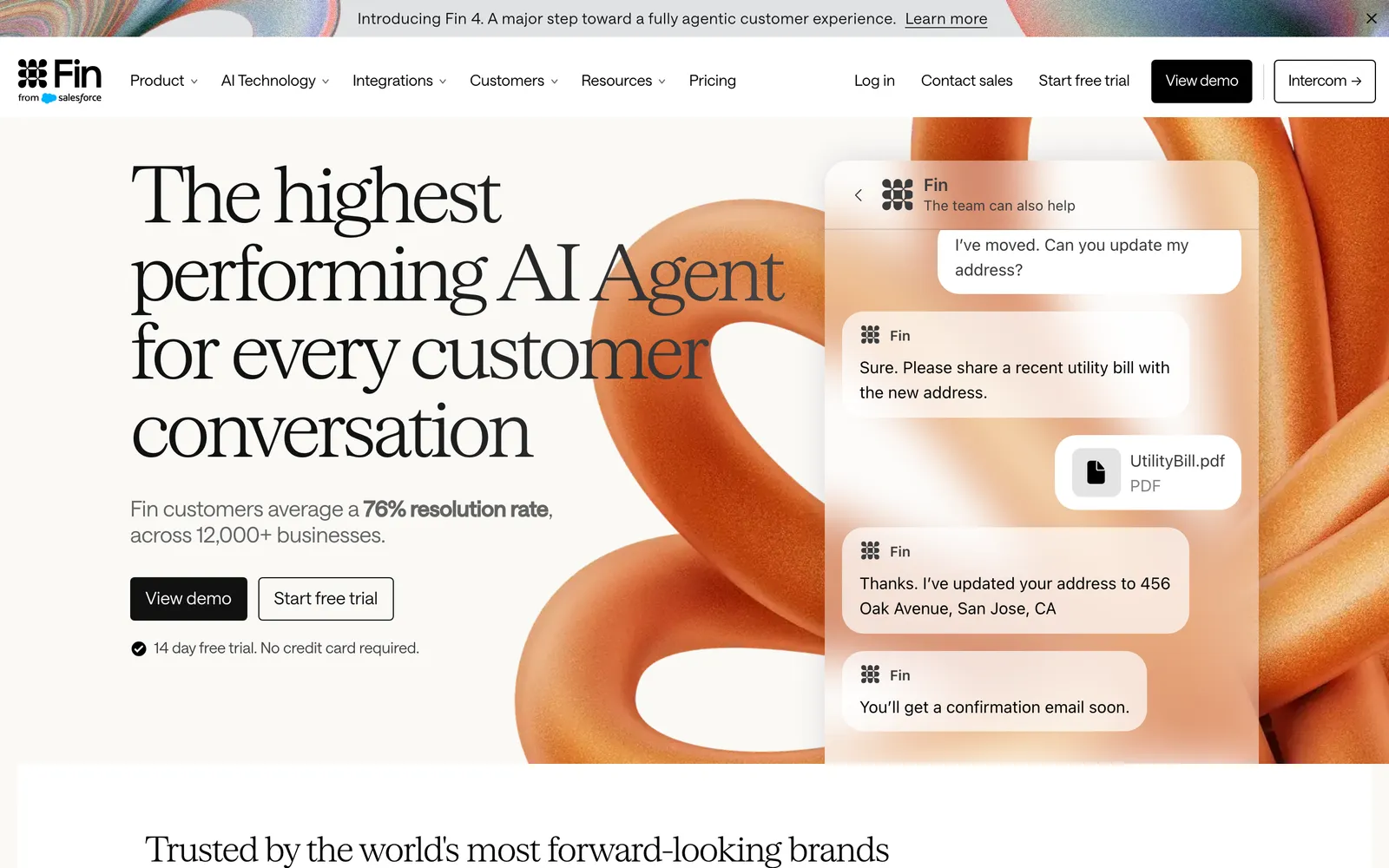
Fin’s homepage, captured on 20 October 2026, leads with “The highest performing AI Agent for every customer conversation”, a vendor claim. The Fin logo carries a “from Salesforce” mark, and the top navigation still links through to Intercom.
In 2026 the company renamed itself after the agent. Salesforce’s June release calls it Fin, “formerly Intercom”, and the deal completed on 10 September 2026, when Salesforce said Fin “will continue to serve its customers”. Fin’s own Fin 4 announcement of 7 October 2026 still speaks of “the Intercom helpdesk”.
| Name | What it is today | Where you meet it |
|---|---|---|
| Fin (the company) | The business formerly called Intercom, part of Salesforce since 10 September 2026 | Contracts, invoices, fin.ai |
| Fin (the AI agent) | The agent that answers and acts for your customers | Your Messenger, email, WhatsApp and other channels |
| Intercom (the help desk) | The inbox, Messenger and ticketing product | Your team’s daily work |
| Fin Operator | Fin’s agent for your support team, not for customers | The Pro add-on |
| Intercom’s Salesforce app | A CRM sync app, separate from the deal | Intercom’s app settings |
Sources: Salesforce’s June and September releases and Fin’s Fin 4 announcement, read on 20 October 2026.
Which Intercom and Fin guide answers your question?
Start from the question in front of you. The table groups our guides by what you are trying to do: understand a Fin tool, understand the ownership change, compare and decide, or connect Engaige. Each row says what the guide answers, so you can skip straight to it.
| Group | Guide | What it answers |
|---|---|---|
| Understand Fin’s tools | Fin Operator | What Fin’s agent for support teams does, how its changes reach you as diffs to approve, and its documented limits |
| Understand the ownership | Salesforce deal | When Salesforce bought Fin, what it says changes for customers, and how the deal differs from Intercom’s Salesforce app |
| Compare and decide | Gorgias comparison | How Intercom and Gorgias compare for an online store, including migration |
| Compare and decide | Compare Intercom | How Engaige and Fin compare as the AI on your tickets |
| Compare and decide | Best agents | Which AI agents for customer service belong on a wider shortlist |
| Connect Engaige | Intercom integration | How Engaige plugs into the Intercom you already run |
If the difference between a chatbot and an AI agent is new to you, start with our AI agents explainer.
How does the Intercom Fin AI agent work?
Fin works in two layers. For questions, it builds answers from your knowledge sources: help articles, internal content, PDFs and web pages. For multi-step work it follows Procedures, written in plain language with branches, code and data connectors. A Procedure can pause for a teammate’s approval, and Fin logs its reasoning in the Inbox.
Fin’s Procedures article, dated 17 July 2026, tells you to “write your processes in natural language, just like you would when training a teammate”. You add if/else conditions for consistency and code “when you need Fin to follow strict rules”, such as eligibility checks or date calculations. Data connectors or MCPs link Fin to tools “such as Stripe, Shopify, or Linear”.
The approval step is called “Loop in teammate”. Intercom’s help article says it can “pause a Fin Procedure at a critical point and request a teammate’s input or approval before Fin continues”. A reviewer answers a card in the inbox or Slack; if nobody responds before the timeout, Fin escalates and hands the conversation over.
Fin’s reasoning is visible too. In the Inbox, “Fin’s thoughts” events “summarize Fin’s reasoning before it sends a message or performs an action”, per Intercom’s troubleshooting article. They show the Procedure step, how Fin read the request and why it took a branch, for conversations where a Procedure ran.
Around the agent sit tools that improve it. Fin Operator drafts changes to content, guidance and Procedures as diffs that a teammate approves, and Recommendations compare failed Fin answers with human replies to similar questions. Our Fin Operator guide covers both, with the testing tools.
Is Fin the same as the old Intercom bot?
No. Intercom’s older bots, including the 2017 Operator bot covered in our Fin Operator guide, ran scripted tasks such as collecting contact details. Fin is a generative AI agent that answers in its own words and runs Procedures. Intercom still lets teams run rule-based workflows next to Fin, so you may see both in one workspace.
What does Intercom Fin cost in 2026?
Fin is priced per outcome, on top of help desk seats if you use the Intercom inbox. Fin’s pricing page lists $0.99 per outcome, charged once per conversation, and nothing when a conversation is simply passed to your team. Intercom seats run from $29 to $132 a month on annual billing, and the Pro add-on with Fin Operator starts at $100.
| Item | Price as listed | Notes | Source |
|---|---|---|---|
| Fin outcome | $0.99 per outcome | ”Only charged for one outcome per conversation”; a resolution means no further help is requested after Fin’s last answer | Fin pricing |
| Fin on your current help desk | $0.99 per outcome | ”50 outcomes per month minimum” | Fin pricing |
| Intercom Essential seat | $29 per seat per month billed annually; $39 billed monthly | Help desk seat | Intercom pricing |
| Intercom Advanced seat | $85 per seat per month billed annually; $99 billed monthly | Help desk seat; includes 20 free Lite seats | Intercom pricing |
| Intercom Expert seat | $132 per seat per month billed annually; $139 billed monthly | Help desk seat; includes 50 free Lite seats | Intercom pricing |
| Pro add-on | From $100 per month | Includes Fin Operator | Fin pricing |
Prices as shown on Fin’s and Intercom’s pricing pages on 20 October 2026. The Intercom page shows annual billing by default; the monthly prices are the ones Intercom lists for the same plans on that page. Confirm the billing term with Fin before you budget.
Per-outcome pricing means your bill follows how many conversations Fin finishes, so forecast it from your ticket mix rather than your seat count. Fin says “minimum commitments apply”, so ask for the terms in writing.
Is Fin the same company as Intercom?
Yes. Fin is the company that used to be called Intercom, and since 10 September 2026 it is part of Salesforce. The Intercom name lives on as the help desk product. If you search “fin intercom” or “intercom fin”, you are looking at one vendor, one AI agent and one help desk, now with one owner.
The ownership change by itself changes nothing in your workspace. Salesforce’s September release says Fin “will continue to serve its customers” as part of Salesforce’s AI Labs. It says nothing about pricing or contracts; our Salesforce deal guide has the timeline.
What does Intercom Fin mean for an online store?
Fin is a capable agent built around SaaS-style support: account, product and onboarding questions. For a store, the questions are orders, returns, deliveries and stock, so the test is how deep Fin reaches into your commerce stack. Intercom documents five Shopify templates, and other actions are built as data connectors inside Procedures.
Intercom’s templates article, dated 11 September 2026, lists Search Catalog, Get Cart, Update Cart, Get Product Details and Get order info. Get order info returns status, items, shipping address and tracking. Refunds, cancellations and address changes are not among the templates, so on Fin you build them as your own data connectors and Procedures.
That is a set-up choice, not a ceiling. If your team has the time to write and maintain those connectors, Fin can run them. If you want refunds, cancellations and address changes working from the first week, from live order data, judge the depth on your own tickets before you decide.
| Store question | What Intercom documents for Fin on Shopify | What to check |
|---|---|---|
| Where is my order? | Get order info template: status, items, shipping address, tracking | Carrier events beyond the tracking link |
| Product or stock question | Search Catalog and Get Product Details templates | Pricing per market and storefront content |
| Change my cart | Get Cart and Update Cart templates | Checkout behaviour in your theme |
| Refund, cancellation, address change | Built as your own data connector inside a Procedure | Who builds and maintains it |
Source: Intercom’s templates article and Procedures article, read on 20 October 2026.
Where does Engaige fit?
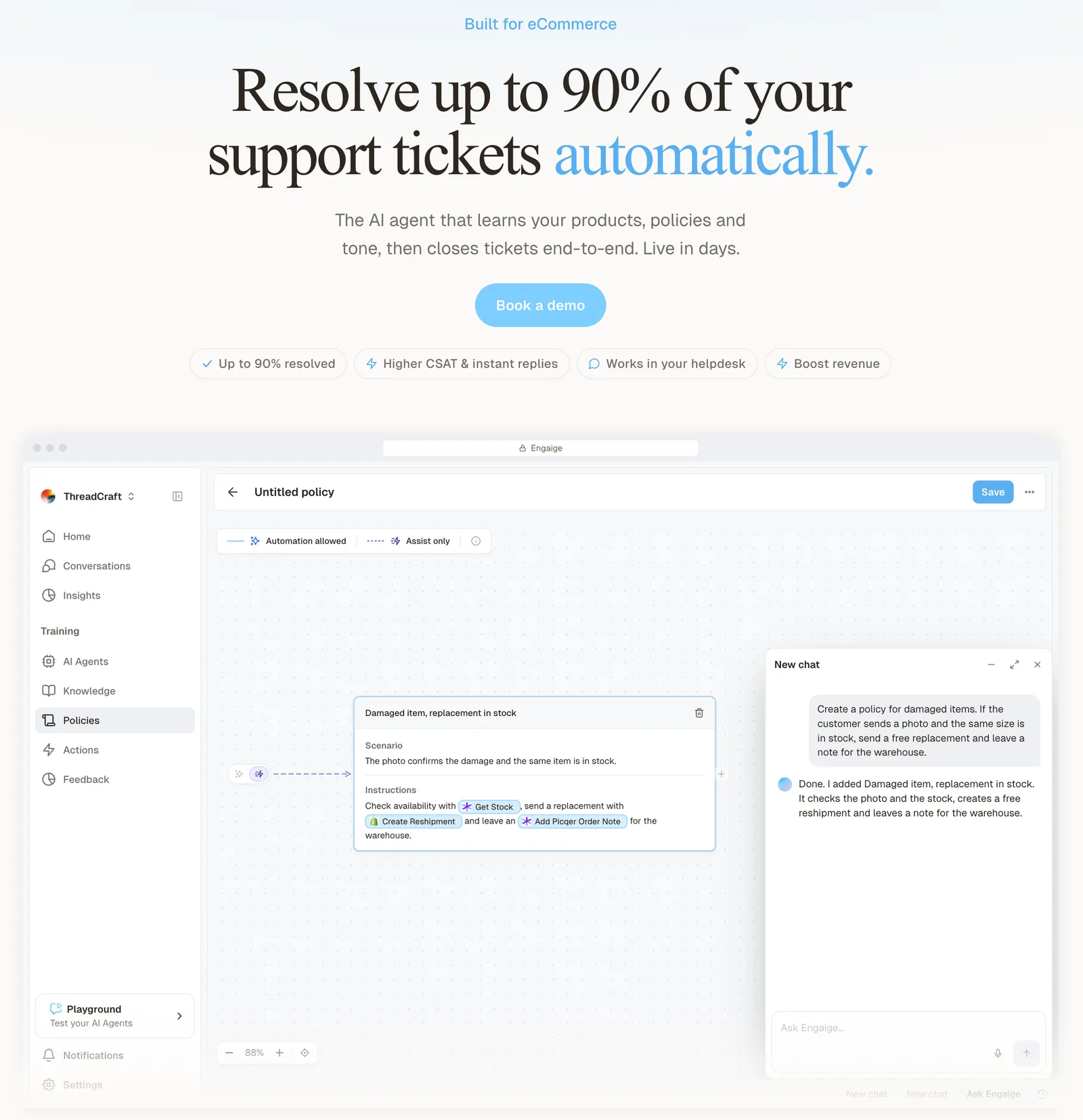
Engaige (that’s us) is the e-commerce-native AI support agent that plugs into the Intercom you already run, actually resolves across your stack and keeps improving itself. Intercom stays your help desk; Engaige replaces Fin as the AI on your tickets. Keep your helpdesk. Replace the AI. Behind the agent is Engaige AI, which learns from your conversations and inputs, configures your support agent and shows which policies it used.
Intercom is built for SaaS support; Engaige is built for the store. On Shopify, Engaige combines live Admin API data, pricing across markets and SKUs, inventory, orders and customers, with the marketing content from your storefront. It takes native actions such as refunds, cancellations, address changes and discounts, across 50+ native integrations whose actions you enable rather than build.
Open any conversation in Engaige and you see the full reasoning behind every answer and action: which systems it checked, what it found and why it replied as it did. When the agent hands a ticket to your team, it leaves a summary of its reasoning as an internal note in the ticket.
Hi, where is my order? It's been eight days and the tracking hasn't moved.

Shopify
Order 48219 · fulfilled

Picqer
Still processing Contradicts Shopify

DHL
Returned to depot · 3 delivery attempts
Settles it: the parcel is not with the customer
Reasoning…
Not deliverable. Reship to a confirmed address, booked in Picqer.
Suggested reply
Your parcel went back to the depot after three delivery attempts, so it will not arrive. I have booked a reshipment to the address you confirmed, arriving Thursday.
You go live in Agent Assist in hours. Engaige AI compares what your team said with what the agent suggested, learns from the difference, and improves itself, under your supervision: you approve the changes. Ticket types go autonomous one at a time, in about a week for brands that move quickly, and autonomous from day one is also supported. Engaige automates up to 90% of supported tickets.
You decide per step whether the agent acts on its own or drafts for your team, and you can set thresholds, such as sending refunds above a certain amount to a person first. Test every policy in the Playground before it goes live, including real past tickets you paste in.
The results show after go-live. At HelloPrint, 80% of tickets are automated and first response is 90% faster.
Engaige proved to be invaluable. Their hands-on support during the implementation phase resulted in significant improvements to our automated resolution rate and CSAT.

At MR MARVIS, a Shopify Plus brand, Engaige handles over 120,000 questions a year and resolves over 60% of the conversations it’s involved in. For the most common store question, see the order tracking use case.
Engaige is e-commerce-specialised, not a generic horizontal tool. If most of your Intercom conversations are SaaS onboarding or account questions, Fin is built for that work. If they are orders, returns and deliveries, compare both on your own tickets. If you are weighing a move away from Intercom altogether, our guide to Intercom alternatives for e-commerce compares the options.
Frequently asked questions
What is Intercom Fin?
Fin is the AI agent of the company formerly called Intercom. It answers customers from your knowledge sources and runs Procedures written in plain language, inside the Intercom help desk or alongside another one.
Is Fin the same company as Intercom?
Yes. Intercom renamed itself Fin in 2026 and has been part of Salesforce since 10 September 2026. Intercom is still the name of its help desk.
How much does Intercom Fin cost?
As of October 2026, Fin’s pricing page lists $0.99 per outcome, Intercom seats from $29 to $132 a month on annual billing, and a Pro add-on from $100 a month that includes Fin Operator. Fin on another help desk has a 50-outcome monthly minimum.
Can Fin ask a person before it acts?
Yes. A “Loop in teammate” step pauses a Procedure until a teammate approves or answers, and “Fin’s thoughts” in the Inbox show the reasoning behind each step.
What Shopify actions does Fin support?
Intercom documents five Shopify templates: Search Catalog, Get Cart, Update Cart, Get Product Details and Get order info. Other actions, such as refunds, are built as your own data connectors inside Procedures.
Can I keep Intercom and use Engaige instead of Fin?
Yes. Engaige plugs into the Intercom you already run and replaces the AI on your tickets, with no migration. Keep your helpdesk, replace the AI.
How is Engaige different from Fin for an online store?
Engaige is built for the store: it reads live Shopify data and storefront content and takes native actions such as refunds and cancellations. Engaige AI learns from your conversations and inputs, including what your team sends in Agent Assist, and you approve every change.