Intercom Operator, now called Fin Operator, is Fin’s AI agent for support operations, launched in May 2026. It analyses your support data, debugs Fin conversations and drafts changes to articles, guidance and Procedures. Every change arrives as a proposal shown as a diff, and nothing goes live until a teammate approves it. It comes with the Pro add-on.
Intercom (now Fin) renamed its product around the agent, so Fin calls this one Fin Operator. This page covers Operator only; for the bigger picture of what Fin is, see our Fin guide. Facts below are as of 20 October 2026 and come from Fin’s own pages, so treat them as vendor-stated.
What is Intercom Operator?
Intercom Operator is Fin Operator: an agent that works on your support set-up rather than on your customers. Fin’s update page, published on 14 May 2026, defines it as an agent that runs your customer operations. Its Fin Operator FAQs split the roles in one line: Fin is an agent for your customers, Operator is an agent for your team.
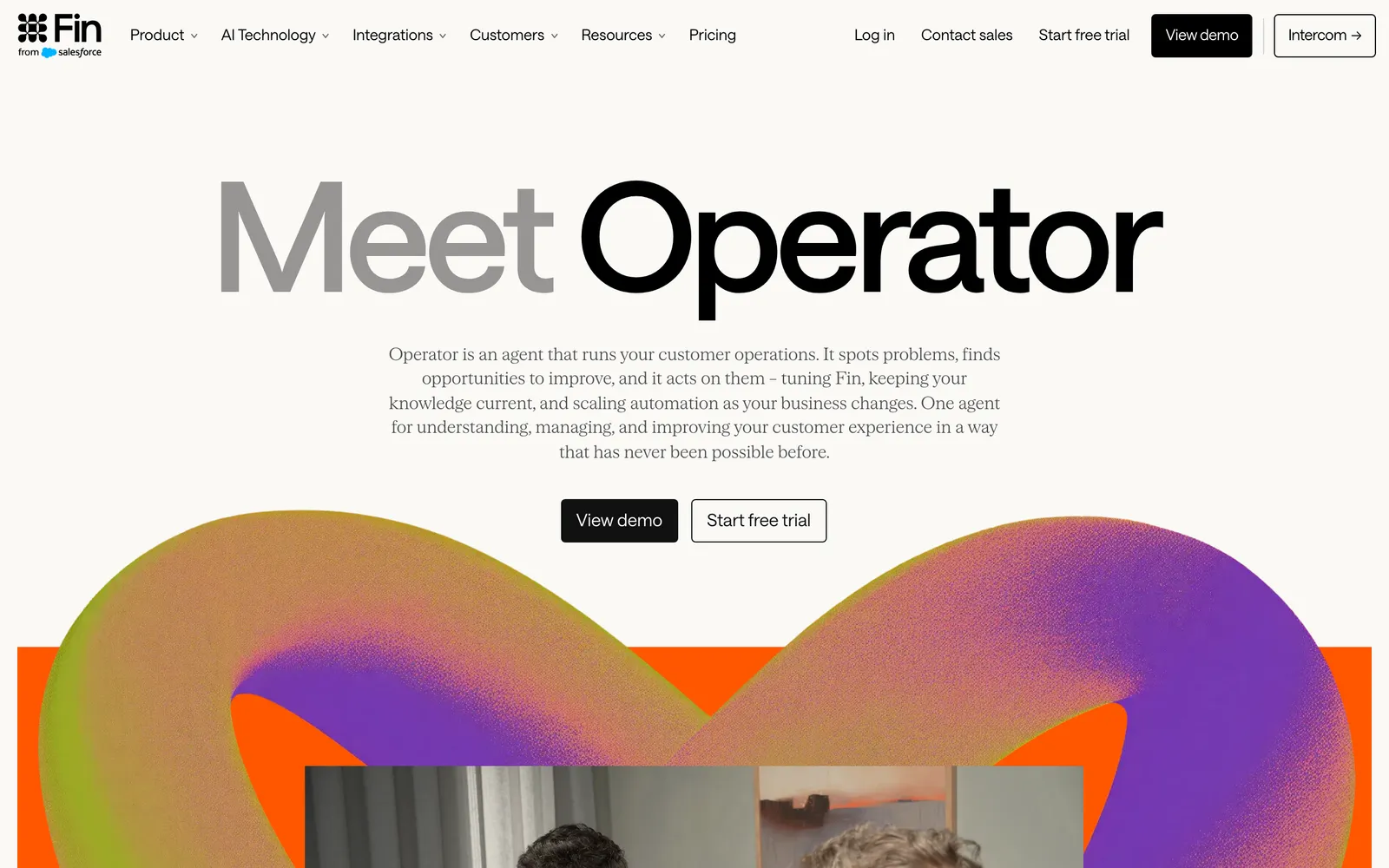
Fin’s Fin 4 of 7 October 2026 says Operator launched in May and that more than 1,600 customers have used it since, a vendor-stated figure. The FAQs date general availability to 6 August 2026, as part of the Pro add-on.
Fin names CX and customer success leaders, AI leaders and the C-suite as its audience. Operator sits in the main navigation of your Fin workspace and is also reachable from Train, Test, Deploy and Analyze.
What can Fin Operator do?
Fin Operator reads your data and drafts changes across seven areas: reporting, content, guidance, Procedures, conversation debugging, QA monitors and bulk conversation actions. It reads freely and proposes anything that changes your set-up. The table summarises Fin’s Operator explainer and FAQs.
| Skill area | What Operator does | Changes anything? |
|---|---|---|
| Analysis and reporting | Charts and breakdowns of your support data | Read-only |
| Content management | Finds articles affected by a policy change and drafts updates in your tone | Proposal |
| Guidance rules | Audits for conflicts and proposes rules | Proposal |
| Procedures | Creates, edits, audits and debugs them | Proposal |
| Conversation debugging | Finds the root cause and proposes a fix | Proposal |
| QA monitors | Pass or fail analysis with suggested fixes | Suggestions |
| Bulk conversation actions | Tags, replies to, snoozes or closes a set of conversations in plain language | Per Fin’s explainer; see the limits below |
Fin’s procedures article uses a returns Procedure as its example: check the order number and the return window, then process the return or explain the refusal. That is Fin’s example, not ours.
Fin 4 added Routines (scheduled or event-driven work), Connections to Slack and GitHub, Memory and Artifacts. Fin’s routines article, dated 16 September 2026, says these capabilities are currently in beta.
Fin’s engineering post of 15 May 2026 describes the mechanism: over 50 tools and 10 skills, where a skill chains tools into a whole job, such as debugging a conversation end to end.
How does Fin Operator propose changes?
Operator never edits your set-up directly. It proposes, shows you a diff or summary in the chat, and you approve, edit or reject it. Only after approval does the change go live. Fin’s own analogy, in its explainer, is a pull request for your support setup.
In practice a teammate reads the added, removed and modified text, then approves it, edits it or rejects it, and the live set-up changes only after approval.
According to the FAQs, the review panel shows a colour-coded diff, green for additions and red for removals, and you can edit the green additions before approving. One nuance: new articles accepted through Operator are saved as drafts and disabled for Fin by default, so you still publish them manually in the knowledge hub.
Operator also shows its reasoning. “Thought for X seconds” and “Worked for X seconds” panels expand into the full logic behind a proposal, and Fin says the panels let you follow the logic at every step. We treat that as parity: reasoning and approval are what you should expect from any serious agent.
On Routines, Fin’s article advises you to tell a routine that may propose changes to return them for review before anything is applied. That is Fin’s guidance for setting a routine up, not a claim that routines skip review.
What is conversation debugging and the execution trace?
You paste a conversation link or ID and ask why Fin answered as it did. Operator reads the full transcript, including Fin’s thoughts, traces and content sources, finds whether the cause sits in content, guidance, a Procedure or a mix, and proposes a fix you approve in the same chat. Fin’s debugging article lists the Pro add-on as required.
Behind the scenes it combines the conversation, your Fin configuration and the reasoning traces to land on a root cause, then drafts a fix to your knowledge base, Procedures or guidance rules.
For Procedure issues, the same article says Operator fetches the execution trace, showing which steps ran, in what order and with what data. Fin’s example prompts include “Why did step 3 get skipped in this procedure?” and a refund Procedure that approved more than it should have.
This sits next to an older tool. The built-in answer debugger, described in an article dated 6 March 2026, adds an Improve answer button in the Inbox that shows up to 10 relevant content items and lets you create a snippet or edit content, without Operator. Both exist; neither replaces the other.
One limit from the FAQs: Operator cannot step through individual workflow execution logs, and Fin points to its Troubleshoot Workflows tool for that.
Operator vs Recommendations vs batch tests and simulations
Fin has four tools that improve or test the agent, and they differ in what they learn from and what they change. Operator acts on your configuration. Recommendations suggest content from human replies. Batch tests and simulations check behaviour without changing Fin. A human sits in the approval seat for the tools that change anything.
| Tool | Learns from or tests on | Produces | Who approves | Plan |
|---|---|---|---|---|
| Fin Operator | Your prompt, conversation transcripts and traces, your Fin configuration, aggregate data | Proposals shown as diffs | A teammate | Pro add-on |
| Content gap Recommendations | Failed Fin responses compared with successful human replies to similar questions, teammate-handled responses, duplicates, contradictions | Ranked create and edit suggestions | You; content is only available to Fin once approved | Pro add-on |
| Batch tests | Up to 50 questions per test group, from past conversations, topics, CSV or manual entry | Good, Acceptable or Poor ratings | You rate; ratings do not train Fin directly | Per Intercom help |
| Simulations for Procedures | AI-suggested scenarios, mocked data connector outputs, simulated chats with an AI customer | Validation before go-live | You review the results | Launched April 2026 |
Read it this way. Operator is the one that acts. Recommendations compare failed Fin answers with human replies and also look at teammate-handled conversations. Tests and simulations check behaviour before it ships but do not change Fin themselves.
Recommendations have rules worth knowing. Create and edit suggestions run daily or weekly, and duplicate and contradiction checks run every Sunday with up to 20 recommendations for Monday. Per Fin, they filter out conversations without teammate responses, abandoned ones and those where a teammate repeated the same answer as Fin.
On Operator’s own testing, Fin’s docs differ. The explainer says Operator tests proposed changes against real historical conversations before shipping, while the FAQs list running test conversations on proposed changes as coming next. We report both and do not pick one.
What does Fin Operator mean for a store team running Fin?
If you run Fin on Intercom, Operator handles admin work in one chat, with approval on each change: finding why Fin escalated returns, updating articles after a policy change, building a refund Procedure. It improves Fin from Fin’s own conversations, configuration and your prompts, so the quality of its proposals depends on that context.
As of October 2026, Fin’s pricing page lists the Pro add-on from $100 a month, which its credits article says includes 6,000 Operator credits each month.
Access needs a full seat plus the Operator access permission. It is available in US, EU and AU hosted workspaces, and each teammate’s chats are private unless shared by URL.
What are Fin Operator’s limits?
Fin documents the limits itself. Real-time analysis covers at most 250 conversations per session, and Operator works on aggregate data rather than individual customer records. Per its limits section, it cannot change workflows, metadata, Fin settings or channel settings, and it focuses on content, guidance, Procedures and reporting. These come from the explainer and FAQs, checked on 20 October 2026.
Other documented limits:
- It cannot edit scraped pages, PDFs or other external content sources.
- Messages are capped at 10,000 characters.
- You cannot export an Operator conversation.
- The FAQs list a known issue with blank article update previews.
Fin’s own docs disagree in places, and we flag both sides rather than resolve them:
- The FAQs say Operator stays inside your Fin workspace and cannot send Slack messages or take actions in external systems. The Fin 4 post and the routines article describe Connections to Slack and GitHub, in beta.
- The explainer lists bulk conversation actions such as tag, reply, snooze and close. An FAQ answer says Operator cannot take actions on individual conversations.
- The explainer’s capability list mentions workflow updates, while its limits say Operator cannot modify workflows.
- On testing and on credits: the explainer and the FAQs differ on whether Operator tests proposed changes (covered above), and Fin’s pricing and credits pages word credit scaling differently, so confirm with Fin.
One more point concerns mechanism, not a flaw. Operator improves Fin from Fin’s own conversations, failures, configuration and what you ask it, and Fin says Operator itself improves from best practices across all Fin customers. As of October 2026, Fin’s Operator documentation describes improvement from Fin’s own conversations, configuration and your prompts, and does not describe comparing what Fin would have said with your teammate’s actual reply on every ticket.
Where does Engaige fit?
Engaige (that’s us) is the e-commerce AI support agent that works inside Intercom in place of Fin: keep your helpdesk, replace the AI. Engaige AI configures and improves it. MR MARVIS, a Shopify Plus brand, handles over 120,000 questions a year with it, resolving over 60% of the conversations it’s involved in, as the MR MARVIS case shows.
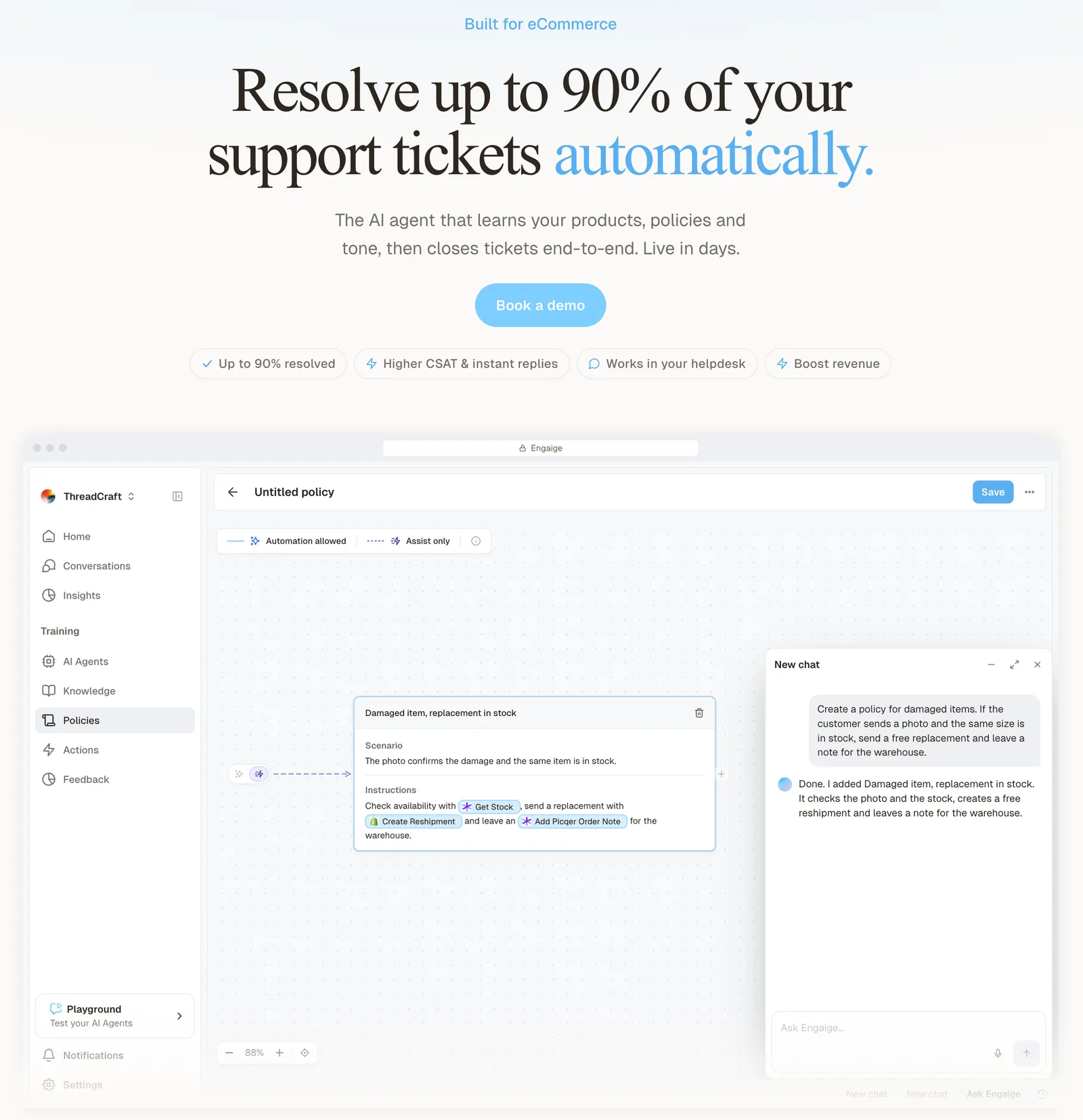
The contrast is what learns, from what, and who approves. In Agent Assist, every reply your team sends is compared with what the agent suggested; that is one of the signals Engaige AI learns from, next to the conversations themselves, your inputs, hand-offs and emerging trends. Engaige AI proposes what to change in a policy, with its reasoning, and you approve it. Ticket types go autonomous one at a time, and learning continues once autonomous, from hand-offs and trends.

Hello Potential New Client
What would you like to get done today?
Could you analyse this week's conversations and show me some automation opportunities?
Ask Engaige…
Searched and found 4 contact reasons · 2.4s
Your agent resolved 426 of 512 conversations. 86 were handed over, and one contact reason accounts for most of them.
Searched and found 1 policy · 1.6s
Delivery status hands over whenever tracking is older than 24 hours, which is 40 of those 46.
Editing Delivery status · 1.9s
Done. It now handles stale tracking itself. Those 40 a week stay with your agent.
What were the reasons for handover, and how can we improve?
Fix it.
Reply…
As of October 2026, we found no competitor that publicly describes comparing every reply your team sends with the agent’s own suggestion and turning the difference into a policy change you approve. Fin’s Recommendations are the closest: they compare failed Fin answers with human replies to similar questions.
Open any conversation in Engaige and you see the full reasoning behind every answer and action. When the agent hands a ticket to your team, it leaves a summary of its reasoning as an internal note. That reasoning shows where information is missing or unclear, which is where you improve the agent next.
Within the AI we can see the reasoning, and how it comes to a response. That shows us where information is missing or unclear, and helps us improve our workflow.

Beyond learning, the differences are practical. Engaige works from live Shopify store data and takes store actions itself, you choose per step whether it acts or drafts, and policies are tested before they go live. The full overview is in our Fin guide.
Fin is now part of Salesforce; our acquisition guide covers the deal. For the product comparison, see compare Intercom. If you are weighing platforms, read our Gorgias comparison, our AI agents explainer and our take on Zendesk Copilot.
To see it on your own tickets, book a demo.
Frequently asked questions
What is Intercom Operator?
Fin Operator, formerly Intercom Operator, is Fin’s agent for support operations, launched in May 2026. It analyses support data, debugs Fin conversations and drafts changes as diffs a teammate approves, and it is included in the Pro add-on.
Is Intercom Operator the same as Fin Operator?
Yes. Intercom (now Fin) renamed the product around its agent, and Fin’s pages call it Fin Operator. The older Operator bot from 2017 is a different thing: a simple bot for tasks like collecting contact details.
Does Fin Operator change Fin without approval?
No. Fin’s docs say every configuration change goes through a proposal that you approve, edit or reject, and that Operator never publishes, deletes or modifies content directly. Accepted new articles are saved as drafts, disabled for Fin until you publish them.
How much does Fin Operator cost?
As of October 2026, Fin’s pricing lists the Pro add-on from $100 a month, including 6,000 Operator credits each month. Pro has a 500-conversation minimum, and Operator is unlimited during a Pro trial. Confirm the details with Fin, as its pages word credit scaling differently.
What is the Fin Operator execution trace?
For Procedure issues, Operator fetches a trace showing which steps ran, in what order and with what data, then compares it with the Procedure definition to find the root cause. It is part of conversation debugging and needs the Pro add-on.
How is Fin Operator different from Fin Recommendations?
Operator acts on a request you give it, debugging conversations and drafting changes as diffs. Recommendations run on their own, comparing failed Fin responses with successful human replies to similar questions and suggesting content to create or edit. Both need your approval before anything goes live.
What was the Intercom Operator bot?
In August 2017 Intercom released a bot called Operator for simple tasks such as collecting contact details, setting response-time expectations and sharing articles, per MarTech. An Intercom employee described it in 2020 as the bot that sends auto responses in the Messenger. It is not Fin Operator.
Can Engaige improve itself from my team’s replies in Intercom?
Yes. One of the signals Engaige AI learns from is how your team’s Agent Assist replies differ from the agent’s suggestions; it proposes policy changes with its reasoning, and you approve them. Fin’s Recommendations are the closest Fin tool, comparing failed Fin answers with human replies.
Do I need Fin to use Engaige inside Intercom?
No. Engaige works inside Intercom in place of Fin, so you keep your helpdesk and replace the AI. Engaige is built for the store, with live Shopify data and native actions.