
This guide to Zendesk Copilot is for an online store already on Zendesk. It covers what Copilot is, its features, how auto assist and procedures work, what it costs, and whether it can refund or cancel a Shopify order. For the wider picture, start with our guide to Zendesk e-commerce.
What is Zendesk Copilot?
Zendesk Copilot helps your team while they work a ticket; its suggested replies need an agent’s approval before they reach a customer. Zendesk describes it as giving “human agents and admins proactive, real-time guidance grounded in your knowledge, policies and service context” (Zendesk).
The line most search results blur is between Copilot and Zendesk’s AI agents. Zendesk’s own overview describes AI agents as “AI-powered chatbots that interact with your customers” (Zendesk overview), while Copilot helps the service team. Zendesk says AI agents “come as a part of your Zendesk Suite plan and copilot is an additional add-on”. For the customer-facing side, see our Zendesk chatbot guide.
For how Copilot, AI agents and Forethought fit together as Zendesk AI, and what each costs, see our Zendesk AI explainer.
Zendesk’s product page groups Copilot into auto assist, procedures, classification by topic, sentiment, language and entities, admin copilot and analytics. The same Copilot product page states outcomes: 82% increased agent productivity and 5.5 hours saved by admins weekly, plus one customer, Rotho, going from 40 to up to 120 tickets per agent. Those are Zendesk’s own figures, not benchmarks.
Our view: Copilot makes each human faster on each ticket. It is built to assist the human on the ticket.
What are the Zendesk Copilot features?
Zendesk’s product page names five capability areas: auto assist, procedures, classification (its intelligent triage), admin copilot and analytics. The table adds the features listed on its pricing pages. Some features come with Professional plans in limited form, but the ones that act on tickets, auto assist above all, need the paid add-on. The table shows what each plan level gives you, as listed by Zendesk.
| Feature | What it does | Professional without add-on | With the add-on |
|---|---|---|---|
| Auto assist | Follows a procedure, suggests a reply and actions | No | Yes |
| Procedures | Natural-language instructions auto assist follows | No | Yes |
| Suggested first replies and macros | Proposes a reply or macro for the agent | No | Yes |
| Writing tools and ticket summaries | Rewrites text and summarises a ticket | 5 pooled uses per agent per month, cap 500 | Unlimited |
| Rewrite in your tone | Matches replies to your voice | No | Yes |
| Merging suggestions | Proposes tickets to merge | Sources differ, see note below | Sources differ, see note below |
| Intelligent triage classifications | Tags topic, sentiment, language, entities | See note below | Yes, including in workflows |
| Similar tickets, communication guidelines | Surfaces past tickets, checks tone | No | Yes |
| Agent productivity dashboard | Reports on Copilot use | No | Yes |
| Admin copilot | Recommends and applies setup changes | Yes (recommendations on auto assist and triage need the add-on) | Yes |
Zendesk’s sources disagree on two rows. Its help-centre allowance article lists merging suggestions and intelligent triage classifications as included at no extra cost, while its UK and NL pricing pages list them as add-on features. Confirm with Zendesk which applies to your account.
How does auto assist work?
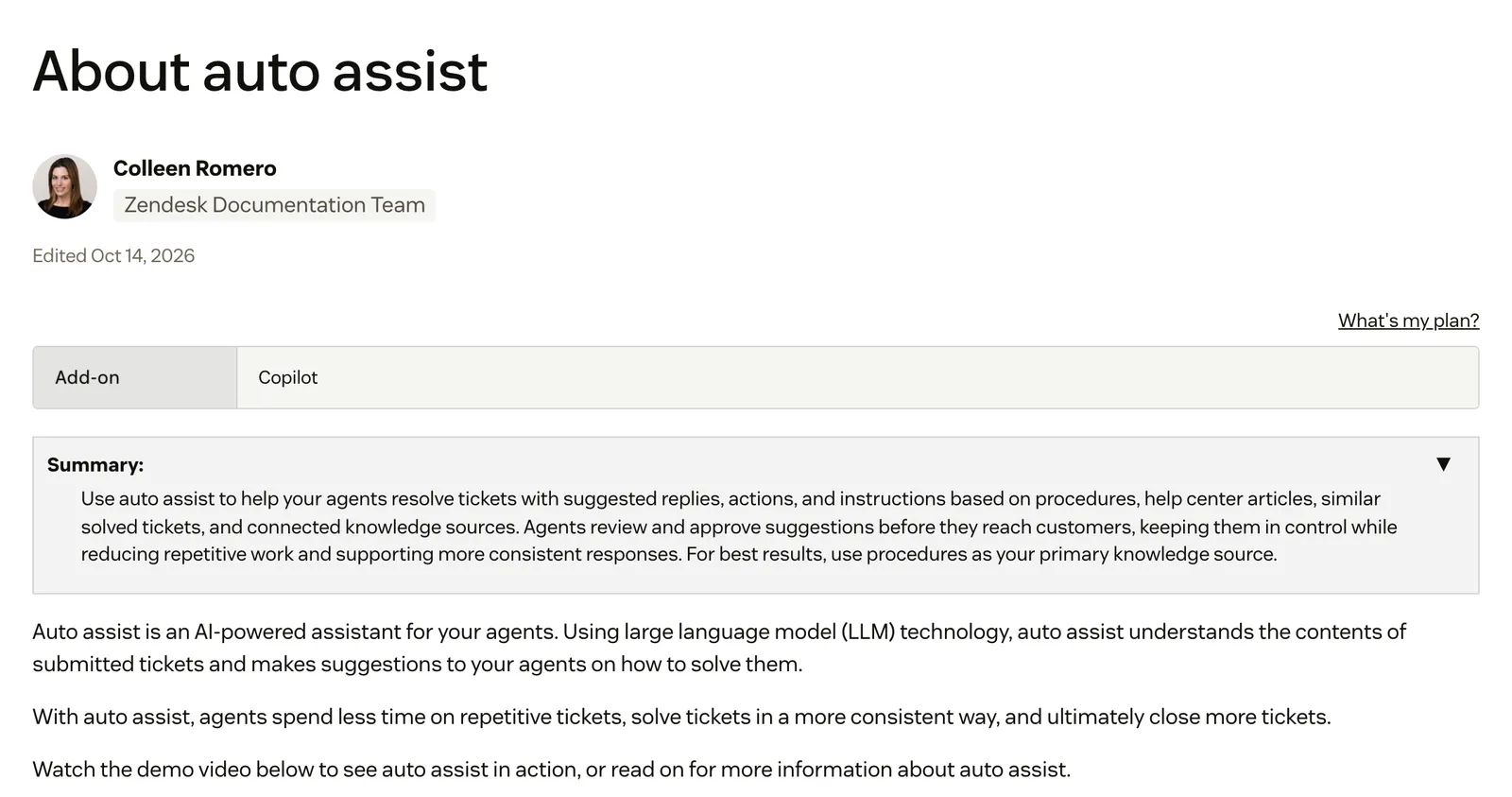
Auto assist reads the customer’s comment, follows the matching procedure and suggests a reply plus up to four actions at a time in most cases. Zendesk says suggested replies “require agent approval before being sent to a customer” (About auto assist). It needs the Copilot add-on.
Knowledge comes in a fixed order. Zendesk says procedures “should be used as your primary knowledge source”, then help-centre articles, and only if neither applies are similar solved tickets used. Suggestions respond only to end-user comments, and actions are suggested only if a procedure defines them. Teams want more say over that order.
October 2026Use case: customers contact us re our products, and in certain type of questions we would like auto assist to always use a specific internal documentation in the reply suggestion. · Zendesk CommunityStandard and custom actions
Standard actions update ticket status, priority, type, tags and certain custom fields, and include a Shopify integration to look up an order, cancel and refund an entire order, or refund selected items (About actions). Custom actions update data outside Zendesk through an API you define. They support bursts of up to 280 executions, then 6 per second.
Agent-approved and pre-approved actions
By default an agent approves an action before it runs. Marking a custom action or action flow as pre-approved means it is not suggested for approval. Zendesk’s own caveats: pre-approved actions “may be executed in a different order than specified in a procedure” and may run without prior conditions being met. It advises that actions which write data, such as a refund, should be marked agent-approved.
Limits worth knowing
Zendesk states that “Auto assist doesn’t work on AI agent tickets”, and actions do not run there either. It also warns that a connection “might have greater access privileges than your agents and end users”, so check what each connection can reach.
What are Copilot procedures?
Procedures are natural-language instructions that tell auto assist what to do for a type of request. Zendesk says to write them as if explaining to a new agent how your company solves a problem (Creating procedures). Only published procedures are used.
A procedure can link standard and custom actions, action flows, macros, agent instructions (steps an agent does by hand), help-centre articles and other procedures. You do not have to start blank: since 21 May 2026, new add-on customers get three procedure drafts within 24 hours of purchase, built from common issues, solved tickets from the last 30 days and knowledge base articles.
For a store, the consequence is plain. Every rule, such as a return window, a cancellation cut-off or which items are final sale, lives in procedure text you maintain. When the policy changes, the procedure has to change with it.
What is Zendesk admin copilot?
Admin copilot is a proactive AI assistant for Zendesk admins. It surfaces recommendations, such as removing duplicate triggers or improving resolution times, lets you apply a suggested change in one click after you approve it, and answers questions about your setup (About admin copilot).
It is available on Suite Professional, Enterprise and Enterprise Plus, and on Support Professional and Enterprise. Recommendations about auto assist and intelligent triage need the add-on. If you want to know what it tidies, our guides to Zendesk automations cover triggers and automations.
How does intelligent triage fit in?
Intelligent triage classifies each new ticket by topic, sentiment, language (about 150 languages) and entities such as product names. Classifications are available on Professional plans and up, but using them in triggers and workflows needs the Copilot add-on (Zendesk docs).
Add-on buyers from before 11 June 2026 see “Intent” instead of “Topic” until later in 2026. Our view: triage routes a ticket faster, but it does not resolve it. For what can be sent automatically on arrival, read automatic reply.
What does Zendesk Copilot cost?
The Copilot add-on is €50 per agent per month billed annually on zendesk.nl and £40 per agent per month paid yearly on zendesk.co.uk, captured 13 October 2026. It can be added only to Professional and higher plans. Suite Enterprise with Copilot is “talk to sales”.
| Plan | NL, per agent per month (annual / monthly) | UK, per agent per month (annual / monthly) | Copilot status |
|---|---|---|---|
| Suite Team | €55 / €69 | £45 / £59 | No Copilot |
| Suite Professional | €115 / €149 | £89 / £115 | Admin copilot, plus 5 pooled uses of writing tools and summaries |
| Copilot add-on | €50 | £40 (annual shown) | Unlimited usage plus add-on features |
| Suite Enterprise with Copilot | Contact sales | Contact sales | Contact sales |
Prices captured 13 October 2026 from zendesk.nl/pricing and zendesk.co.uk/pricing. Zendesk prices vary by market.
What you get without the add-on
Professional includes 5 uses per agent per month, pooled across agents, capped at 500 per account per month even above 100 agents. At the cap, Copilot features are paused until the next billing cycle, with no overage charges. The add-on gives unlimited usage, Rewrite in your tone, summaries in fields and triage classifications in workflows.
AI agents are priced differently, per automated resolution, with an allowance included in Suite plans: the UK pricing page lists 10 per agent per month on Suite Professional.
Can Zendesk Copilot refund or cancel a Shopify order?
Yes, as a suggestion an agent accepts. With the add-on and a connected Shopify storefront, Zendesk says auto assist “can suggest Shopify order lookups, cancellations, and refunds” (Zendesk). Zendesk advises keeping write actions such as refunds agent-approved.
Zendesk’s workflow recipe runs like this in practice. A customer asks to cancel an item. Auto assist suggests asking for the order number, looks up the order, suggests asking which item, then proposes a cancellation plus refund. The agent approves three steps: two messages and one cancel-and-refund action. Separately, Zendesk’s Shopify page puts order refunds and cancellations in the human agent’s sidebar app.
Other store jobs, such as carrier position for WISMO, address changes, return labels or subscription changes, need custom actions you build against an API. Zendesk documents no standard action for them. The same goes for refunds beyond the standard Shopify action. Our view: Zendesk serves every industry, so it does not think in orders, returns or subscriptions out of the box. That logic sits in procedures you write.
Is Zendesk Copilot the same as a Zendesk AI agent?
No. Copilot assists a human on a ticket; an AI agent answers the customer directly. They are packaged differently, with an add-on per agent for Copilot and automated resolutions in Suite plans for AI agents, and auto assist does not run on AI agent tickets.
| Copilot | AI agent | |
|---|---|---|
| Who it serves | Your agents and admins | Your customers |
| Where it runs | Inside the agent workspace | Messaging, email and voice channels |
| Who approves | An agent, unless an action is pre-approved | Acts within what you configure |
| How it is priced | Add-on per agent per month | Automated resolutions in Suite plans |
| On AI agent tickets | Auto assist does not run | The ticket is the AI agent’s |
Our reading of Zendesk’s docs, stated as such: moving from assisted to autonomous on Zendesk means configuring the AI agent product alongside Copilot, rather than switching the same assistant on. The docs do not say whether procedures are shared between the two.
One date to know if you use the older bots: Zendesk’s About AI agents page says Essential AI agents and autoreplies with articles “will no longer be available” on 10 December 2026, while Zendesk’s separate removal notice lists automatic migration from January 2027. Our Zendesk chatbot guide has the full date detail.
Where does Engaige fit?
Engaige (that’s us) isn’t a Zendesk feature or a copilot add-on: it’s the AI support agent you plug into the Zendesk you already run, so you keep your helpdesk and replace the AI, with no migration. On day one it looks like a copilot, drafting replies and suggesting actions inside Zendesk for your team to approve, live in Agent Assist in hours. Behind it is Engaige AI, which learns from your conversations and inputs, configures your support agent and shows which policies it used.

The difference is that Agent Assist is a ramp, not a destination. Engaige AI compares what your team sent with what the agent suggested, learns from the difference and proposes changes with its reasoning, and you approve each one.
As the agent matches your team on a ticket type, you flip that type to autonomous, one at a time, most brands in about a week, with the same agent. Autonomous from day one is also supported, and it keeps learning afterwards from emerging trends and hand-offs.
You decide what the agent may do alone and where a person checks first, per ticket type and per step in a policy.
Scenario
The customer asks about a delivery address.
Instructions
Read the order with Get order , then take the branch that matches.
Scenario
The order has not been picked yet.
Instructions
Move it with Change picqer shipping address .
Scenario
The parcel has already left the warehouse.
Instructions
Say it cannot be redirected, then offer Process refund .
Zendesk also markets learning, with a Resolution Learning Loop and AI-generated procedures, and it offers pre-approved actions. Our difference is a loop you see and steer: every change comes with its reasoning and your approval.
Every Engaige answer also shows which policy it used and the source it drew on, so you can see why the agent replied or acted as it did.
Hi, where is my order? It's been eight days and the tracking hasn't moved.

Shopify
Order 48219 · fulfilled

Picqer
Still processing Contradicts Shopify

DHL
Returned to depot · 3 delivery attempts
Settles it: the parcel is not with the customer
Reasoning…
Not deliverable. Reship to a confirmed address, booked in Picqer.
Suggested reply
Your parcel went back to the depot after three delivery attempts, so it will not arrive. I have booked a reshipment to the address you confirmed, arriving Thursday.
On Shopify, Engaige combines live Admin API data (orders, customers, inventory, pricing across markets and SKUs) with your storefront content. The action happens in the connected system first, then Engaige replies and closes the ticket in Zendesk.
Engaige is priced as a flat monthly fee tied to your ticket volume, predictable as you scale, so you can set its cost per ticket against what a person costs per ticket, as our ROI guide works out.
MR MARVIS (Shopify Plus) is handling over 120,000 questions a year and resolving over 60% of the conversations it’s involved in, and Otrium has 60% of 120,000 annual tickets resolved end to end. Engaige automates up to 90% of supported tickets.
With Engaige, we are able to automatically resolve 60% of the 120,000 support tickets that we receive annually.

See the Zendesk integration and the Zendesk comparison, or weigh the help desk itself in Gorgias comparison.
Frequently asked questions
Is Zendesk Copilot free?
Not fully. Professional plans and up include admin copilot and 5 pooled uses of writing tools and summaries per agent per month, capped at 500 per account. Auto assist and the rest need the paid add-on.
How much is the Zendesk Copilot add-on?
€50 per agent per month billed annually on zendesk.nl, and £40 per agent per month paid yearly on zendesk.co.uk, captured 13 October 2026. It can be added to Professional and higher plans only.
Does Zendesk Copilot talk to customers?
Mostly through your agents. Copilot’s suggested replies need an agent’s approval before they reach a customer, and Zendesk’s AI agents are the product that answers customers directly. Zendesk’s SLA documentation does note that autoreplies are available with the Copilot add-on only.
What is Zendesk admin copilot?
A proactive assistant for admins that recommends changes, such as removing duplicate triggers, and applies them in one click after you approve. Recommendations about auto assist and triage need the add-on.
What are Zendesk Copilot procedures?
Natural-language instructions, written like explaining a task to a new agent, that tell auto assist what to do for a request type. They can link actions, macros, articles and other procedures, and only published ones are used.
Can Zendesk Copilot refund a Shopify order?
It can suggest a Shopify lookup, cancellation or refund for an agent to accept, with the add-on and a connected storefront. Zendesk advises keeping refunds agent-approved.
Is Zendesk Copilot the same as a Zendesk AI agent?
No. Copilot assists a human on a ticket, while an AI agent answers the customer. They are priced differently, with AI agents billed per automated resolution and an allowance included in Suite plans, and auto assist does not run on AI agent tickets.
Can a copilot inside Zendesk become fully autonomous?
With Engaige, yes: it starts in Agent Assist inside Zendesk, then you flip ticket types to autonomous one at a time, with the same agent, most brands in about a week.
Is there a Zendesk Copilot alternative built for e-commerce?
Engaige keeps Zendesk as your help desk and replaces the AI layer with an agent built for orders, returns and subscriptions, deepest on Shopify. For the wider field, see Zendesk alternatives.







