
Zendesk AI for e-commerce support is Zendesk’s ticketing plus its AI layer: AI agents that answer customers, Copilot that helps your human agents, and a help centre the AI reads. It handles policy questions, routing and reporting well. On refunds, cancellations and address changes, Zendesk’s documentation leaves most of the order work to a human agent or to actions you build.
This guide is for an online store already running Zendesk. It explains what each part does for a store, what changes on 10 December 2026, where Zendesk stops on orders and how to judge the AI layer. Each section links to the guide that goes deeper, so start here and follow the question you have.
What is Zendesk AI for e-commerce support?
Zendesk AI is the set of AI features Zendesk sells on top of its help desk: AI agents that talk to customers, Copilot that assists your human agents, and generative tools that read your help centre. For an online store it sits on a ticketing system built for every industry, so order work depends on actions and integrations you set up.
Zendesk defines AI agents as “AI-powered chatbots that interact with your customers on messaging, email (including API and web form), and voice channels” (Zendesk docs). It says they come with every Suite and Support subscription (Zendesk pricing) and claims they resolve up to 80% of interactions (Zendesk). That is Zendesk’s own figure, across all industries.
Zendesk is a proven ticketing foundation trusted by big teams. Our view is simple: Zendesk doesn’t think in orders, returns or subscriptions. It wasn’t built to. That is not a flaw in ticketing; it is the reason the AI layer matters so much for a store. Zendesk’s AI is a layer added onto that ticketing; Engaige was built AI-first, for e-commerce.
For Zendesk AI on its own terms, the AI agents, Copilot, the Forethought acquisition and pricing per automated resolution, see our Zendesk AI explainer.
What does each part of Zendesk do for an online store?
Each Zendesk layer has one job. AI agents answer customers, Copilot helps the human agent, the help centre holds your policies, and macros and automations move tickets along. None of them reads a Shopify order on its own; order data reaches the ticket through apps, actions and integrations you configure.
| Zendesk layer | What it does | What it does on an order | Our guide |
|---|---|---|---|
| AI agents | Answers customers on messaging, email and voice | Acts through procedures and API actions you configure | Zendesk chatbot |
| Help centre (Knowledge) | Articles, request form and a Requests page | Tracks tickets, not orders | Self-service portal |
| AI knowledge base | The help centre used as the source the AI reads | Holds your policy, not your orders | AI knowledge |
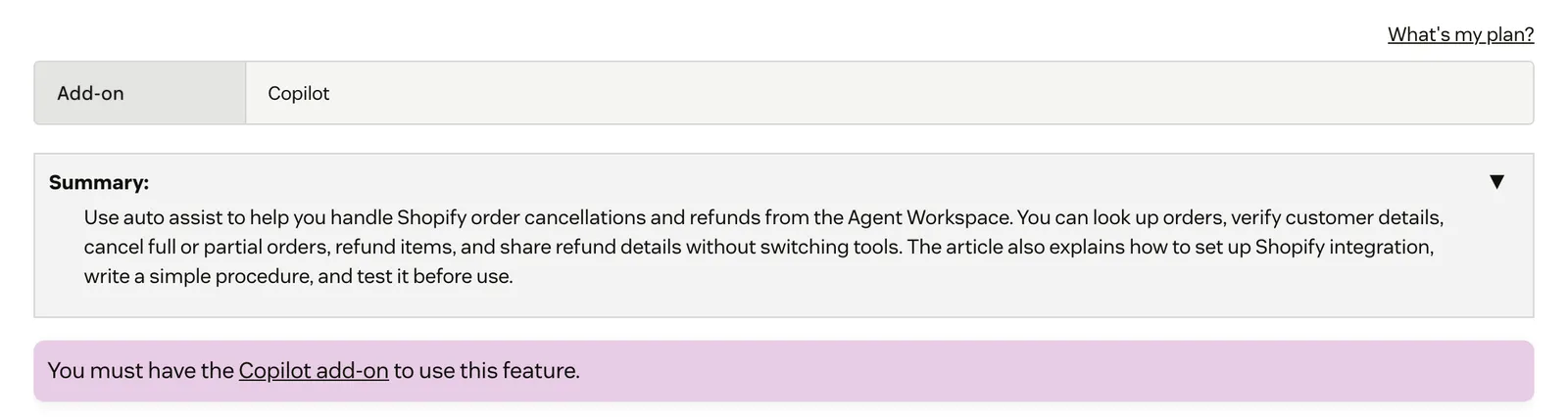
| Copilot (add-on) | Helps your human agents while they work a ticket | Suggests order lookups, cancellations and refunds for an agent to accept | Zendesk Copilot |
| Macros | Saved actions an agent applies by hand | Carries no order data | Zendesk macros |
| Automations | Hourly time-based rules on every ticket not yet closed | Reads the clock and ticket fields, never the order | Zendesk automations |
| Sandbox | A test copy of your account | Lets you test changes before customers see them | Zendesk sandbox |
Copilot, the agent-facing layer, needs an add-on and has its own Zendesk Copilot guide. Per Zendesk’s docs, its auto assist “can suggest Shopify order lookups, cancellations, and refunds” for an agent to accept. Zendesk also documents pre-approved auto-assist actions, so it does more than suggest.
Why does Zendesk AI matter for stores in 2026?
Two things changed this year. Zendesk’s AI agents docs say Essential AI agents, bot builder and autoreplies with articles are no longer available from 10 December 2026, so a store still on them needs a migration check. And Zendesk now markets self-improving agents, after completing its Forethought acquisition in March 2026.
Present both dates to your team. The About AI agents page gives 10 December 2026, while a separate removal notice lists automatic migration from January 2027. Check which applies to your account. Our Zendesk chatbot guide walks through what replaced Answer Bot.
Zendesk completed its Forethought acquisition in March 2026 and markets agents that “learn from every outcome” (Zendesk). So the question for a store is no longer whether the AI learns. It is whether you can see each improvement and approve it before it goes live.

Which Zendesk guide answers your question?
Pick the guide by the job in front of you. Customer-facing AI and self-service sit in one group, the daily ticket workflow in another, testing in a third, and the help desk decision in the last. Each guide is written for an online store on Zendesk and ends with where a specialist AI agent fits.
Answering customers without an agent
- Zendesk AI: what Zendesk AI is in 2026, from AI agents and Copilot to Forethought and the Resolution Platform, what it costs and where a store needs more.
- Zendesk chatbot: what replaced Answer Bot, the 10 December 2026 cut-off, how Zendesk counts a resolution and who handles refunds.
- Self-service portal: setting up the help centre in seven steps, customer sign-in and why the Requests page tracks tickets but not orders.
- AI knowledge: building a Zendesk AI knowledge base with Knowledge builder, generative search and external sources, and what articles cannot answer.
- AI essentials: how Essential AI agents differed from Advanced, the 10 December 2026 cut-off and what a store keeps, loses and must rebuild.
- Web Widget: messaging vs Classic, the Admin Center steps, installing it on Shopify and fixes when it won’t show.
- Live chat: live chat on Zendesk messaging, step by step: agent access, capacity, business hours, routing and plan prices.
- WhatsApp: connecting WhatsApp to Zendesk messaging, number and template rules, routing and what the channel leaves to your agent.
Running the ticket workflow
- Zendesk Copilot: auto assist, procedures, triage and admin copilot, what the add-on costs and where it stops.
- Automatic reply: triggers, automations and AI agents compared, the 10 December 2026 date and what a reply does not carry.
- Zendesk macros: creating and applying macros, placeholders, the Macros API and the order work a macro leaves to your agent.
- Zendesk automations: the hourly rules, ticket tagging, solved vs closed and store-ready recipes.
- Ticket requester: who the requester is, how Zendesk sets it from the email headers and why it decides which customer and orders sit behind a ticket.
- Internal notes: who sees a private comment, every way to add one and when a note can reach a customer.
- Zendesk SLA: the seven metrics, which tickets get an SLA, breach alerts and why AI agent tickets sit outside them.
- Ticketing system: how email, chat, social and API requests become tickets, what a ticket holds and where the order sits.
- Zendesk statuses: what New, Open, Pending, On-hold, Solved and Closed mean, custom statuses and the mistakes to avoid.
- Zendesk views: standard, shared and personal views, how to build one, who sees it and four views worth setting up.
- Zendesk triggers: conditions, actions, run order, store recipes and common pitfalls.
- Custom fields: every field type, adding one to a form, conditional and required fields, and their limits for a store.
- User segments: who sees which help-centre content, how segments are built and their limits across brands.
- Multi-brand: running several storefronts in one Zendesk account, what each brand gets and what stays shared.
- Slack integration: sending ticket alerts to Slack, creating tickets and notes from a channel, and what stays in Zendesk.
- Intelligent triage: topic, sentiment, language and entity predictions, how to turn it on and where a label stops.
- Side conversations: asking a warehouse, carrier or supplier by email, Slack, Teams or child ticket from the ticket.
- Ticket type: the Question, Incident, Problem and Task types, how to set the field and where it stops for a store.
- Omnichannel routing: how Zendesk sends email, chat and messaging work to the right agent, and what routing leaves to your team.
- Translation: translating tickets, the help centre and AI agent replies, and where a translation stops.
- Shopify integration: install steps, store permissions, the order sidebar, refunds and cancellations, and fixes for common errors.
- Zendesk Marketplace: listing types, free vs paid apps, how to install and judge one, and what a sidebar app leaves to your agent.
Testing changes safely
- Zendesk sandbox: which plans include one, what it copies and leaves out, how to deploy changes and how to test an AI agent before go-live.
Choosing the help desk
- Gorgias comparison: depth on the store versus breadth across teams, what each AI does on orders and which fits your team.
- Zendesk alternatives: the wider field if you are weighing a move.
- Freshdesk comparison: Freshdesk vs Zendesk for an online store.
- Zendesk products: Support vs Suite, each product from ticketing to Copilot, 2026 plan prices and whether it fits a store.
- Zendesk pricing: every plan in USD, how AI resolutions and Copilot are billed, and what a store pays at 1,000 to 10,000 tickets a month.
- Data export: exporting tickets, users, articles and reports, the plan and format each method needs, and the limits to know.
Where does Zendesk stop on orders?
Zendesk stops where the ticket needs an order changed. Its Shopify page puts refunds and cancellations in the human agent’s sidebar app, Copilot suggests order actions for an agent to accept, and AI agents act only through integrations you build. Macros, automations and articles carry no live order data at all.
Zendesk’s Shopify page puts “order refunds and cancellations” in the human agent’s sidebar app. Zendesk recommends marking data-writing actions as agent-approved. That is a sensible default for a horizontal tool, and it means a person still clicks through most WISMO, refund and cancellation tickets.
Each guide in this cluster shows the same pattern from a different side. A knowledge base holds your policy, not your orders. A macro saves typing but leaves the lookup to your agent. An automation chases a ticket on the clock. The requester tells you which customer it is, not what they ordered.
How do you evaluate Zendesk AI customer service for a store?
Judge the AI layer on how much of your queue it resolves end to end, whether it keeps improving from your own tickets, and whether you control what it may do alone. Action-taking depth is table stakes among the front-runners. The deciding criterion is a self-improvement loop you can see and steer.
| # | Criterion | Weight | The question it answers |
|---|---|---|---|
| 1 | Resolution level | 25% | What share of your tickets does it resolve end to end, including refunds, returns and cancellations? |
| 2 | Self-improvement | 20% | Does it keep getting better after go-live, from your own tickets? Top score needs a loop you can see and steer: the tool learns from what your team actually sends, proposes improvements with their reasoning, and you approve what goes live. |
| 3 | E-commerce depth | 15% | Does it read live orders, stock and customers, and act in the store, or only suggest? |
| 4 | Control and transparent reasoning | 15% | Can you set when it may act alone, per step, and see why it answered, with the source? |
| 5 | Fit with your help desk | 15% | Does it work inside the workspace and tickets you already run, without a migration? |
| 6 | Time to value | 10% | How fast does it go live, and how fast does it reach autonomy on your ticket types? |
These weights are a default, not a law: reweight them for your ticket mix. A store where most tickets are policy questions can lean harder on the help centre; a store where most tickets need an order action should weight resolution and e-commerce depth higher.
How do the options compare?
A store on Zendesk has three routes. Use Zendesk’s built-in AI and build the order actions yourself, move to an e-commerce help desk such as Gorgias, or keep Zendesk and replace only the AI layer. The table sets them side by side on what each vendor documents.
| Zendesk’s built-in AI | Move to Gorgias | Keep Zendesk, replace the AI (Engaige) | |
|---|---|---|---|
| Migration | None | Tickets, macros, help centre and actions move | None |
| Who resolves order tickets | A human agent, or actions you build and approve | Gorgias AI Agent, shopper confirms irreversible steps | Engaige acts in the connected system, then replies and closes the ticket |
| How you steer the AI | Procedures, use cases and actions | Guidance and skills in open text | Policies that set how it reasons and when it may act |
| How it improves | Markets self-improving agents | Not documented in the sources we used | Engaige AI proposes improvements; you approve them |
| Best for | Large multi-team operations | Shopify-first brands willing to switch | Stores that want to keep Zendesk and resolve more |
Zendesk’s built-in AI is the default. It is included in your plan, and it is the right start if most tickets are policy questions your help centre already answers. Plan for the order actions you will need to build.
Gorgias is a strong e-commerce help desk, good at organising support and deflection. Per its documentation, connecting Shopify “adds actions like Cancel order and Edit shipping address”. Switching is a migration, so weigh it in our Gorgias comparison.
Keeping Zendesk and replacing the AI is the third route, and it is ours. The section below explains how it works.
What does Zendesk cost an online store?
Zendesk prices in two layers: a plan per agent per month, and automated resolutions, where AI agents are included with an annual allowance and extra resolutions are billed. Copilot is a separate add-on. Model a peak month and compare the cost per resolved ticket, not the plan price alone.
Zendesk’s pricing page lists Support Team at $19, Suite Team at $55 and Suite Professional at $115 per agent per month billed annually, with Enterprise via sales. Plans include 5 or 10 automated resolutions per agent a month; extra ones cost $1.50 committed or $2.00 pay-as-you-go (as of October 2026). Confirm them on the live page before you budget.
Our guide to Zendesk pricing has every plan in USD, how AI resolutions and Copilot are billed, and worked examples at 1,000, 5,000 and 10,000 tickets a month.
Where does Engaige fit?
Engaige isn’t a help desk and doesn’t replace Zendesk: it’s the e-commerce-native AI support agent that plugs into the Zendesk you already run, actually resolves across your stack and keeps improving itself. Engaige (that’s us) follows one rule: “Keep your helpdesk. Replace the AI.” Engaige AI learns from your conversations and inputs, configures your support agent, and shows which policies it used. MR MARVIS, on Shopify Plus, has Engaige handling over 120,000 questions a year.

How it works in Zendesk. Engaige works inside the Zendesk agent workspace, on your existing tickets. The action happens in the connected system first, then Engaige replies and closes the ticket in Zendesk. It covers WISMO, refunds and returns, cancellations and address changes, subscription changes and product advice. The Zendesk integration has the setup.
How it learns. You go live in Agent Assist in hours. Engaige AI compares what your team sent with what the agent suggested, one of the signals it learns from, and proposes improvements you approve before they go live. Ticket types switch to autonomous one at a time; most brands get there in about a week, up to 90% of supported tickets. Autonomous from day one is also supported.
How you stay in control. Policies set how the agent reasons, which process it follows and when it may act on its own, and every answer and action shows why, with the source. There are no decision trees and no prompt engineers, and Engaige AI lets you test every policy before launch.
How deep it goes. Engaige works across your stack, deepest on Shopify, plus WooCommerce, Magento, BigCommerce and your custom systems. On Shopify it combines live Admin API data (pricing across markets and SKUs, inventory, orders and customers) with the marketing content from your storefront. It is text-first by design: email, live chat, WhatsApp, SMS and social DMs.
What it costs. Engaige is a flat monthly fee tied to your ticket volume, predictable as you scale, so your cost per ticket is known in advance and you can set it against what a person costs per ticket; our ROI guide shows the sum.
Otrium shows resolution at scale. Engaige is built for resolution, not enterprise overhead.
With Engaige, we are able to automatically resolve 60% of the 120,000 support tickets that we receive annually.

For a side-by-side of Engaige and Zendesk’s AI, see the Zendesk comparison.
Frequently asked questions
What does Zendesk AI do for an online store?
Zendesk AI is the AI layer on top of Zendesk’s help desk: AI agents that answer customers on messaging, email and voice, Copilot that assists human agents, and generative tools that read your help centre. Zendesk says AI agents come with every Suite and Support subscription. Our Zendesk AI explainer covers each part and Forethought; our Zendesk pricing guide covers what they cost.
Is Zendesk good for e-commerce support?
Zendesk is a proven ticketing foundation, strong on routing, triage and reporting. For a store, the limit is order work: its Shopify page puts refunds and cancellations in the human agent’s sidebar app, and the AI acts on orders only through actions you build or approve.
What changes for Zendesk AI agents in December 2026?
Zendesk’s About AI agents page says Essential AI agents, bot builder and autoreplies with articles are no longer available from 10 December 2026. A separate removal notice lists automatic migration from January 2027, so check which applies to your account.
Can Zendesk AI process Shopify refunds?
Copilot’s auto assist can suggest Shopify order lookups, cancellations and refunds for an agent to accept, and pre-approved actions exist. AI agents can act through integrations you set up. Zendesk recommends marking data-writing actions as agent-approved.
Do I have to leave Zendesk to get better AI?
No. Engaige keeps Zendesk and replaces only the AI layer, working inside the Zendesk agent workspace on your existing tickets, with no migration. Moving to another help desk is a different decision, covered in our Gorgias vs Zendesk guide.
How fast can Engaige go live in Zendesk?
You go live in Agent Assist in hours. Ticket types then switch to autonomous one at a time, and most brands get there in about a week. Autonomous from day one is also supported.
How should I weigh Zendesk AI against a specialist agent?
Weight resolution level, then self-improvement at 20%, then e-commerce depth, control, fit with your help desk and time to value. Reweight the default for your ticket mix, and run each option on your own tickets before you decide.







