Zendesk translation is a set of features, not one switch. Conversation translation lets agents translate a shopper’s messages and their own replies on every channel except voice, using AWS translate or AI translations. Dynamic content translates macros, triggers and fields, and the help centre and AI agents each have their own language settings.
What is Zendesk translation?
Zendesk translation is five separate features that each translate something different, so “turn on translation” means different things depending on what you want translated. Most daily work for a store sits in the first row of the table: answering shoppers in a language your agents don’t speak.
| What gets translated | How Zendesk does it | Who translates | Plans | Read more |
|---|---|---|---|---|
| Shopper conversations in the agent workspace | Conversation translation, with AWS translate or AI translations | Machine | Suite Team and up; Support Team and up | Below |
| Macros, triggers, automations and ticket fields | Dynamic content placeholders with a variant per language | You, or a translation agency | Suite Growth and up; Support Professional and up | Below |
| Help-centre articles | Localised articles, by hand or AI translations you check before publishing | You, or AI with your review | Suite Growth and up; Support with Knowledge Professional or Enterprise | Self-service portal |
| AI agent replies | You add and activate languages; translations are automatic or manual | Machine or you | Suite Team and up; Support Team and up | AI Essentials |
| Marketplace translation apps | Third-party apps in the ticket sidebar | The vendor’s engine, for example DeepL | Billed by the app vendor | Marketplace |
Our view: the first row is where most of the daily work is. The other rows are set-up you do once and then maintain, and each one has its own plan gate.
How does Zendesk language translation work in a conversation?
Conversation translation translates the shopper’s messages into the agent’s language and the agent’s replies back. It works on every channel except voice, per Zendesk’s conversation translation overview. When the two languages differ, a banner appears and the agent switches translation on for that conversation.
The channels covered are Zendesk messaging, live chat, social, Sunshine Conversations, email, web form and API. How Zendesk detects the shopper’s language is covered in our intelligent triage guide. If no banner appears, the agent can start translation from the ticket options menu, under Translate.
Outbound translation runs from the language in the agent’s Support profile, so agents need to type in that language or translations may be inaccurate. If the detected language is wrong, the agent picks the right one from a dropdown in the banner, as Zendesk explains under detected language. Agents can click Show original and Show translation, and stop translating when the ticket passes to someone who speaks the shopper’s language.
The shopper is not told that translation is on. Messaging marks AWS-translated messages as Translated. With AI translations you can add a Translated by AI disclosure, which Zendesk’s set-up article scopes to email, web form and API. The Event log keeps both versions of the agent’s messages, while the shopper’s messages stay in their original language.
Our live chat guide covers chat set-up.
How do you turn on Zendesk translation?
An admin turns it on in Admin Center under Objects and rules, Tickets, Settings, then Comment options for agents. There you choose AWS translate or AI translations for all channels, and optionally a Translated by AI disclosure. Zendesk documents the steps in its AI translation set-up article.
- Open Admin Center, then Objects and rules, then Tickets, then Settings.
- Expand Comment options for agents.
- Select Allow agents to translate conversations.
- Choose AWS translate or AI translations for all channels.
- Optionally select Show AI translation disclosure, then save.
| Option | What it translates | Notes |
|---|---|---|
| Translate with AWS translate | Inbound and outbound live chat and messaging; outbound only for email, web form and API | Zendesk lists no inbound email for this option |
| AI translations for all channels | Inbound and outbound on all channels | Replaces AWS translate; Zendesk says it gives higher quality translations |
| Show AI translation disclosure | Adds a Translated by AI note to messages sent to shoppers | Needs AI translations; the setting covers email, web form and API only |
AI translations for messaging channels became generally available on 3 August 2026, and the rollout ended on 14 August 2026. Before that, AI translations covered email, web form and API. Accounts already on AI translations got messaging automatically. Everyone else selects AI translations for all channels on the Tickets settings page.
Turning off Allow agents to translate conversations switches translation off for every channel and deactivates both AI settings. Our view for a store selling across borders: if your market expects to be told about AI, tick the disclosure. It is a single box.
How do you translate macros, triggers and ticket fields in Zendesk?
With dynamic content. You write one item with a variant per language and place its placeholder in a macro, trigger, automation or field. Zendesk inserts the variant that matches the shopper’s language, or the default if it isn’t supported. It needs Suite Growth or Support Professional and up, per Zendesk’s dynamic content overview article.
You create items in Admin Center under Workspaces, Agent tools, Dynamic content: set a default language and text, add a variant per language, then copy the placeholder into the macro. A macro needs two items of dynamic content, one for its name and one for its body. As an illustration, a “Return label sent” macro would carry English, German and French variants of both.
Standard ticket fields translate automatically. Custom fields need dynamic content, and a drop-down needs one placeholder per value. Our custom fields guide covers building them.
The maintenance traps matter more than the set-up:
- You supply the translations yourself, in Zendesk or by exporting a CSV to an agency.
- Updating the default text flags every variant as potentially out of date.
- An inactive variant falls back to the default language, so German shoppers see English.
- Dynamic content in a Notify URL target body always uses the default variant.
A shopper’s language defaults to the account language, unless it is set in their profile, by an agent, or by a trigger using Set requester’s language. The Requester’s language condition lets triggers route tickets to language groups. Localised macros appear in the agent’s selected language in the agent workspace.
Can Zendesk translate your help centre and AI agent?
Yes, but separately, and conversation translation does not switch either on. Help-centre articles are localised per language, by hand or with AI translations you check before publishing; our self-service portal guide covers that. AI agents reply only in languages you add and activate, as Zendesk’s managing languages article says; our AI Essentials guide covers the rest.
Zendesk’s language support article lists 32 entries for live conversation translation, regional variants included. If a language you sell in is missing, our Marketplace guide covers translation apps.
What are the limits of Zendesk translation for an online store?
Zendesk’s own list of translation limitations has catches that matter in support.
From the limitations section of Zendesk’s conversation translation overview, fetched on 19 October 2026:
- Incoming chat and messaging translations aren’t saved. They run again on every update or reload, so results may vary.
- Translated messages can’t be redacted on web, mobile or social messaging channels.
- SunCo Shorthands and translations for third-party widgets are not supported.
- Phonetically written text is not translated accurately. Hindi works in Devanagari script, not in Roman script.
- If translation fails on an outgoing email, it is sent in the original language after five minutes.
Translation changes the language of a reply, not the rule behind it. Free returns in one market and paid returns in another is a policy, and a reply that quotes the wrong market’s rule is still wrong, in perfect German. Those rules live in macros, dynamic content variants and your agents’ heads, and every one needs maintaining. If you would rather route the ticket to a native speaker, see omnichannel routing.
Where does Engaige fit?
Engaige (that’s us) is the e-commerce-native AI support agent that works inside the Zendesk you already run and answers the shopper in their own language, from your policies. It replies in your customer’s language by default, or you pin it to one, then takes the action, such as a refund, return or address change, and closes the ticket. Keep your helpdesk. Replace the AI.
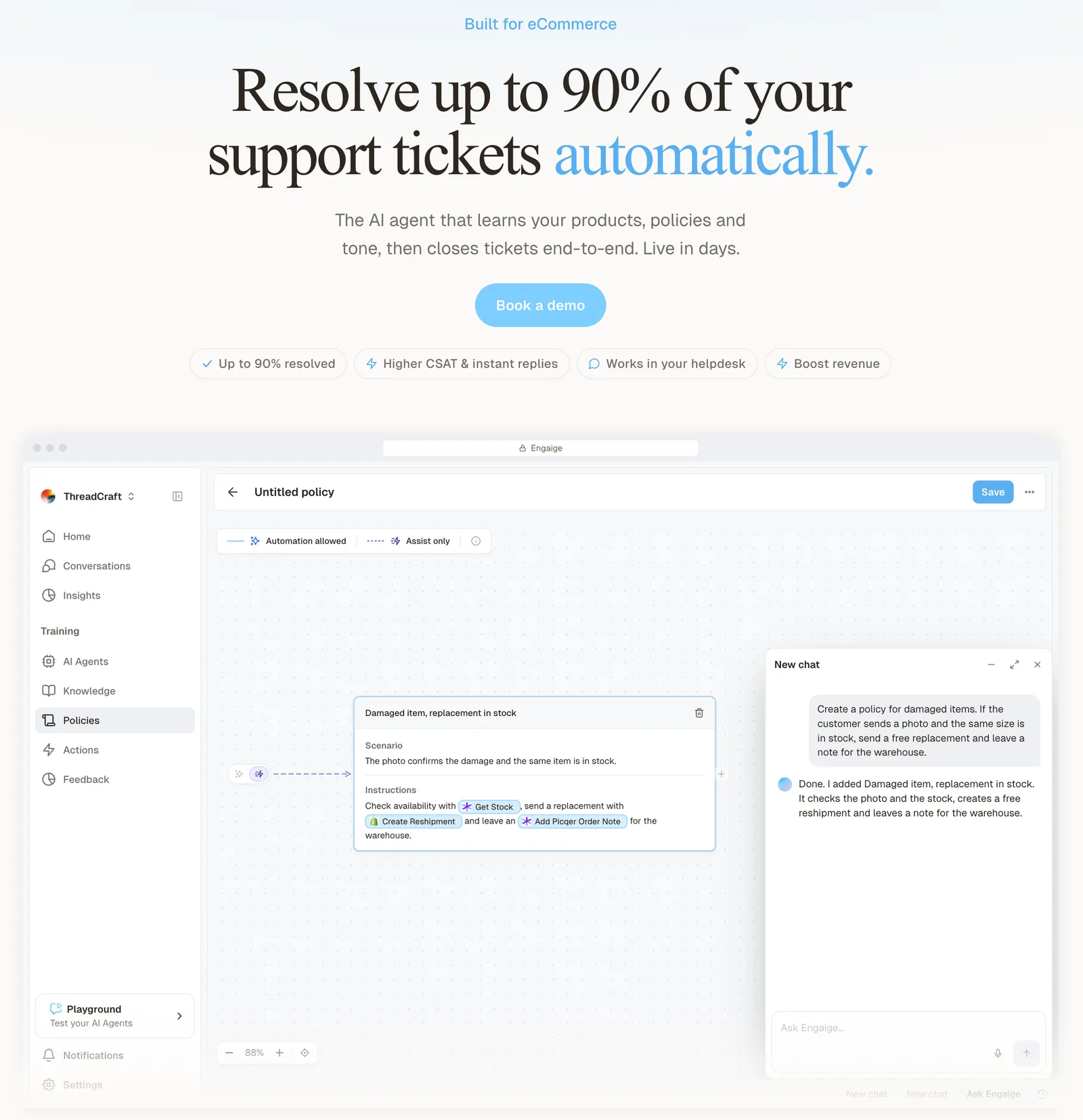
Engaige is not a translation feature, and it doesn’t replace the one your agents use. The difference it makes is the rule behind the words. Multiple storefronts, markets and languages run on one setup, with a separate agent per region if the rules differ. To change a market’s rule, you tell Engaige AI in plain language; it proposes the policy change with its reasoning and you approve it before it goes live.

Hello Potential New Client
What would you like to get done today?
Could you analyse this week's conversations and show me some automation opportunities?
Ask Engaige…
Searched and found 4 contact reasons · 2.4s
Your agent resolved 426 of 512 conversations. 86 were handed over, and one contact reason accounts for most of them.
Searched and found 1 policy · 1.6s
Delivery status hands over whenever tracking is older than 24 hours, which is 40 of those 46.
Editing Delivery status · 1.9s
Done. It now handles stale tracking itself. Those 40 a week stay with your agent.
What were the reasons for handover, and how can we improve?
Fix it.
Reply…
HelloPrint, an online printing company operating in 21 countries, gives AI agents dedicated to specific countries their own business policies, and defines its business logic in one language instead of translating every piece by hand. It has 80% of tickets automated and a first response 90% faster.
Engaige proved to be invaluable. Their hands-on support during the implementation phase resulted in significant improvements to our automated resolution rate and CSAT.

Where your policies say a person should decide, Engaige hands the ticket to your team with a summary of its reasoning as an internal note, so the agent who picks it up sees why. Engaige AI also learns from your team’s normal work: in Agent Assist it compares every reply your team sends with the agent’s suggestion, one of several signals next to your conversations, hand-offs and emerging trends. You can be live in Agent Assist in hours and autonomous in about a week.
The full overview is in our Zendesk hub, our guide to omnichannel routing covers how work reaches your team, and the Zendesk comparison sets the two side by side. For related reading, see side conversations, ticket types and our ticketing system guide.
Frequently asked questions
Does Zendesk translate tickets automatically?
Agents can turn on conversation translation per conversation when a banner shows a language difference, once an admin has allowed it in Admin Center. It covers every channel except voice.
Which Zendesk plans include conversation translation?
All Suite plans from Team up, and Support Team, Professional and Enterprise. Dynamic content for macros and triggers needs Suite Growth or Support Professional and up.
What is the difference between AWS translate and AI translations in Zendesk?
AWS translate covers inbound and outbound live chat and messaging, and outbound email, web form and API. AI translations cover all channels both ways and replace AWS translate. Messaging support went generally available in August 2026.
Does the customer know a message was translated?
They get no notification that translation is on. Messaging marks AWS-translated messages as Translated, and you can add a Translated by AI disclosure when you use AI translations.
How do I translate macros in Zendesk?
With dynamic content: one item for the name and one for the body, each with a variant per language.
Which languages does a Zendesk AI agent reply in?
Only the languages you have added and activated in Zendesk.
Where does Engaige fit next to Zendesk translation?
Keep your helpdesk. Replace the AI. Engaige is the AI support agent inside your Zendesk: it answers the shopper in their own language, from your policies, takes the action in the connected system, replies and closes the ticket.
How does Engaige handle different rules per market?
Each market can have its own rules, and a region whose rules differ can get its own agent. To change a rule you brief Engaige AI in plain language and approve what it proposes, so the answer follows that market’s policy, not just its language.