Zendesk intelligent triage is AI that classifies every new ticket by topic (called intent before June 2026), sentiment, language and entities such as order numbers. It reads the subject and first public comment and writes each prediction, with a confidence level, into ticket fields. Professional plans get the classifications; using them in triggers needs the Copilot add-on.
What is Zendesk intelligent triage?
Per Zendesk’s definition, intelligent triage is Zendesk’s way of labelling each new ticket automatically. Each classification lands in a ticket field. Our Zendesk guide covers the wider product.
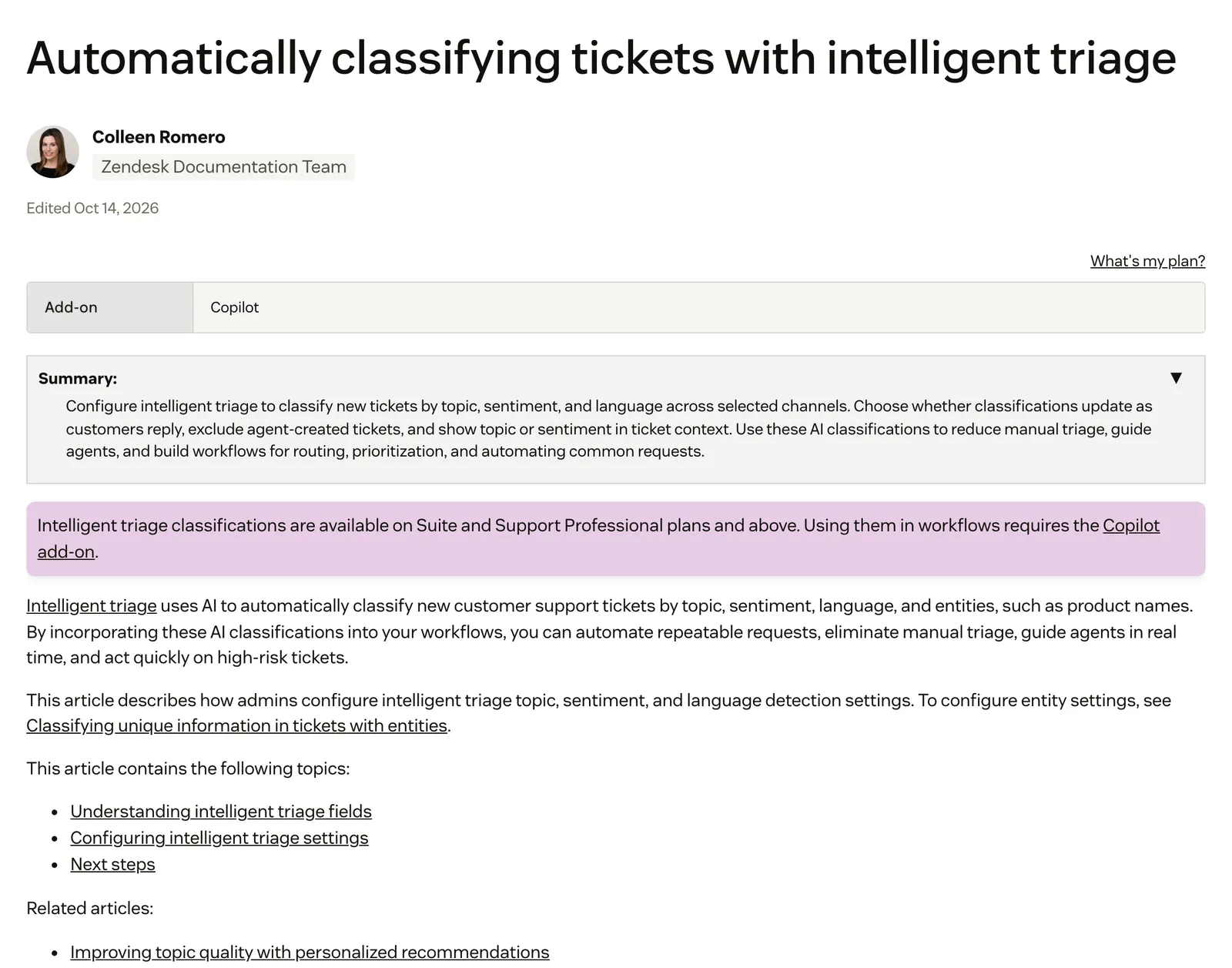
Four predictions do the work. The store examples below are ours, for illustration, not Zendesk data.
| Prediction | What it detects | Values and confidence | Store example (illustrative) |
|---|---|---|---|
| Topic (formerly Intent) | What the ticket is about | Prebuilt, industry-specific values plus your own custom ones; High, Medium or Low confidence | A “Return order” topic, which is Zendesk’s own example |
| Sentiment | How the customer feels when they reach out | Very positive to Very negative; a problem alone does not make it negative | Very negative on a third chaser about a late parcel |
| Language | The language the ticket is written in | About 150 languages; High, Medium or Low; not updated on each reply | A German ticket for the German-speaking agent; see Zendesk translation for replying in the shopper’s language |
| Entities | Details such as product names, order numbers or locations | Written into a custom field you link: drop-down, multi-select or regex | An order number matching your store’s pattern |
Sentiment is calibrated for customer service, so a customer reporting an issue is not marked negative just for that. Agents can change a wrong value from the ticket.
How does Zendesk intelligent triage work?
Zendesk’s model reads the ticket subject and the first public comment, from an agent or an end user. It writes topic, sentiment and language into ticket fields with a confidence value. If an admin turns on dynamic classification, topic and sentiment are re-evaluated as the customer replies.
Tickets started with a public comment are classified; internal notes are not classified for entities. For email and async channels, Web form, Email and Web service (API) are selected by default. For messaging, the Web Widget, WhatsApp and Facebook Messenger are selected by default, so see our Web Widget guide for that channel. Voice is classified only from post-call transcripts, with that box ticked.
Dynamic classification works per channel type. Email re-evaluates on the latest message, messaging on the whole conversation. It applies only to tickets created after you switch it on, and language never updates on replies.
Agents see the classifications in the ticket properties panel, and admins can show topic and sentiment in the ticket header. You can also exclude tickets created by agents.
How do you turn on intelligent triage in Zendesk?
Classification is available on Suite and Support Professional plans and above, and an admin runs the onboarding guide in Admin Center under AI > Intelligent triage. Since a rollout from 1 to 15 July 2026, Professional accounts get the classifications at no extra cost and without using the Copilot allowance.
Without the Copilot add-on, every classification type is off by default until an admin switches it on. The add-on is needed only to use the classifications in workflows and triggers, and it also turns every type on by default. For what the add-on costs, see our Copilot costs guide. The steps, from Zendesk’s setup guide:
- In Admin Center, select AI, choose Topic, Sentiment or Language, then Manage settings.
- Pick the channels to classify.
- Decide on dynamic classification and on excluding agent-created tickets.
- Choose whether topic and sentiment show in the ticket context.
- Save, then add entities and custom topics.
- With the add-on, build workflows on the fields.
One tip for admins: check whether triage is already classifying your tickets before you decide it is off. One Zendesk Community poster (October 2026) reported finding classified tickets while the setup screen still showed onboarding.
If you trialled Copilot and dropped it, Zendesk warns that workflows built on triage fields stop running after the Professional rollout. Remove the triage field from the workflow to get it working again.
How do you use triage predictions in triggers, views and routing?
The triage fields feed triggers and views, and using them in triggers needs the Copilot add-on. A trigger can route to a group, send an auto-reply, ask for missing details or raise priority, so pick a confidence level you trust before you automate. Zendesk’s trigger pattern is a condition of Topic Is a value, with the action Ticket > Group.
Views can filter on the fields too. For the auto-reply recipe, see our guide to the automatic reply.
What happened to Zendesk intents?
Zendesk renamed triage’s Intent to Topic from 11 June 2026. It is a naming change only: workflows and ticket data stay the same.
Zendesk announced the change on 26 May 2026 and rolled it out from 11 to 18 June. Existing Copilot customers see Topic in the ticket header, on the Topic page in Admin Center, in the triage dashboard and in admin recommendations. The custom fields Intent and Intent confidence were not renamed at first, and Zendesk’s own pages do not confirm that this has since happened.
Accounts that bought Copilot before 11 June, per Zendesk’s docs, still see Intent in fields, views, triggers, automations, macros, SLAs, queues and the API, and their fields stay custom fields that generate tags. New Copilot customers get classifications in standard ticket fields.
How do you create custom intents, now custom topics?
Custom topics replace what people called custom intents. Create one in Admin Center under AI > Intelligent triage > Topic > Create topic. Per Zendesk’s guide, you set:
- A name: up to 255 characters, no special characters.
- A description: up to 650 characters, saying what the topic covers and what it doesn’t.
- A category and subcategory: topics sit in three levels: category, subcategory, topic.
An account can have up to 500 custom topics, and they start classifying immediately on activation. Zendesk also recommends new topics from your ticket data weekly, starting a week after activation. You accept or decline each one.
Topics are for the reason, not the details. Product names, order numbers and locations belong in entities. You can rename a topic or restore its default name. Deactivating one stops it being detected, and triggers, views and automations on it stop working. At least one default topic stays active.
A separate thing shares the word. Intents in Zendesk’s older bot builder for AI agents are a legacy feature with its own timeline, covered in our chat bot guide.
What are the limits of intelligent triage for an online store?
It classifies from the subject and first message, writes a topic and a confidence level, and leaves the work to a trigger or an agent. An order-number entity captures the number, but nothing in triage looks that order up in your store.
Zendesk’s documentation shows where the edges are:
- First message only. Unless dynamic classification is on, and then only for topic and sentiment on tickets created after you enable it. Language never updates.
- Corrections. Zendesk’s doc says updating these fields doesn’t train the triage model.
- Rules do the acting. A trigger can route to a group, send an auto-reply, ask for missing details or raise priority; the triage field itself only labels.
- English-only values. Classification covers about 150 languages, but values in Admin Center and Explore triggers, views and reports are English only.
- Entity matching. The ticket language must match the entity language, and detection works on space-separated words.
Knowing a ticket is “Return order” does not tell you whether the item is inside the return window, whether it shipped or what the carrier says. Triage is one rule inside the wider ticketing system you run, and it is only as useful as the work that follows the label.
Our view: triage labels a ticket; it does not answer the customer or touch the order. It is a sorting layer that makes a large queue easier to route and report on. For an online store the expensive part comes after the label: reading the order, checking the policy and acting. That is the ground of WISMO and returns tickets.
Where does Engaige fit?
Zendesk is a proven ticketing foundation; Engaige replaces only the AI layer on top.
Engaige (that’s us) isn’t a triage layer: it is the e-commerce-native AI support agent that works inside the Zendesk you already run. It doesn’t classify tickets for routing; it resolves them. Keep your helpdesk, replace the AI.
Engaige AI learns from your conversations and inputs, configures your support agent, and shows which policies it used. MR MARVIS, on Shopify Plus, has it resolving over 60% of the conversations it’s involved in: see the MR MARVIS case.

Where a triage field tells you what a ticket is probably about, with a confidence level, Engaige shows why it answered or acted as it did, with the source: which systems it checked (help desk, store, carrier) and which policy it applied. On Shopify it reads live Admin API data, such as orders, inventory and pricing across markets and SKUs, before it replies.
Hi, where is my order? It's been eight days and the tracking hasn't moved.

Shopify
Order 48219 · fulfilled

Picqer
Still processing Contradicts Shopify

DHL
Returned to depot · 3 delivery attempts
Settles it: the parcel is not with the customer
Reasoning…
Not deliverable. Reship to a confirmed address, booked in Picqer.
Suggested reply
Your parcel went back to the depot after three delivery attempts, so it will not arrive. I have booked a reshipment to the address you confirmed, arriving Thursday.
What the reasoning reveals is what you improve. Because you can see how the agent reached an answer, you can find where information is missing or unclear.
Within the AI we can see the reasoning, and how it comes to a response. That shows us where information is missing or unclear, and helps us improve our workflow.

Engaige AI then compares what your team sent with what the agent suggested, learns from the difference, and you approve the changes.
In Zendesk, Engaige works inside the agent workspace on your existing tickets. The action happens in the connected system first, then Engaige replies and closes the ticket; the rest goes to your team. You can go live in Agent Assist in hours, or launch autonomous from day one. Brands that move quickly reach autonomy in about a week. Engaige automates up to 90% of supported tickets.
See how the two compare on our Zendesk comparison page, or read about the Zendesk integration.
Frequently asked questions
What is intelligent triage in Zendesk?
It is AI that classifies new tickets by topic, sentiment, language and entities, and writes each prediction into a ticket field with a confidence level.
Is Zendesk intelligent triage free on Professional plans?
The classifications are included on Suite and Support Professional and above after onboarding, since July 2026, without using the Copilot allowance. Using them in workflows needs the Copilot add-on; see our Copilot guide for the price.
What is the difference between a Zendesk intent and a topic?
Nothing functional. Zendesk renamed Intent to Topic from 11 June 2026, and older Copilot accounts may still see Intent until later in 2026. Intents in the legacy bot builder are a separate feature.
How many custom topics can you create in Zendesk?
Up to 500, organised in three levels: category, subcategory and topic.
What does intelligent triage read to classify a ticket?
The subject and the first public comment. With dynamic classification, topic and sentiment can update on replies. Language does not.
Does correcting a topic train Zendesk’s triage model?
Zendesk’s documentation says updating these fields doesn’t train the triage model. That statement is about triage fields only.
Can intelligent triage detect order numbers?
Yes, as an entity written into a regex custom field. It captures the number; it doesn’t look up the order.
Does intelligent triage resolve tickets, and does Engaige use it?
No. Triage labels tickets, and triggers or agents act on the label. Engaige doesn’t classify tickets for routing; it resolves them inside your Zendesk and shows why it answered, with the source.
Do I need to replace Zendesk to get an AI agent that resolves tickets?
No. Keep your helpdesk, replace the AI. Engaige works in the agent workspace on your existing tickets, in Agent Assist first or autonomous per ticket type.