
A Zendesk automatic reply is a message Zendesk sends a customer without an agent typing it. Three tools send one: triggers fire instantly, like the default “request received” email; automations send time-based follow-ups once an hour; and AI agents generate answers on email and messaging. Triggers and automations acknowledge. Only an AI agent answers the question.
This guide is for an online store already on Zendesk. It covers how to edit the default reply, out-of-hours messages, why follow-ups arrive late, what changes on 10 December 2026 and what an automatic reply does not carry about an order. For the wider picture, start with our Zendesk hub.
What is a Zendesk automatic reply?
A Zendesk automatic reply is any customer-facing message sent by a rule or an AI rather than a person. It comes from one of three senders, and each does a different job. An acknowledgement is a receipt, not an answer, and that distinction decides which sender you need.
Triggers run “immediately after a record, such as a ticket, is created or updated” (Zendesk docs). Automations “run once every hour on all non-closed tickets” (automations). AI agents “perform actions in authorized systems autonomously” (AI agents) on messaging, email and voice. Macros are not automatic: an agent applies them, which our macros guide covers.
| Sender | Fires when | Channels | What it can say | Plan |
|---|---|---|---|---|
| Trigger | A ticket is created or updated | Email and messaging | Placeholder text only | See Zendesk docs |
| Automation | Hourly, in whole hours | Customer-facing messages sent by hourly rules | Placeholder text only | Suite Team and up, Support Team and up |
| Standard messaging trigger | On messaging, after First Reply wait (5 seconds) | Messaging, not social channels | Fixed text | See Zendesk docs |
| AI agent | A message or email arrives | Messaging, email and voice | A generated answer, plus procedures | Measured in automated resolutions |
How do you set up or edit the Zendesk auto reply?
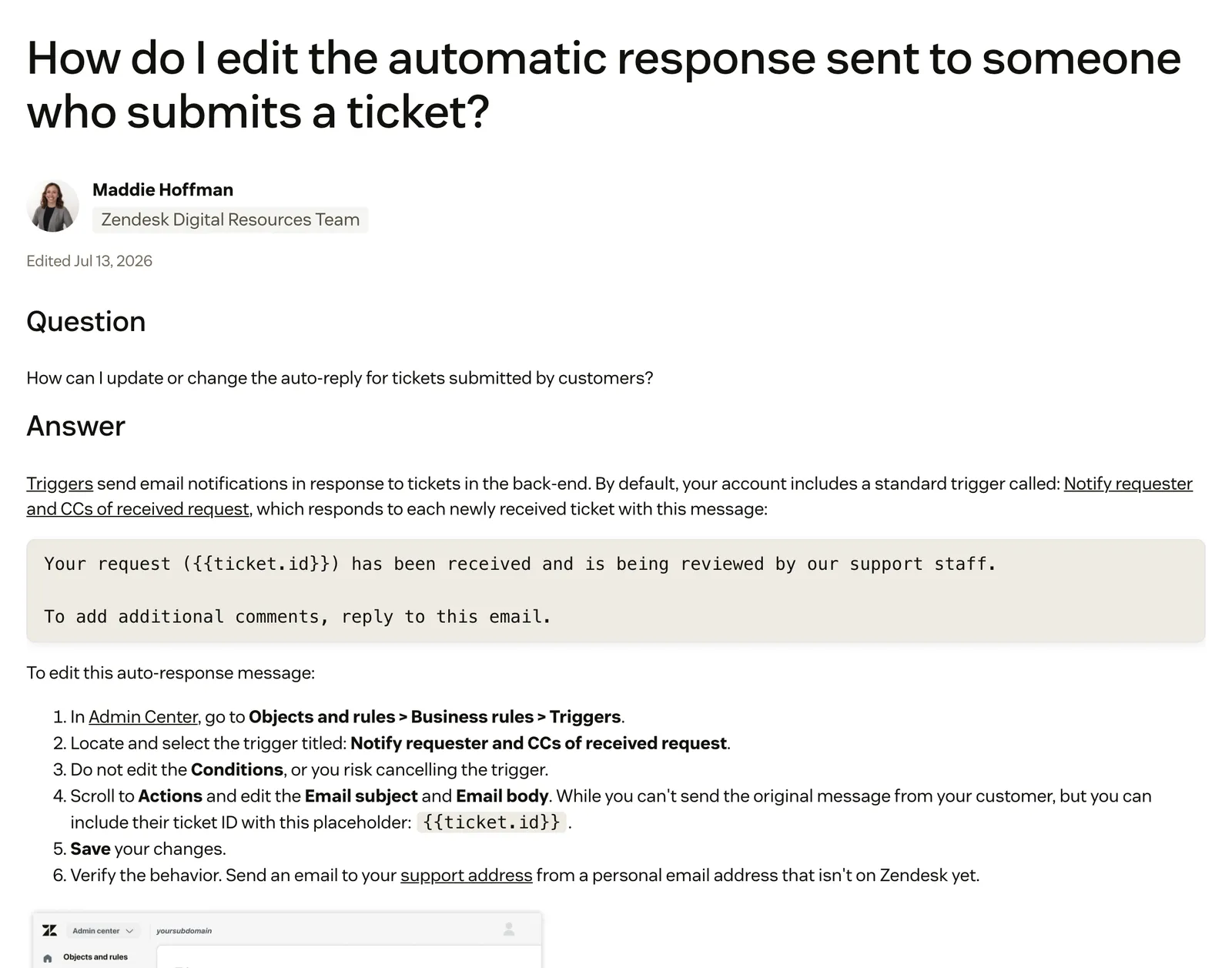
You don’t build it, because it already exists. The standard trigger “Notify requester and CCs of received request” emails the requester and anyone copied when a ticket is created. You edit it in Admin Center under Objects and rules, Business rules, Triggers, and Zendesk advises cloning it rather than changing the original.
- Clone the standard trigger and deactivate the original, as Zendesk advises.
- Leave the conditions alone. The trigger fires when a ticket is created, its status category is not Solved, and the end user adds a public comment.
- Rewrite the subject and body. Keep the
{{ticket.id}}placeholder so the customer has a reference. - Test from a personal email address that isn’t yet in Zendesk, which is Zendesk’s own advice.
The default body reads “Your request ({{ticket.id}}) has been received and is being reviewed by our support staff.” Zendesk’s edit guide documents no placeholder for the customer’s original message here; the default body carries only {{ticket.id}}. Out of the box, the receipt does not echo what was asked.
Two guardrails from the same documentation. If every trigger is deactivated, notifications stop. And a private comment suppresses the requester-and-CCs email. For who counts as the requester or a CC, see our requester guide.
For live chat and messaging, the standard First Reply messaging trigger waits 5 seconds, then sends “Thanks for your message, please wait a moment while our agents attend to you.” It is inactive by default, and standard messaging triggers do not support social messaging channels.
Can a Zendesk autoresponder send out-of-office replies?
Yes. Build a trigger whose condition “Ticket: Within business hours?” is No, and it fires only when a request arrives outside your schedule. The catch is that this needs a schedule, which depends on your plan.
Zendesk’s business hours documentation has caveats worth knowing. “On a holiday?” is yes for the full day of the holiday, not just your normal business hours, and holidays otherwise count as outside business hours. Only Enterprise plans can set multiple schedules, for example a different message per region.
On messaging, two standard triggers cover absence, both inactive until you switch them on:
- Request Contact Details, when an agent’s status is Away, asks the customer to leave an email address.
- All Agents Offline, when the status is Invisible, says the team will respond “when we’re back online in a few hours.”
Out of hours is when an online store’s questions pile up, and a receipt leaves a “where is my order?” customer with no answer until the team is back.
Why does a Zendesk automation reply arrive late?
Automations send time-based replies, such as a “still need help?” bump or a pre-close notice. They run once an hour on non-closed tickets and count only whole hours, so a reply can land almost an hour after you expect it.
Zendesk’s worked example makes it plain. Take a two-hour automation on a ticket solved at 9:15am. The checks run at 10:10, 11:10 and 12:10. The first counts as zero hours, because 55 minutes is less than one whole hour, and the automation fires at 12:10. That is 2 hours and 55 minutes after the event: a two-hour rule that fired nearly three hours late.
| Follow-up job | Sender | Realistic timing |
|---|---|---|
| ”Request received” receipt | Trigger | Immediately |
| Messaging First Reply | Standard messaging trigger | 5 seconds |
| ”Still need help?” bump | Automation | Next hourly run after the whole-hour condition is met |
| Pre-close notice | Automation | Same hourly run, counted in whole hours |
The same page lists further limits, including no firing on closed tickets and a cap per hour. This page covers only replies that reach the customer; the full rulebook for automations is in our automation rules guide.
What happens to Zendesk autoreplies on 10 December 2026?
Zendesk’s AI agents overview gives 10 December 2026 as the end date for autoreplies with articles, and its legacy email reference gives the same date for the legacy generative email autoreply. The first is autoreplies with articles. The second is the legacy generative email autoreply set up for AI agents on the email channel. If either is live on your account, plan the change now.
Autoreplies with articles moved into legacy status on 31 July 2025. The trigger action emailed up to three help centre articles, each with a “Yes, close my request” button, and Zendesk says it will no longer be available on 10 December 2026. If you rely on articles to deflect, our portal guide covers the other half.
The legacy generative autoreply is a bundle, documented by Zendesk:
- A trigger named “Generative reply for” your AI agent, with the action “Autoreply using generative AI” and the subject “Request received”.
- A bump automation after more than 24 calendar hours without an update. It emails “We’re just wondering if you’ve had a chance to review our response.” and sets the ticket to Pending.
- A solve automation after more than 48 calendar hours, which emails “We haven’t heard back so we’ll solve the ticket for the time being.” and sets it to Solved.
Republishing the AI agent resets the trigger’s channel-related conditions to their default configuration, so check it after every publish.
Zendesk’s sources give two timelines. The AI agents page says that on 10 December 2026 Essential AI agents, bot builder and autoreplies with articles “will no longer be available”. The removal announcement of 23 June 2026 puts the legacy experience in maintenance mode from 31 August 2026, with unmigrated Essential agents migrated in January 2027 and legacy agents from the beginning of February 2027. Read both and confirm with Zendesk for your account.
Our recommendation: before 10 December, list every create-time trigger that emails the customer, so an old “request received” receipt and a new AI reply don’t both land on the same ticket. For the bot side, see our chatbot guide.
Can Zendesk’s AI agent reply to emails automatically?
Yes. Email AI agents created on or after 11 May 2026 are automatically connected, and an email automation trigger is created for the integration. Zendesk announced it on 27 April 2026, with rollout from 11 to 18 May.
Zendesk also announced agentic AI on 20 April 2026. The agent answers one or more questions in a single reply, runs generative procedures such as “Cancel my order”, asks clarifying questions, and hands off when the customer asks, a procedure calls for it or it can’t confidently resolve in one response. All newly created advanced email AI agents use it by default.
September 2026Turning the AI agent on for email, even “just to see how it behaves,” is too risky: a wrong, incomplete, or off-tone reply can go straight to the customer and damage trust, compliance, or the case. · Zendesk CommunityOn packaging, that page says it is available with the AI agents - Advanced add-on, while a March announcement says the Essential and Advanced distinction is being removed, with rollout from 11 May to 12 June 2026. Check your own account.
Usage is measured in automated resolutions. On email, “the conversation ends 72 hours after the first email in the conversation.” Our chatbot guide covers bot types and billing.
Can a Zendesk auto-reply include the customer’s order details?
Not out of the box. Triggers and automations can only say what their placeholders hold. Zendesk’s placeholder reference covers user, organisation, agent, ticket, comment, satisfaction rating and custom object data. Zendesk documents no order, tracking or shipment placeholder.
Order data appears only if you push it into custom ticket fields, used as {{ticket.ticket_field_<ID>}}, or into custom objects yourself. On the requester name placeholders, Zendesk also warns: “If you have an open Zendesk Support instance, this placeholder can be a target for spam in first-reply triggers.”
Zendesk was built for every industry and doesn’t think in orders, return windows or carrier events. Its Shopify page puts “order refunds and cancellations” in the human agent’s sidebar app, and its bots hand off to a live agent for more complex enquiries. Zendesk’s auto assist can also suggest Shopify order lookups, cancellations and refunds for an agent to accept. A customer asking about a parcel wants where it is, not a ticket number, which is the WISMO problem.
Third-party apps fill part of the gap. ShippyPro’s Zendesk Auto Reply generates a draft reply with the latest shipment status, posted as an internal note or public comment. It needs a Zendesk Support plan and a separate subscription.
How do you stop email loops with customer auto-responders?
A loop starts when a customer’s own out-of-office replies to your Zendesk notification. That reply creates a new ticket, which triggers another notification. Zendesk’s fix is a trigger that adds a tag to tickets created from the automated emails, then editing your existing notification triggers to ignore tickets with that tag.
The alternative is to block the address, so its tickets go to suspended tickets. Zendesk cautions that cleaning up risks deleting legitimate emails, so review before you purge.
When should an automatic reply answer instead of acknowledge?
Acknowledge when a person has to decide anyway: disputed or fraud-risk claims, exceptions outside your policy, an angry repeat customer. Answer automatically when the reply depends on data and policy a system can read: order status, the return window, cancellation before fulfilment, stock and sizing.
| Store request | Zendesk tool that fits | What a good reply needs | Acknowledge or answer |
|---|---|---|---|
| Where is my order? | Trigger receipt | Live tracking and carrier events | Answer |
| Return request | Trigger receipt, AI agent | Order date and return window | Answer |
| Cancel or change address before shipping | AI agent procedure | Fulfilment status in the store | Answer |
| Product question out of hours | Offline messaging trigger, AI agent | Live catalogue and sizing | Answer |
| Damaged or missing item | Trigger receipt, AI agent | Order and delivery data checked against your policy, then a replacement or refund | Answer, escalating disputed claims |
The patterns behind these rows are the returns and damaged items use cases. Some teams want their AI agent to work this way too.
August 2026The use-case is that I’d like to use AI Agent as the ticket confirmation with a generic acknowledgement without answers from the knowledge base attached as our default configuration. · Zendesk CommunityThree questions test any AI that replies inside Zendesk, Zendesk’s own included. Does it read the live order? Can you see why it replied? Does it improve from what your team actually sends?
Where does Engaige fit?
Engaige (that’s us) isn’t a trigger or an autoresponder. It’s the AI agent that answers the question instead of acknowledging the ticket, plugged into the Zendesk you already run: keep your helpdesk, replace the AI. Behind it is Engaige AI, which learns from your conversations and inputs, configures your support agent and shows which policies it used.

The angle is answering, around the clock, on every text channel. Out of hours a trigger sends a receipt. Engaige answers on email, live chat, WhatsApp, SMS and social DMs from the live order. On Shopify, it combines live Admin API data, pricing across markets and SKUs, inventory, orders and customers, with the marketing content from your storefront.
It covers WISMO, refunds and returns, cancellations and address changes, subscription changes and product advice. It is text-first by design, with no voice AI: a live call gives an AI seconds to reason, while text gives it time to read the order, check your policy and act. If phone is a big share of your mix, a voice specialist is the honest answer.
You go live in Agent Assist in hours. Engaige AI compares what your team said with what the agent suggested, learns from the difference and improves itself, under your supervision: you approve the changes.

Hello Potential New Client
What would you like to get done today?
Could you analyse this week's conversations and show me some automation opportunities?
Ask Engaige…
Searched and found 4 contact reasons · 2.4s
Your agent resolved 426 of 512 conversations. 86 were handed over, and one contact reason accounts for most of them.
Searched and found 1 policy · 1.6s
Delivery status hands over whenever tracking is older than 24 hours, which is 40 of those 46.
Editing Delivery status · 1.9s
Done. It now handles stale tracking itself. Those 40 a week stay with your agent.
What were the reasons for handover, and how can we improve?
Fix it.
Reply…
Ticket types switch to autonomous one at a time, most brands in about a week, up to 90% of supported tickets. Every answer shows why, with the source.
MR MARVIS, a Shopify Plus brand, gives personal product advice 24/7, handling over 120,000 questions a year and resolving over 60% of the conversations it’s involved in.
One thing that impresses me every day is the quality of the product recommendations.

See the Zendesk comparison or the Zendesk integration page.
Frequently asked questions
How do I set up an automatic reply in Zendesk?
Clone the standard trigger “Notify requester and CCs of received request”, deactivate the original, then rewrite the subject and body of your copy. Keep {{ticket.id}}, leave the conditions alone and test from a personal address not yet in Zendesk.
What is the difference between a Zendesk trigger and an automation?
Triggers fire immediately when a ticket is created or updated. Automations run once an hour on non-closed tickets and count only whole hours, so they suit follow-ups and pre-close notices rather than instant replies.
Can Zendesk send an out-of-office reply?
Yes. Use a trigger with the condition “Ticket: Within business hours?” set to No, which needs a schedule (plan-dependent, see Zendesk’s business hours documentation). For messaging, the standard Request Contact Details and All Agents Offline triggers cover absence once activated.
Why does my Zendesk automation reply arrive late?
Automations run hourly and count whole hours. Zendesk’s own example has a two-hour automation on a ticket solved at 9:15am firing at 12:10, which is 2 hours and 55 minutes after the event.
What happens to Zendesk autoreplies with articles on 10 December 2026?
Zendesk’s AI agents overview says autoreplies with articles are no longer available from 10 December 2026, and its legacy email reference gives the same date for the legacy generative email autoreply for AI agents. A separate notice lists migration of legacy agents in January and February 2027, so confirm the dates for your account.
Can Zendesk’s AI agent reply to emails automatically?
Yes. Email AI agents created on or after 11 May 2026 connect automatically to the Zendesk email channel, and newly created advanced email AI agents use agentic AI by default, answering questions and running procedures in one reply.
Can a Zendesk auto-reply include the customer’s order details?
Not out of the box: Zendesk documents no order, tracking or shipment placeholder, and the default receipt carries only the ticket ID, and Zendesk documents no placeholder for the customer’s original message in it. Engaige instead answers from the live order, reading the store before it replies on email, chat, WhatsApp, SMS and social DMs.
Can a different AI agent answer automatically inside Zendesk?
Yes. Engaige plugs into the Zendesk you already run and replaces the AI layer, not the helpdesk. You go live in Agent Assist in hours, you approve each improvement Engaige AI proposes, and it answers on text channels around the clock.






