
The Crisp chat box is the website chat widget of Crisp, a French customer messaging platform. A script or store app adds the chatbox to your site, and every message lands in Crisp’s shared inbox next to email, WhatsApp and social. The Free plan covers the widget for two seats; paid plans start at $45 a month per workspace.
What is the Crisp chat box?
Crisp brings live chat, email and social conversations into one inbox for growing teams. It was created in 2015, is bootstrapped, is headquartered in Nantes, France, and reports 600,000+ users. Crisp’s own help docs call the widget the “chatbox”, so “Crisp chat box” and “Crisp chat” mean the same thing here.
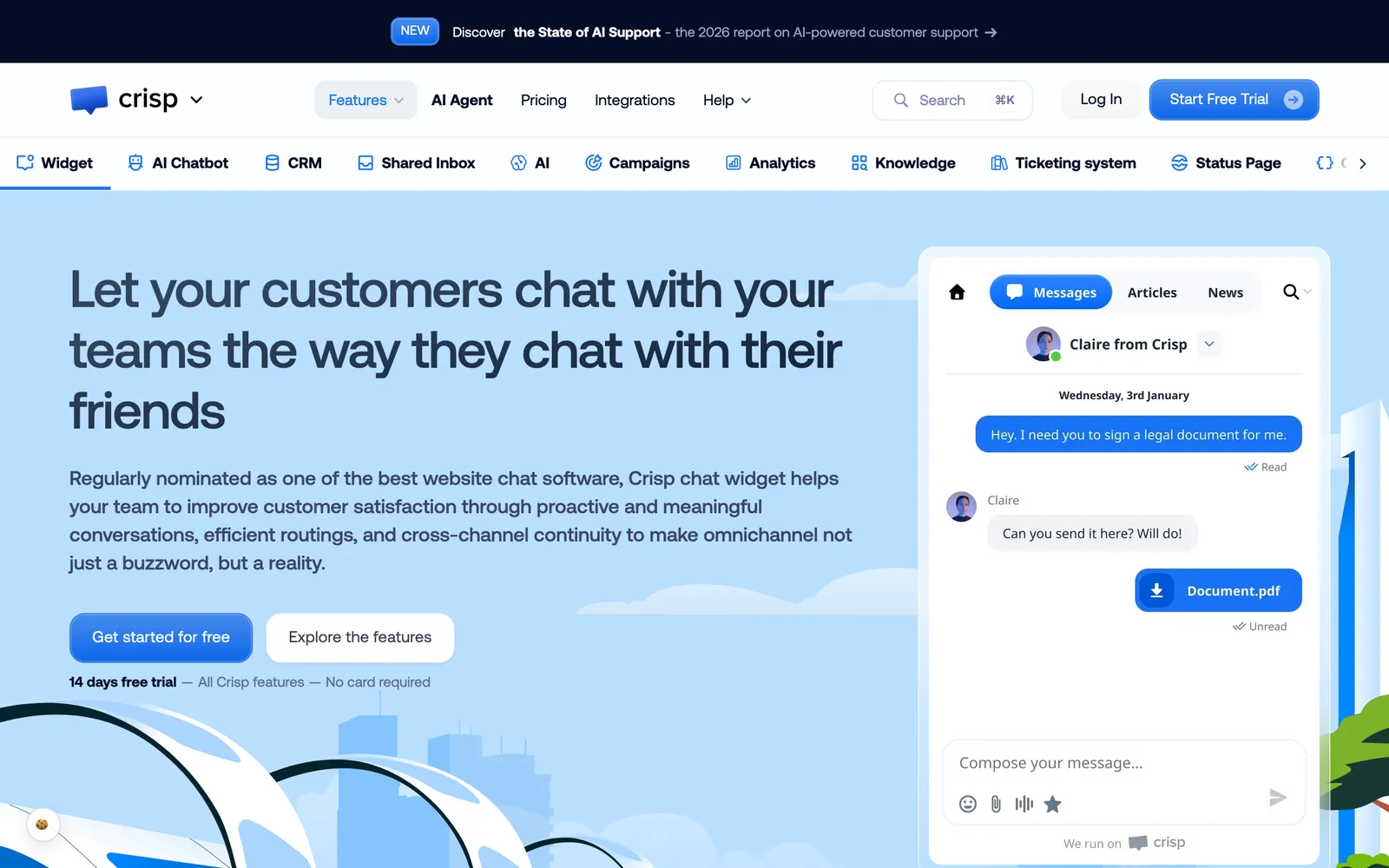
Our view: the chat box is the easy part. For a store, what matters is what happens after the message lands, who answers, and whether they can act on the order. For the wider picture, see the chat hub. If you are still choosing a bot or an agent, our chatbot comparison sets out the difference.
What does Crisp include besides the chat box?
The chat box feeds a shared inbox. Around it sit email, social and messaging channels, a knowledge base, CRM, workflows and AI, and which of them you get depends on the plan. Crisp lists the following on its pricing page.
| Component | What it does | From which plan |
|---|---|---|
| Website chat widget | Chat with visitors on your site | Free |
| Shared inbox and mobile apps | One place for all conversations | Free |
| E-commerce sync | Shopify, Adobe Commerce, WooCommerce, PrestaShop | Free |
| Shared email inbox, chat triggers, shortcuts | Email and rule-based chat prompts | Mini |
| Omnichannel inbox | WhatsApp Business, Instagram DMs, SMS and more | Essentials |
| Knowledge base, workflow builder, omnichannel AI chatbot, routing | Self-service content, automation and assignment | Essentials |
| Ticketing with customer portal, 100+ integrations, white label, unlimited task automations | Heavier support operations | Plus |
The widget itself lists, on the pricing page, live typing preview, customisation of colours, text and position, proactive chat messages, MagicBrowse co-browsing, LiveTranslate in more than 50 languages, and video and audio chat. Customers can also reply from their email inbox after leaving the site, and the answer shows in the same thread. You can open the chatbox from your own button with $crisp.push(['do', 'chat:open']).
How do you install Crisp live chat on a website or store?
Copy the chatbox script into your site HTML, or install the platform app or plugin. Then send a test message from the chatbox and check that it appears in the Crisp Inbox. Crisp says it installs in under three minutes on builders such as WordPress, Webflow and Wix, per Crisp, which is a vendor claim.
Custom site, per Crisp’s guide:
- In Crisp, go to Settings > Workspace Settings > Setup & Integrations > Chatbox setup instructions and copy the script.
- Paste it before the closing
</head>tag, or before</body>, on every page where the chatbox should appear. - Publish the site. On a single-page app, load the script once at app start, not on every route change.
- Send a test message and confirm it lands in the Crisp Inbox.
Shopify, per Crisp’s Shopify guide:
- In Crisp, go to Settings > Workspace Settings > Setup & Integrations > Shopify > Get the plugin.
- Install the app from the Shopify App Store.
- In the theme editor, open App embeds, enable the Crisp app embed and save.
- Enable it again if you publish a different theme.
The widget appears on checkout pages only with Shopify Plus checkout customisation; on other plans it shows on storefront pages. The integration also syncs customers and order events into Crisp contacts, so your team sees previous orders, status and tracking in the inbox. For general Shopify chat setup, see Shopify chat.
PrestaShop uses the “Crisp - Live Chat & AI Agent” add-on from the PrestaShop Addons Marketplace, uploaded as a .zip in Module Manager (v1.7 or higher); the full route is in PrestaShop chat.
If the chatbox does not show, Crisp lists these usual causes: a partially copied script, an unpublished site, the wrong template, CMS cache, blocked custom JavaScript or a browser extension.
What do Crisp’s plans cost in 2026?
Crisp prices per workspace, not per agent: Free, then Mini at $45, Essentials at $95 and Plus at $295 a month, with seats and AI credits rising by plan and no cap on conversations, per Crisp. The figures below are as listed on crisp.chat on 15 October 2026.
| Plan | Price per month | Seats | AI credits (approx. automated conversations) | Customer profiles | Notable adds |
|---|---|---|---|---|---|
| Free | $0 | 2 | None | 100 | Widget, inbox, e-commerce sync |
| Mini | $45 | 4 | $5 (about 90) | 5,000 | Email inbox, triggers |
| Essentials | $95 | 10 | $25 (about 450) | 50,000 | Omnichannel, knowledge base, AI chatbot |
| Plus | $295 | 20+ | $75 (about 1,350) | 200,000 | Ticketing, 100+ integrations, white label |
Notes from the same page:
- Extra agents cost $10 a month. Crisp’s table does not say which plans; the Shopify listing shows it under Plus.
- VAT is not included; EU businesses can enter a VAT number to remove it. Yearly billing can be switched on in the app after you subscribe.
- Every new account gets a 14-day trial with all features, and Crisp says no card is required.
- Some features cost extra, such as paid integrations, additional contacts or more than 20 agents.
- Hugo’s price estimate is $0.05 per AI conversation per Hugo.
- The Shopify listing bills in USD and shows a 4.0 rating from 34 reviews on 15 October 2026.
One caveat: the pricing page shows ”$” without naming the currency. Check the page in your own region before you budget.
What does Crisp’s built-in AI do for customer support?
Hugo, Crisp’s AI agent, answers from your knowledge base, website crawl, files and past conversations, and, when it cannot find an answer, says so so your team can follow up. With the Shopify integration it can look up orders and update a shipping address. Crisp markets it as able to “resolve up to 60% of your support tickets”, a vendor claim.
What Crisp documents, from its AI page:
- Training: Answer Snippets, the knowledge base, a website crawl, conversation history and imported files.
- Confidence: the MagicReply block has a confidence setting; if the AI cannot find the answer, it says so and the team follows up.
- Build: four steps: train, create a workflow, test and deploy to channels, then validate and measure.
- Copilot: an internal assistant that suggests answers to your agents.
- Connections: Hugo uses MCP to reach live data and perform actions, with a choice of models.
On Shopify, three Hugo tools are documented: Get Order Details, Get Customer Address and Update Order Shipping Address. You switch them on one by one for customers, Copilot or both, and Crisp recommends identity verification before Hugo retrieves private data or updates an order, and enabling tools that modify Shopify data carefully.
Where does an e-commerce team need more than the chat box?
The questions that fill a store inbox, such as where is my order, refunds, returns, cancellations, address changes and subscriptions, need an answerer that reads live order data, follows your policy, acts in the store and the returns, carrier and subscription tools, then closes the conversation. That is our view; here is what to check against Crisp’s documentation.
| Store job | What Crisp documents | What to check before you rely on it |
|---|---|---|
| Order status | Hugo’s Get Order Details tool | Which order fields it reads and when |
| Address change | Update Order Shipping Address, with identity verification recommended | How the customer is verified |
| Refund | Operator-side refunds from Crisp, per its Shopify integration page last updated in February 2023; not among Hugo’s three documented Shopify tools | Whether the AI or only your team issues it |
| Return in a returns app, subscription change, carrier claim | Not in the documented Shopify tools; possible through MCP connections you configure | Who builds and maintains each connection |
| Policy control per step, and reasoning | Per-tool toggles and a MagicReply confidence setting, per Crisp’s AI page | How rules are set for each action, and where you see why the AI answered |
To measure how many chats are resolved rather than handed over, see chat metrics; for why stores offer chat at all, see chat benefits.
Where does Engaige fit?
Engaige (that’s us) is the AI support agent that works inside the Crisp inbox your conversations land in. Keep Crisp, replace the AI. Engaige AI learns from your conversations, configures the agent and shows which policies it used.

Engaige takes the action in the connected system first (refund, return, address change), then replies and closes the conversation in Crisp, while Engaige AI compares what your team said with what the agent suggested and improves it under your supervision.
Conversations your policies route to a person go to your team with full context.
Three things Engaige brings into Crisp: structured policies that set how Engaige reasons and when it may take each action; every answer and action showing why, with the source; and resolution across your store, returns, subscription and carrier tools, through vetted actions on 50+ integrations.
Engaige offered control, flexibility, and the ability to really incorporate AI in a more human way.

It is live in Agent Assist in hours and autonomous in about a week, and Engaige automates up to 90% of supported tickets. Otrium resolves 60% of 120,000 annual tickets end to end. See the Crisp integration, read about AI support and agent benefits, or book a demo.
Frequently asked questions
Is the Crisp chat box free?
Yes, the Free plan includes the widget, with no AI credits; see the plans table above for paid tiers.
How do I add the Crisp chat box to Shopify?
Install the Crisp app from the Shopify App Store, then enable the Crisp app embed in the theme editor and save. Checkout pages need Shopify Plus.
Does Crisp charge per agent?
No, it charges per workspace, with seats included by plan; see the plan notes above.
What is Hugo in Crisp?
Hugo is Crisp’s AI agent, trained on your content, with Shopify tools for order details and shipping-address updates.
Can I open the Crisp chat box from my own button?
Yes. Call $crisp.push(['do', 'chat:open']) from your own “Chat with us” button.
Where is Crisp based?
In Nantes, France. Crisp is headquartered there, was created in 2015 and reports 600,000+ users, per its about page. For data hosting and a data processing agreement, check Crisp’s security and privacy pages before you sign.
Do I have to leave Crisp to use Engaige?
No. Engaige works inside the Crisp inbox as the AI support agent, with no migration.
Can Engaige process a refund from a Crisp conversation?
Yes. Engaige applies your policy, processes the refund or starts the return in the store and returns tool, then replies and closes in Crisp. Conversations your policies route to a person go to your team with full context.







